guide registration지금 등록하시면 신규 회원 선물 15% 할인 혜택을 누리실 수 있습니다!등록하러 가기 >
Evony: The King's Return

Evony: The King's Return

즉시배송즉시배송
🔥친구를 초대하고 받기 15%OFF

Faster Self Top-Up is now available! Click the "?" on the right for guidance.

좋아하실 만한 다른 게임

설명

Evony: The King's Return Top Up – Buy Pink Gems Cheap

Top up Evony: The King's Return on LDShop and buy Pink Gems at competitive prices. Choose the package you need, complete your checkout securely, and recharge your account quickly and conveniently.

Multiple Pink Gem Packages Choose the Evony top-up amount that fits your needs.
Secure Checkout Complete your Evony recharge through LDShop's secure checkout.
Fast Processing Get your Evony Pink Gems processed quickly after payment.
More offers & updates: Join the LDShop Discord — Join Discord
충전 절차

 How to top up Evony: The King's Return on LDShop?

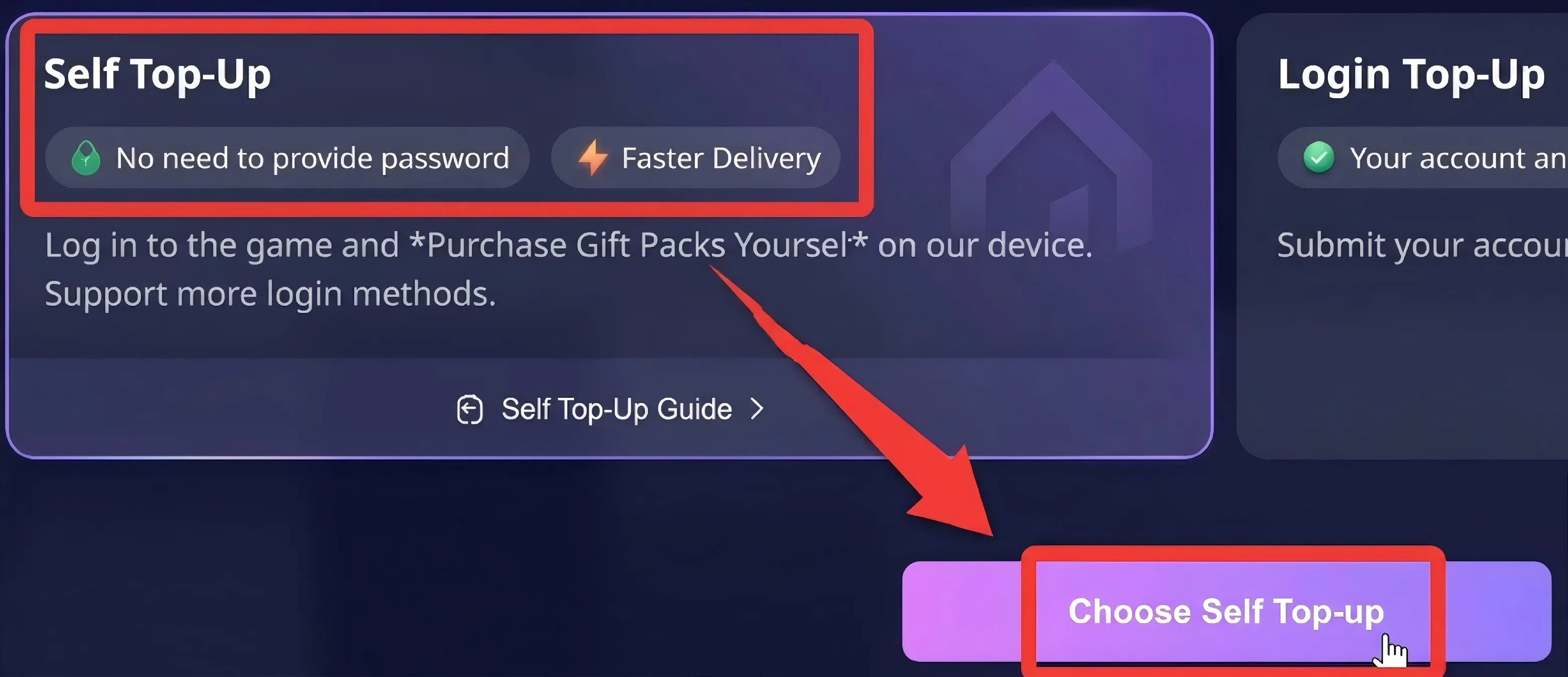
  • Self Top-Up

1. Select 【Self Top-Up】 after placing an order:After selecting a product and completing payment, select 【Self-Service Top-Up】.

Last War Top-Up

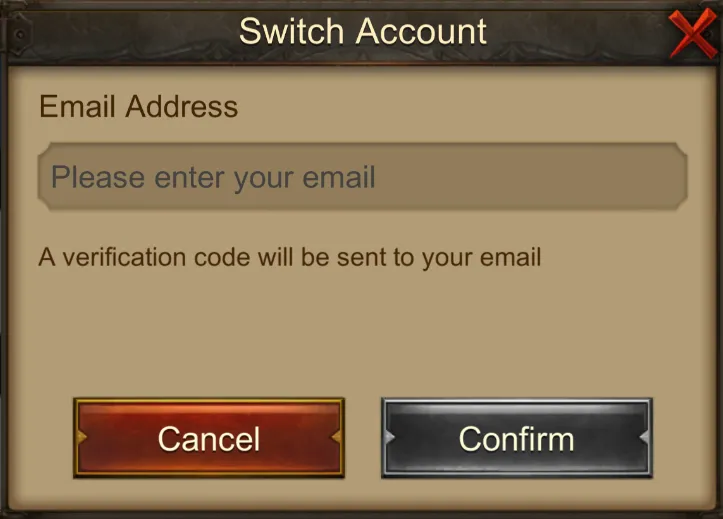
2. Log in through LDShop:Access the game through LDShop and log in to your game account.(Only email login is supported)

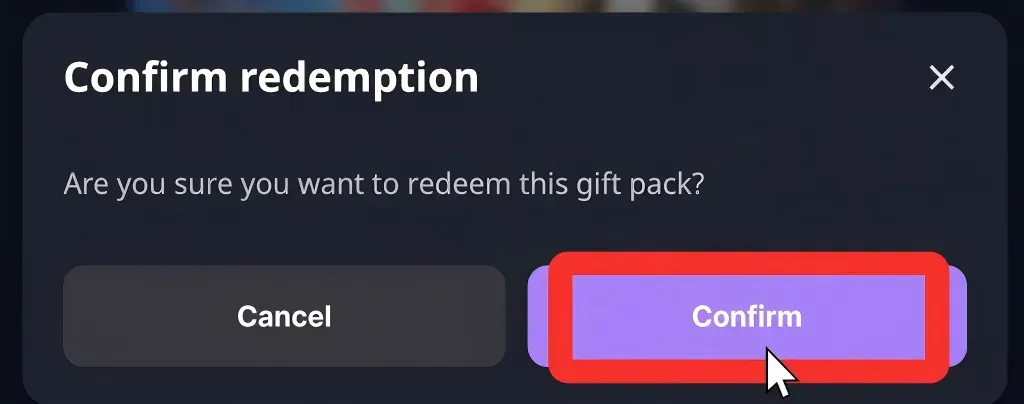
3. Redeem the gift pack through LDShop:In the game, select the gift pack you want and confirm.In other words, confirm the contents of the selected packs/gift pack in the game before completing the redemption.

Last War Top-Up

4. Automatic logout:After the top-up is complete, your account will be logged out automatically and all login records will be cleared.

  • Manual Top-Up

1. Place Your Order & Check Out
Complete your purchase securely through our checkout process.

2. Share Account Access
After payment, send your account email/login details to our support team via secure channels. 

Important: Avoid logging into the game during this process to prevent conflicts.

Recharge Information Required

  • Game Account:  your Evony: The King's Return Account & Password/Verification code
  • User ID: your Evony: The King's Return UID 

Supported login methods: E-mail (Recommended), Facebook

About Manual Recharge

To ensure your item is delivered successfully, please follow the steps below and provide the required information accurately:

1. Place Order & Select [Starff Login Top-up]

After selecting your item and completing the payment, choose [Login Top-up].

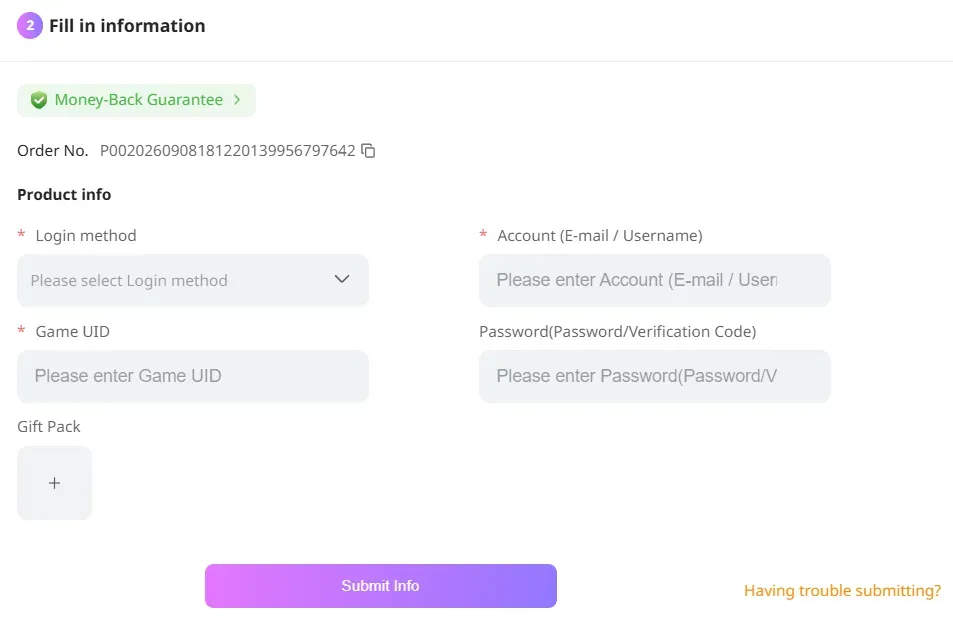
2. Enter Account Information

Game UID: Please check it on the "Profile" page in the game.

User ID: Your unique player ID.

Login Method: Supported methods include Facebook and Email (Email is recommended for faster processing).

Password/Verification Code: If you choose to log in with a verification code, you may leave this field blank for now. We will send you a separate notification to fill in the verification code later.

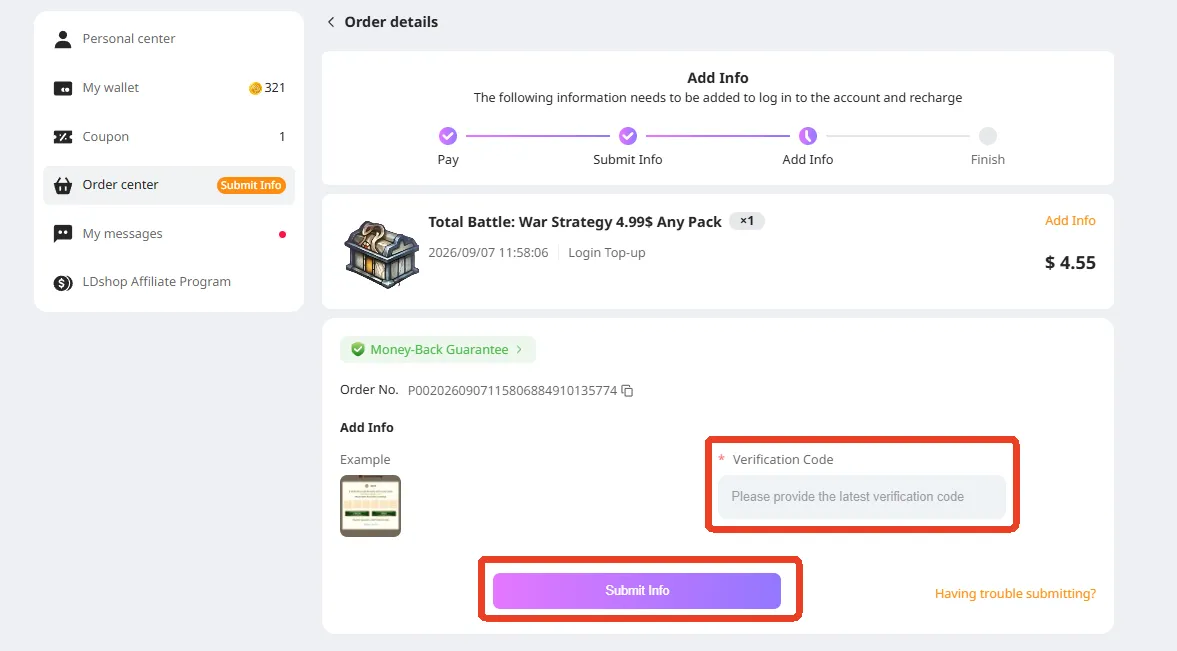
🚨 [Important] If this recharge requires a verification code login, after submitting your information, please keep an eye on the "Order Center" for additional instructions. Click "Go Supplement" to jump to the verification code entry page.

Verification Code Supplement

On this page, enter the verification code sent to your email, then click "Submit info". Your in-game pack will be credited shortly.

Enter Verification Code

How to Re-enter the Information Entry Page if You Exit After Payment?

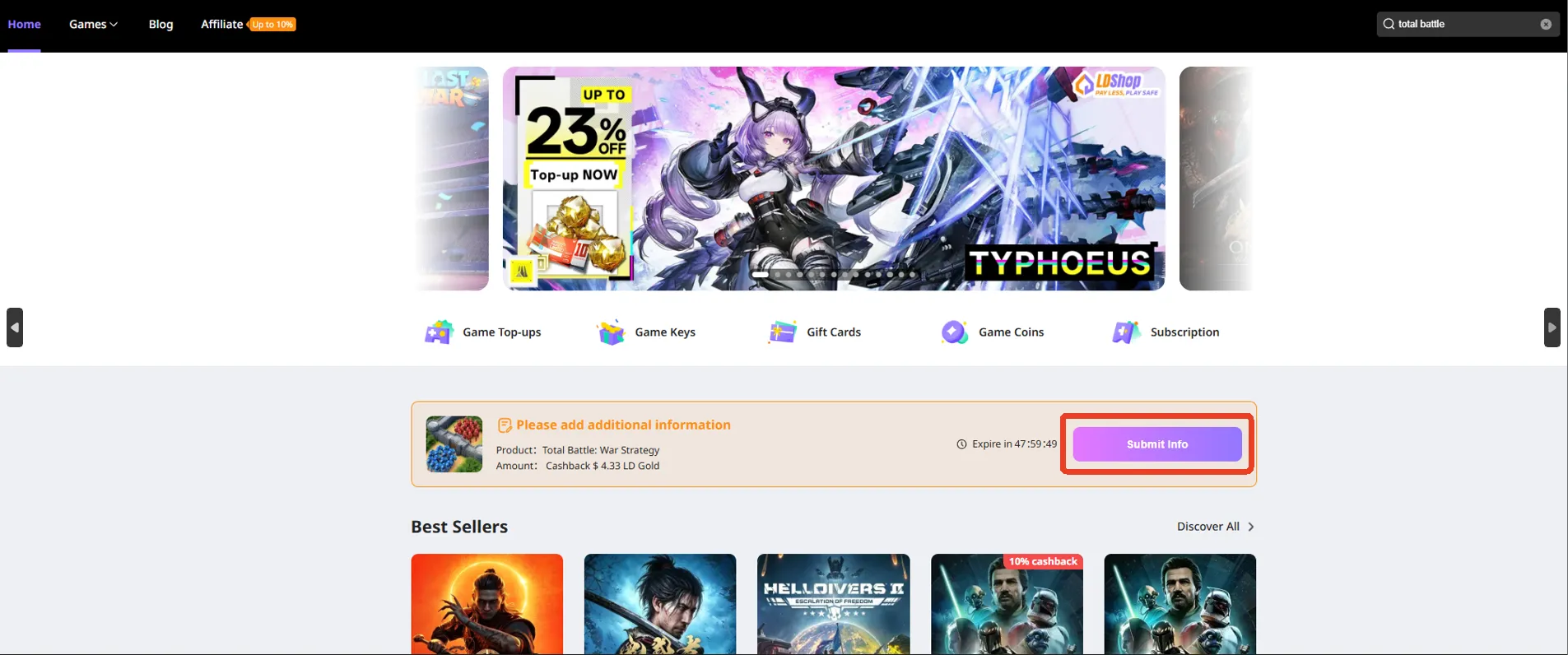
Method 1: Return to the homepage. The pack you purchased but haven't filled in information for will appear here. Click "Go supplement" to re-enter the entry page.

Fill in Information on Homepage

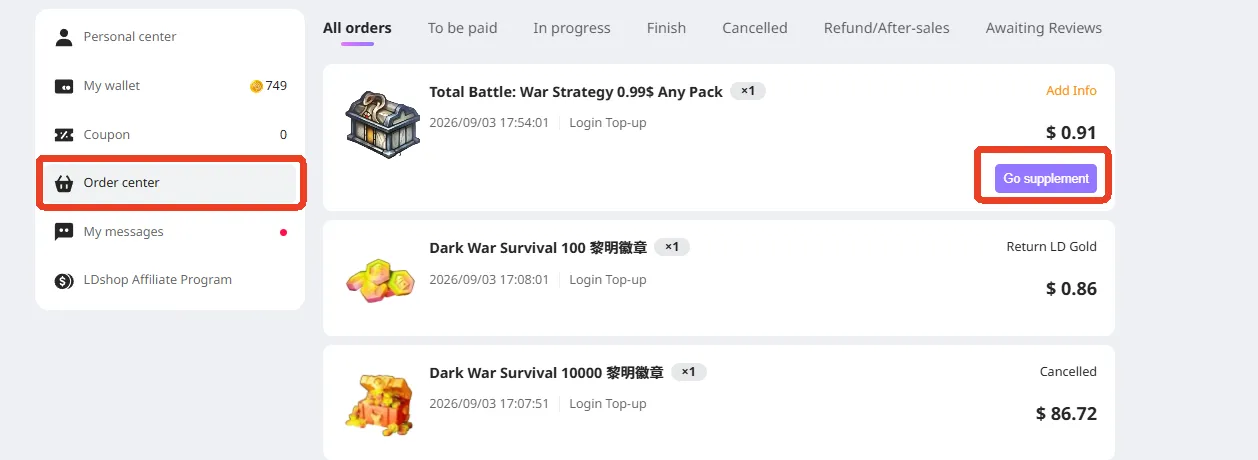
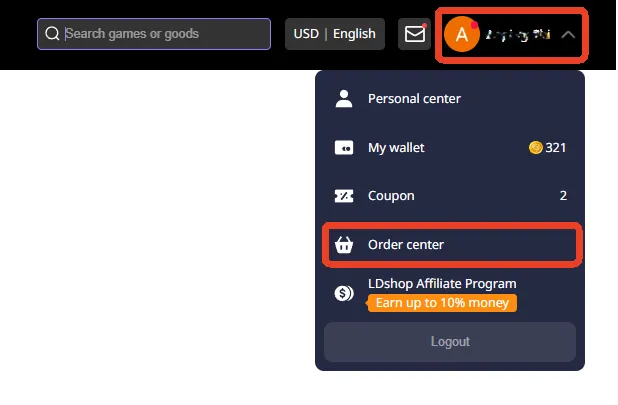
Method 2: If your purchased pack does not appear on the homepage, click the avatar in the upper-right corner and select Order Center.

Order Center Entry

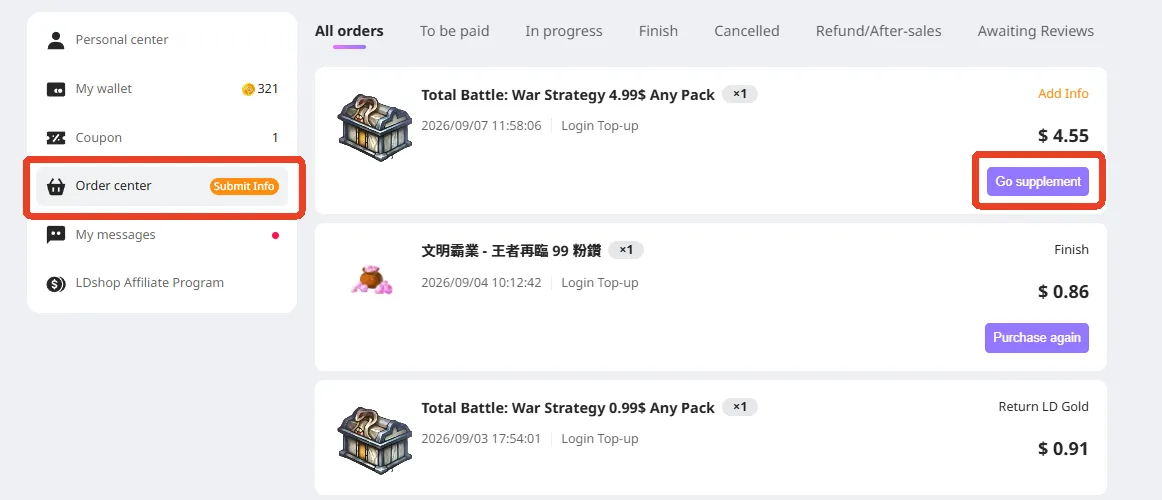
Once in the Order Center, find your purchased item and click "Go supplement" to continue filling out the details.

Fill in Information in Order Center

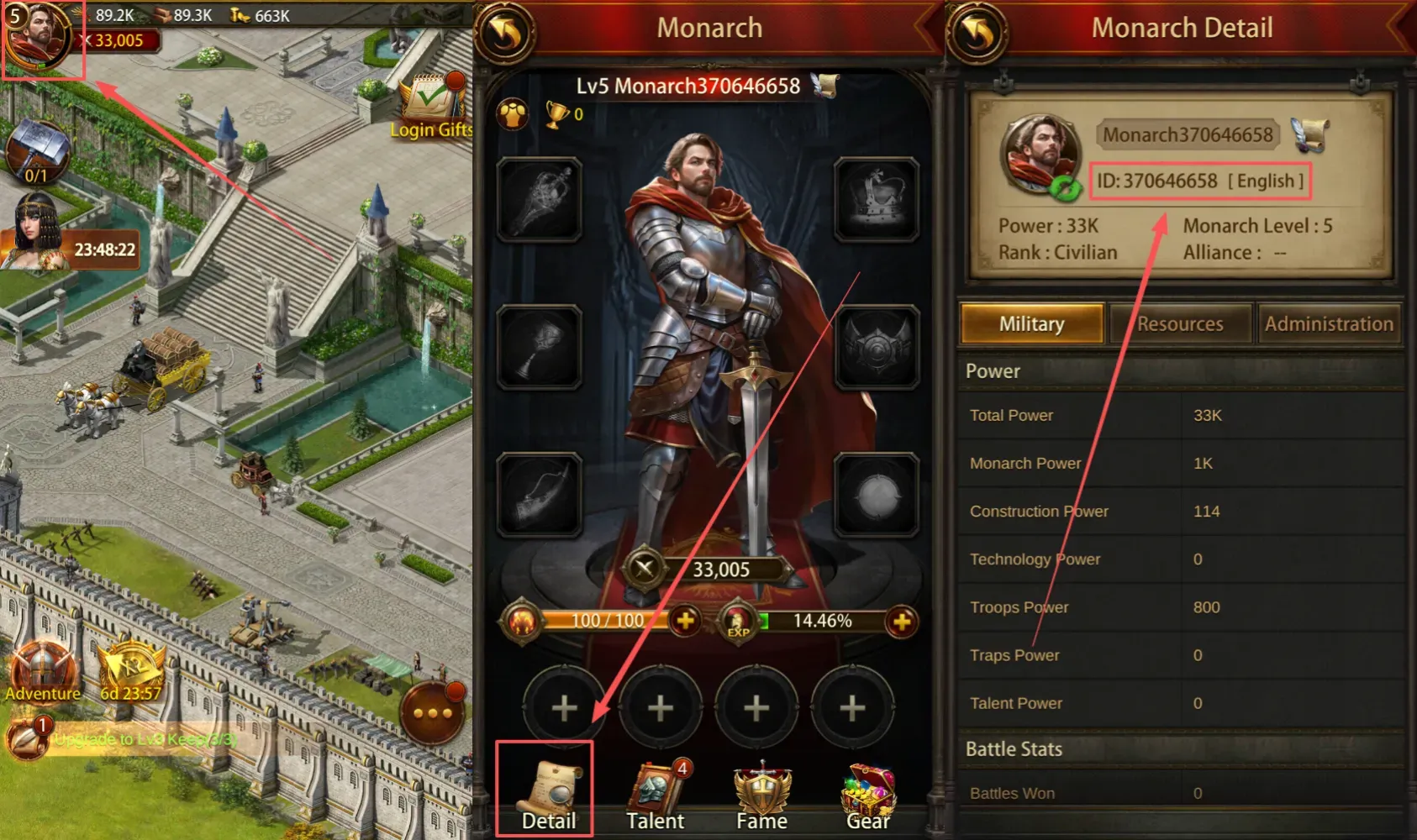
How to check your UID?

After logging into the game, click on the avatar in the upper left corner -> Click Detail -> Check your UID.

How to check your UID

What Are Evony Gems and Pink Gems?

In Evony: The King's Return, regular Gems and Pink Gems serve different purposes. Gems are a premium in-game currency commonly used for speedups, items, and other progression needs, while Pink Gems are used for eligible purchases through Evony's store. If you want to buy Evony Pink Gems, LDShop offers multiple top-up options to help you recharge quickly and conveniently.

Regular Gems Used in-game for speedups, items, and other progression-related needs.
Pink Gems Used for eligible purchases in Evony's store. Qualifying purchases may also grant VIP Points or event points according to the game's current rules.

Why Top Up Evony: The King's Return at LDShop?

Looking for a convenient way to top up Evony or buy Evony TKR Pink Gems? LDShop provides a straightforward recharge experience with competitive prices, secure payment options, and customer support when you need it.

Competitive Prices Choose from multiple Evony Pink Gem packages and find an option that suits your budget.
Secure Payment Complete your purchase using the secure payment methods available on LDShop.
Quick Processing Your Evony recharge is processed as quickly as possible after your order is confirmed.
24/7 Customer Support Need help with your Evony top-up order? Our customer support team is available to assist you.
New to LDShop? A new-customer coupon may be available. Check the current offer before checkout to save more on your Evony top up.

Quick Answers Evony Top Up FAQ

Is it safe to top up Evony: The King's Return on LDShop?

LDShop provides secure payment processing for Evony top-up orders. Follow the recharge instructions on the product page and make sure the account information you submit is accurate to help avoid processing delays.

How long does an Evony top up take?

Evony top-up orders are usually processed within approximately 30 minutes. Actual processing time may vary depending on the order and account verification. If your order takes longer than expected, contact LDShop customer support for assistance.

What information do I need for an Evony top up?

The required information depends on the recharge method. You may need your Evony account details, verification information, and UID. Check the Recharge Information Required section above and follow the instructions shown for your order.

What are Pink Gems in Evony: The King's Return?

Pink Gems are used for eligible purchases through Evony's store. According to Evony's current rules, qualifying purchases may also provide VIP Points or event points. Available items and rewards can change with in-game events.

Can I get Evony first-purchase rewards when topping up at LDShop?

If your game account is eligible for Evony's current first-purchase rewards, a qualifying top-up may receive the corresponding in-game rewards. Eligibility and reward details are determined by Evony, so check the current in-game or official store rules before purchasing.

What payment methods does LDShop support for Evony top ups?

LDShop supports multiple payment methods, including Visa, Mastercard, and PayPal. Available payment options may vary by region and checkout method.

Official Evony Link