


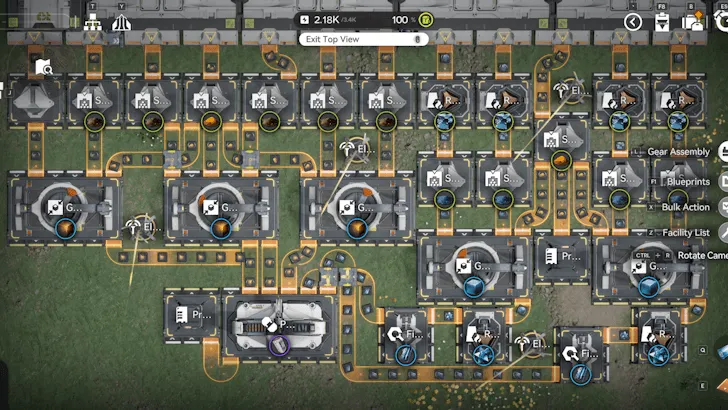
Blueprint codes are basically Arknights: Endfield's way of saying, "You really don't need to build this factory by yourself." Through the Automated Industry Complex (AIC), players can save an entire production layout, slap a code on it, and reuse it whenever they feel like it—dramatically reducing the time required to rebuild production lines and optimize resource output. No more staring at conveyors at 2 a.m., wondering why your power line doesn't line up. Someone already figured it out, saved it, and yes—you can just copy their homework. For example, the Wuling blueprint code.
In this guide, we'll break down what blueprint codes are, how to create AIC blueprints, and how to import community blueprints.
What Are AIC Blueprint Codes in Arknights: Endfield
In Arknights: Endfield, an AIC Blueprint is a saved layout of buildings and connections inside the Automated Industry Complex. Once saved, the blueprint can be reused in other locations or shared with other players using a unique blueprint code.
Blueprints allow players to:
- Replicate efficient production chains instantly
- Share optimized factory designs with the community
- Avoid rebuilding the same layouts repeatedly
- Standardize resource production across multiple outposts
According to official guides and community documentation, blueprint functionality is designed to support both personal reuse and large-scale sharing between players.
Blueprint Codes
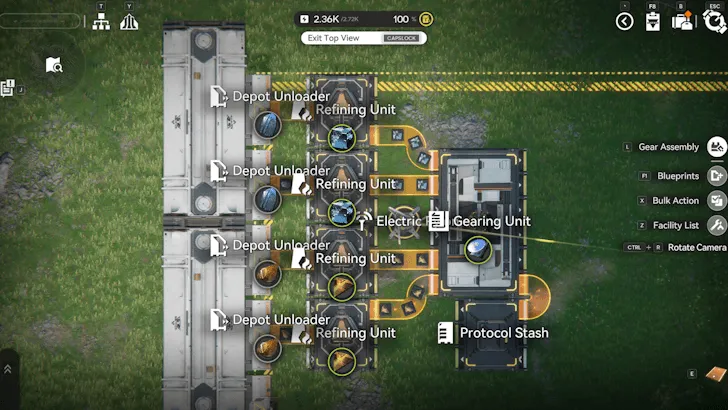
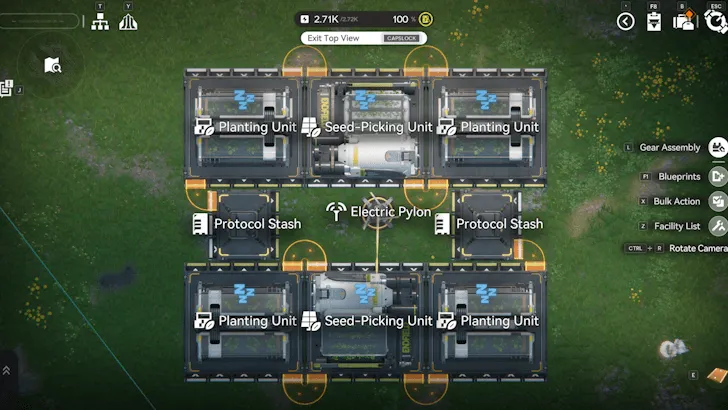
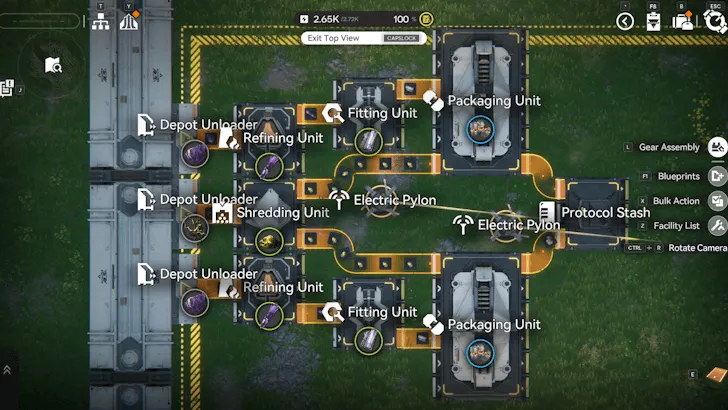
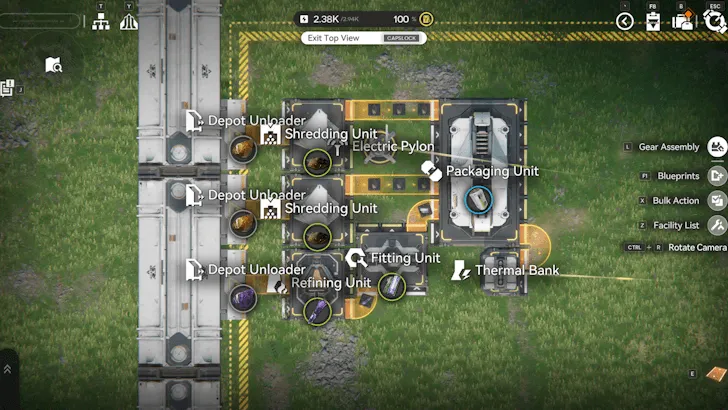
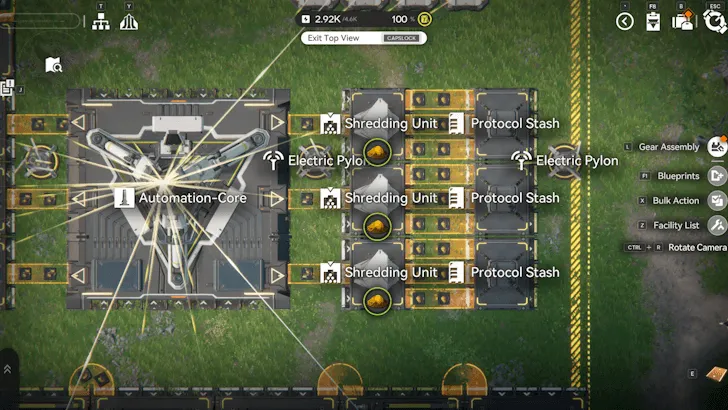
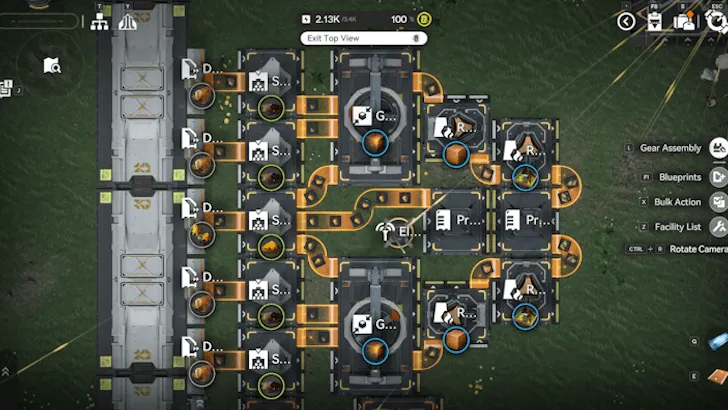
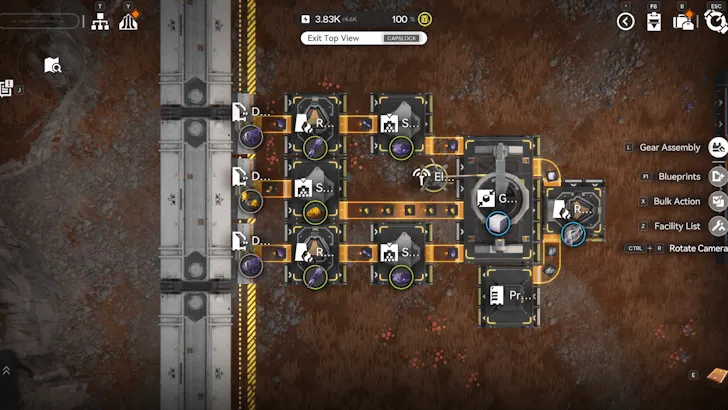
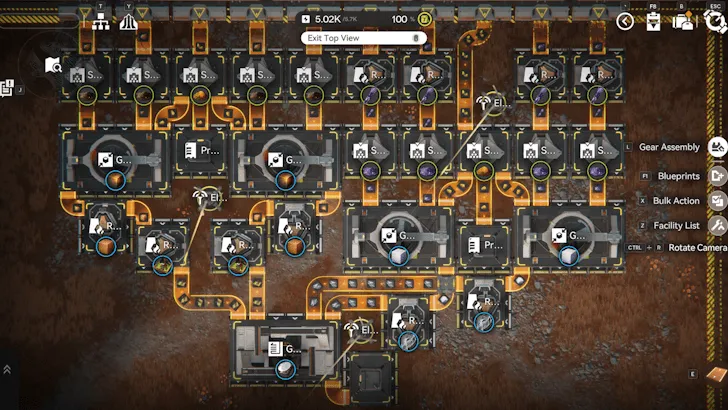
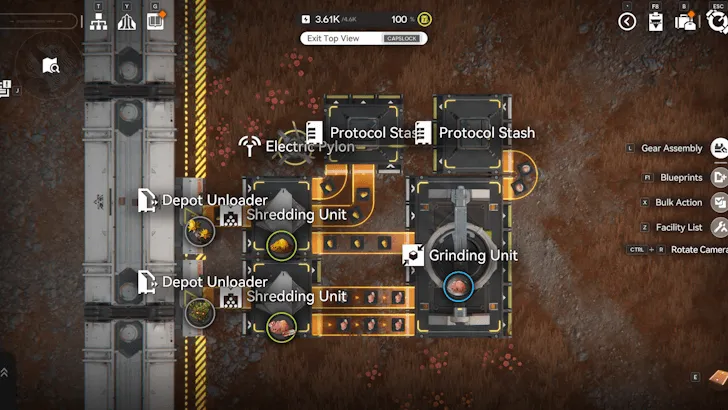
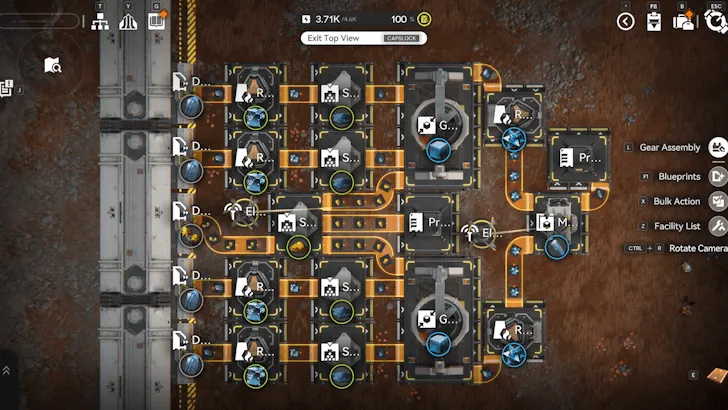
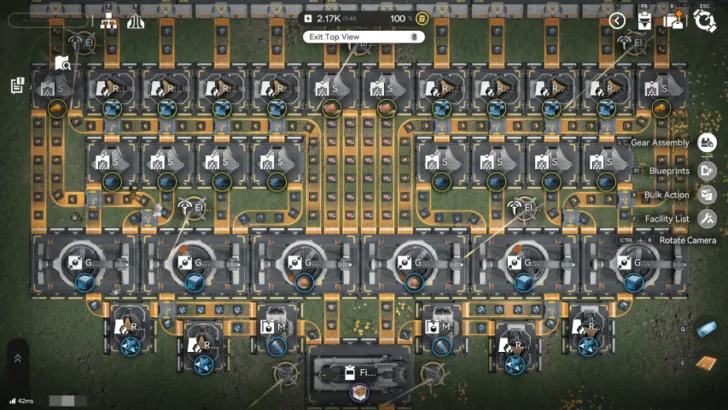
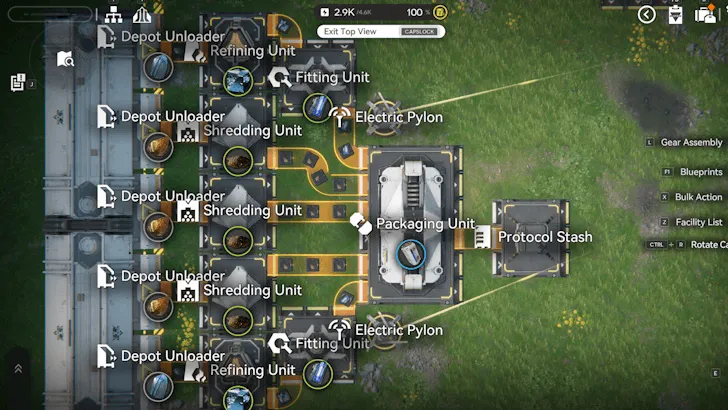
The following blueprint codes are commonly used for early, mid and late game production:
Blueprint Codes
Early game
|
Blueprint Name |
Blueprint Codes |
Blueprint |
|
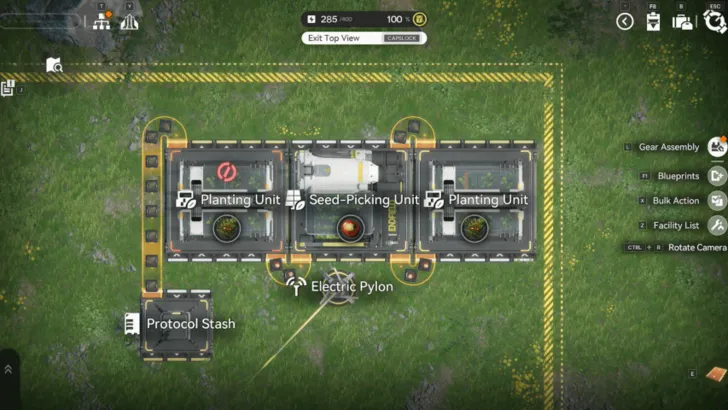
Infinite Seed-Planter Loop |
Asia: EFO012O9A7uuU48aeIOo USA: EFO01A5i407oo6E2I9ieO |
|
|
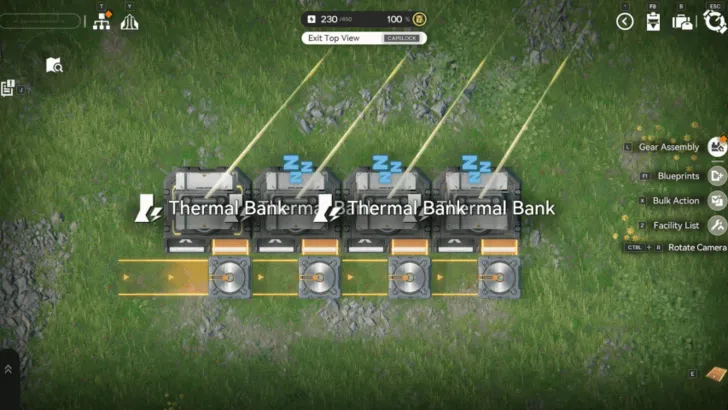
Manifold Powerplant |
Asia: EFO01ouiO4aa5860IieO USA: EFO01iOe59U8812aa72U4 |
|
|
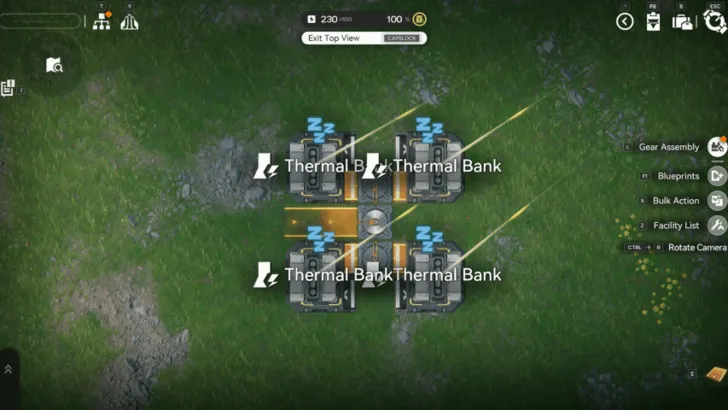
Load Balanced Powerplant |
Asia: EFO01Ue3608e87OEA7Oa8 USA: EFO01o08a2u7756o0IieO |
|
|
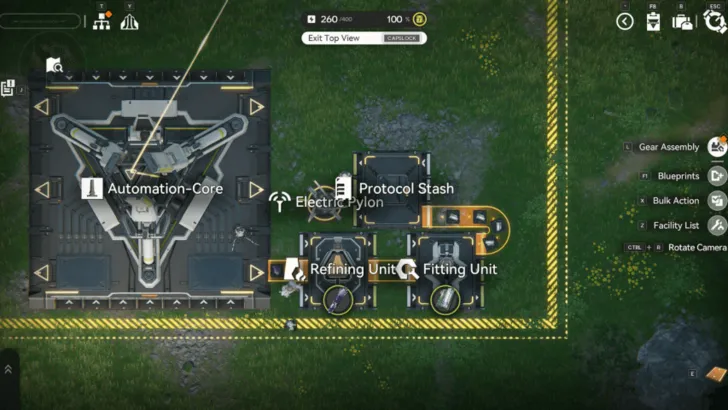
Amethyst Part Simple Farm |
Asia: EFO0101O3o7789i7E979 USA: EFO0172UE1iuu05u8O0Ai |
|
|
Efficient Amethyst Bottle |
Asia: EFO013o72O99Eua30i79 USA: EFO01U4A2aeII9OO97Oa8 |
|
|
Amethyst Component Factory |
Asia: EFO01ouiO4aa58639IieO USA: EFO01eE7O6A33a4I5oAi8 |
|
|
Buck Capsule C Line |
Asia: EFO01iUIa6551e2e272U4 USA: EFO0158OoU200iu12eIoe |
|
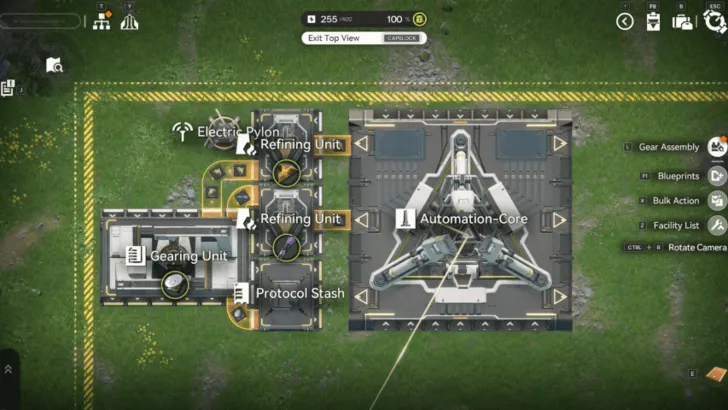
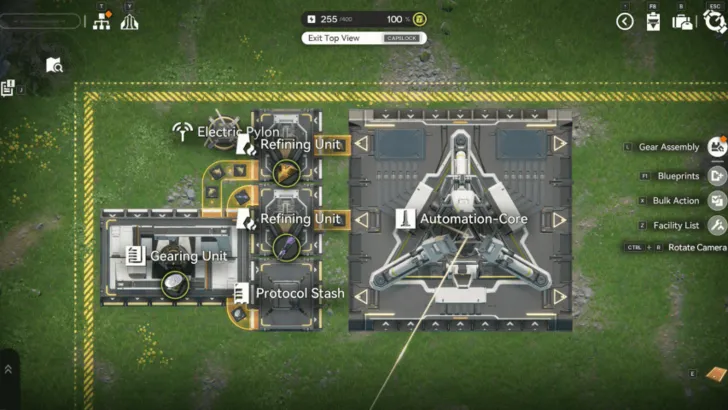
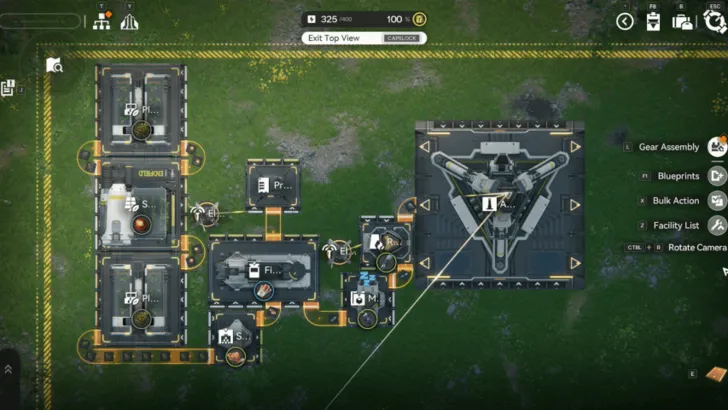
Advanced
|
Blueprint Name |
Blueprint Codes |
Blueprint |
|
Buck Capsule B Line |
Asia: EFO017i89aEE0U55EO0Ai USA: EFO01O3E8A499eIi9oe4 |
|
|
Ferrium Component Line |
Asia: EFO019aEu8UU36eu5UI2 USA: EFO01eE7O6A33a4ioAi8 |
|
|
Modular Infinite Farm Loop |
Asia: EFO0101O3o7789i0E179 USA: EFO01eE7O6A33a4AoAi8 |
|
|
Industrial Explosive Farm |
Asia: EFO01O4a7i88eEI3o9oe4 USA: EFO01U4A2aeII9OO7Oa8 |
|
|
LC Valley Battery Line |
Asia: EFO01O4a7i88eEI3i9oe4 USA: EFO0189304IUUO1eUI73 |
|
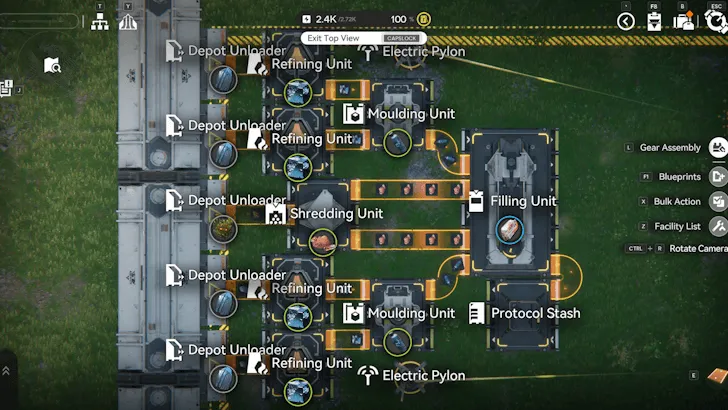
Late Game
|
Blueprint Name |
Blueprint Codes |
Blueprint |
|
Sandleaf Powder Line |
Asia: EFO01194ouiiIaU930O7 USA: EFO0189304IUUO121UI73 EFO0158OoU200iu13eioe |
|
|
Packed Origocrust Line |
Asia: EFO01eAo01IAIi4A0oui8 USA: EFO01o08a2u7756EoIieO EFO01eE7O6A33a4IuoAi8 |
|
|
Cryston Fiber Line |
Asia: EFO01521eA6264u9Ueioe USA: EFO01iOe59U8812oo72U4 EFO01O3E8A499eIoe9oe4 |
|
|
Cryston Component Line |
Asia: EFO0101O3o515ai1OE979 USA: EFO0136u95oAAEau20i79 EFO0172UE1iuu05u0O0Ai |
|
|
Ground Buckflower Powder Line |
Asia: EFO0101O3o6AI7iaE179 USA: EFO01eE7O6A33a48oAi8 EFO01iOe59U8812a872U4 |
|
|
Steel Bottle Line |
Asia: EFO01I3A5280E1995o08 USA: EFO01U4A2aeII9O67Oa8 EFO01u1I6O8ii2037AoOU |
|
|
Buck Capsule A Line |
Asia: EFO018IeE5iIio121Ui73 USA: EFO01iOe59U8812ee72U4 EFO010U97I1228iAeE179 |
|
|
SC Valley Battery Line |
Asia: EFO01602I3AAu171EO83e USA: EFO011eai39OOIU734O7 EFO0189304IUUO159UI73 |
|
|
HC Valley Battery Line |
Asia: EFO018IeE5iIio1A6UI73 USA: EFO012I4ueO11U85ueIOo EFO01U4A2aeII9OOe7Oa8 |
|
How to Create AIC Blueprints
Blueprints are accessed through the Build Menu.
1.You can open the blueprint interface by clicking the Blueprints button located at the bottom-right corner of the build screen.
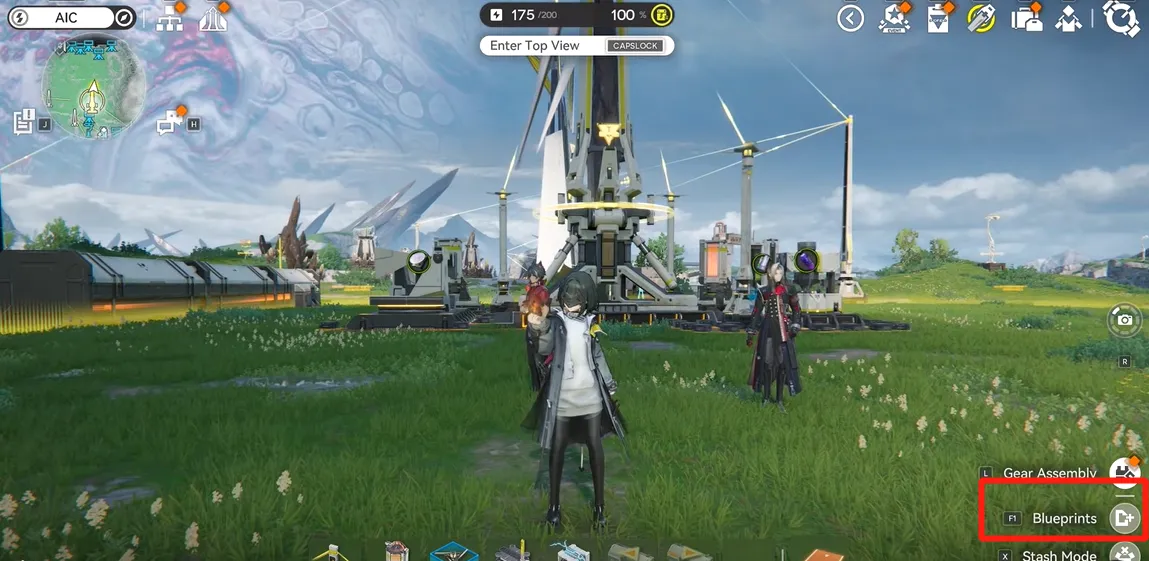
Once opened, the blueprint menu displays your saved blueprints, shared blueprints, and system-generated blueprints.
2.To create a blueprint, select New Blueprint in the blueprint menu.
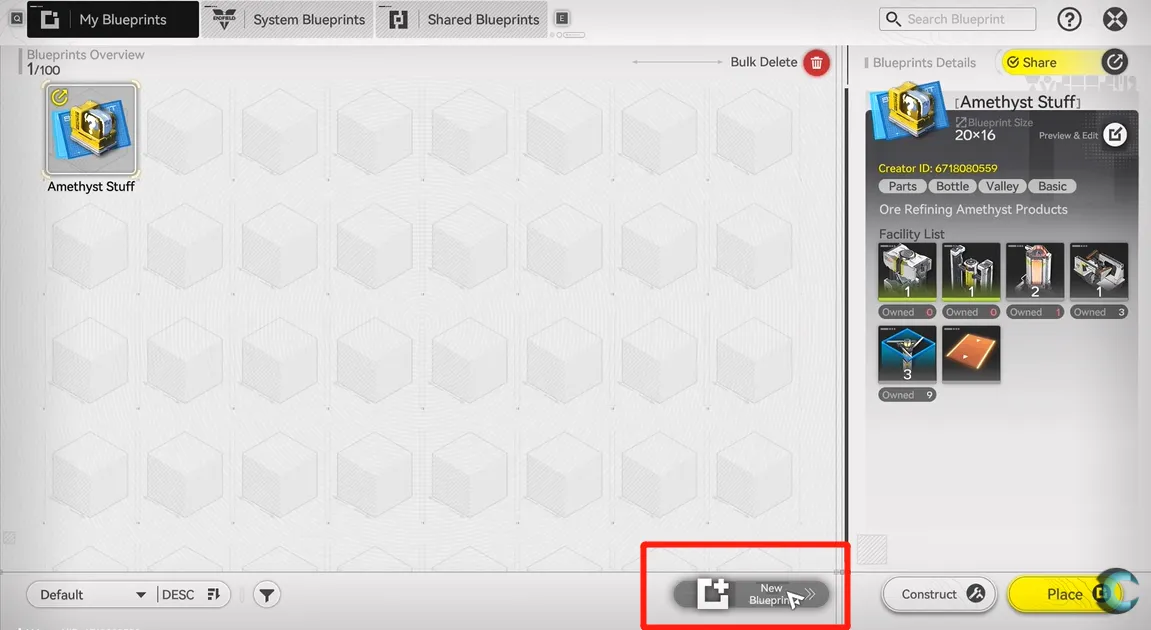
3.When ready, you can save the blueprint by using the on-screen save options.
Each saved blueprint can include: a custom name, a description and a list of required machines needed to construct the layout.
Blueprints can also be replicated if you want to place multiple identical layouts.
How to Import Blueprint Codes
To import a blueprint created by another player
1. Open the blueprint menu
2. Navigate to the Shared Blueprints tab
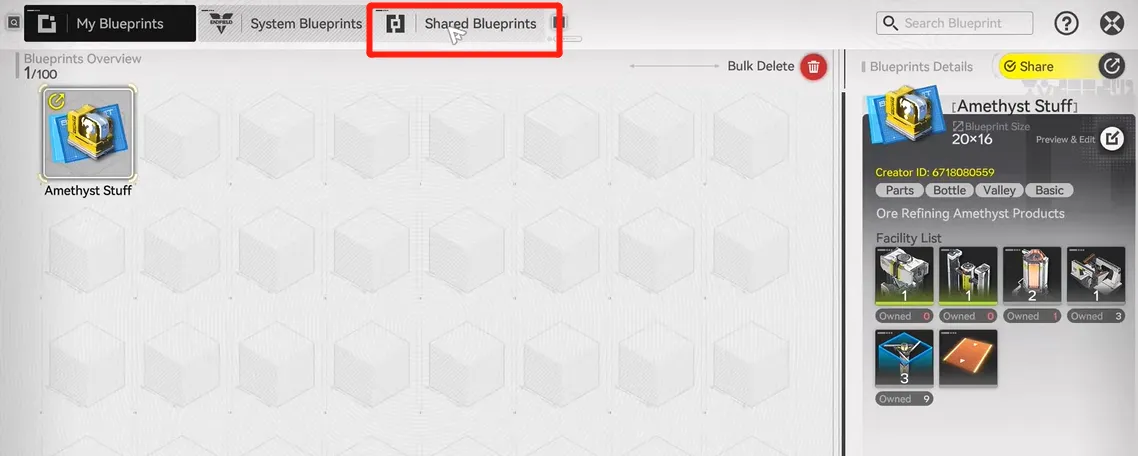
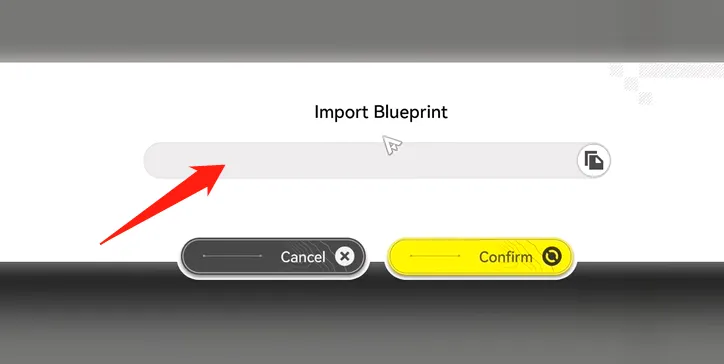
3. Select Import Blueprint
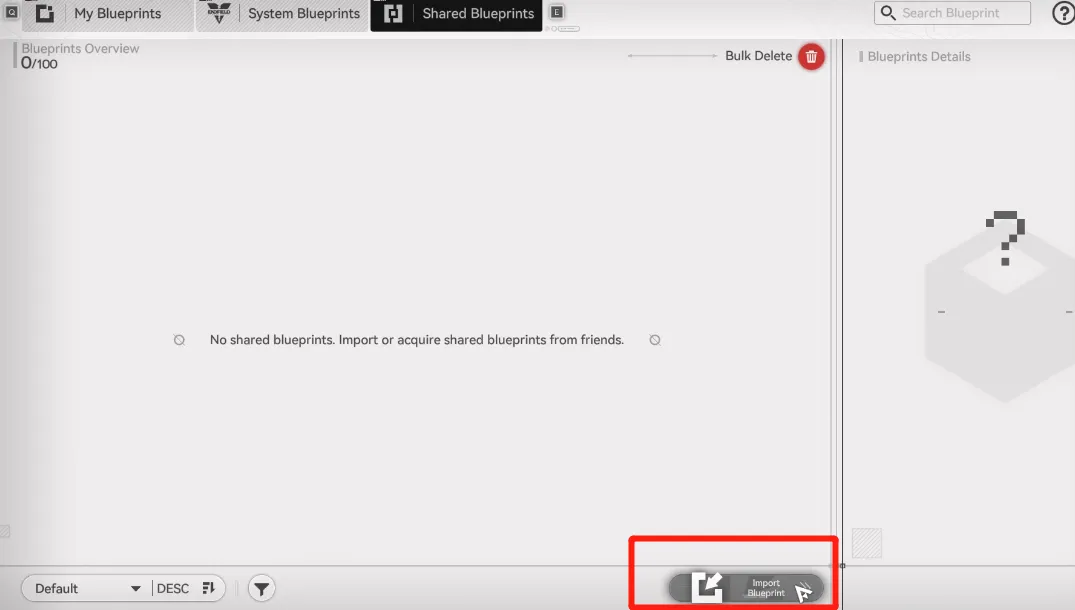
4. Paste the shared blueprint code
Best Practices for Using Blueprint Codes
To avoid issues when using AIC blueprints:
- Ensure all required AIC buildings and technologies are unlocked
- Read the blueprint description before importing
- Use blueprints as templates and adjust layouts if space constraints differ
- Name and tag your own blueprints clearly for future reuse
Blueprints are intended to streamline factory construction, not replace strategic planning entirely.
Important Notes About Server Regions
Blueprint codes can be server-locked. A code created on an Asia server may not import correctly on an EU or NA server, and vice versa. If a blueprint fails to import, checking the original server region is recommended.
Conclusion
Blueprint codes are basically one of the biggest sanity-savers in Arknights: Endfield. Instead of rebuilding factories piece by piece and questioning your life choices, you just import a blueprint and let the machines do their thing. Someone else already did the hard thinking — you just press the button.
And if you want to keep things smooth outside the factory too, LDShop is a solid option for Arknights: Endfield topping up and staying on pace without extra hassle. Less grinding, more Endfield — which is the whole point anyway.

Rich Experienced Game Editor
Rich is a passionate gamer and strategy explorer who loves uncovering hidden mechanics, experimenting with team comps, and sharing tips that actually help players succeed. She has a talent for breaking down complex systems into easy-to-understand guides, making even the trickiest battles feel manageable. When she's not diving into virtual worlds, you might find her debating game lore, hunting for easter eggs, or enjoying a snack while plotting her next in-game strategy. Rich's goal? Helping fellow gamers have more fun while leveling up their skills.
![[New User Exclusive] Monthly Pass | Arknights: Endfield Top Up (Global)](https://shop.ldrescdn.com/rms/ld-space/process/img/b2c5af28ef054f24a675a456f818d2851790066656.webp?x-oss-process=image/resize,m_fill,h_160,w_160)