LDShop
USD | العربية
guide registrationسجل الآن للاستمتاع بخصم 15% على هدية العضو الجديد!انتقل إلى التسجيل >
PUBG MOBILE (Save more with Login Top-up)

PUBG MOBILE (Save more with Login Top-up)

التسليم الفوريالتسليم الفوري
🔥 قم بدعوة الأصدقاء واحصل على 15%OFF

Your Game UID is required for top-up. Click "?" to see how to find it.

وصف

PUBG Mobile Global UC Top-Up | Safe, Stable & Fast Delivery

LDShop provides professional top-up services for PUBG Mobile (Global). Through our secure channels, you can get UC at highly competitive prices to easily unlock the Royale Pass, limited-edition skins, and the Workshop.


🌍 Service Scope

  • Supported Server: Global Server ONLY.

  • Excluded Regions: Does NOT include Japan/Korea (JP/KR) or India (BGMI).


📥 Required Information

Please ensure the following details are accurate to guarantee a successful top-up:

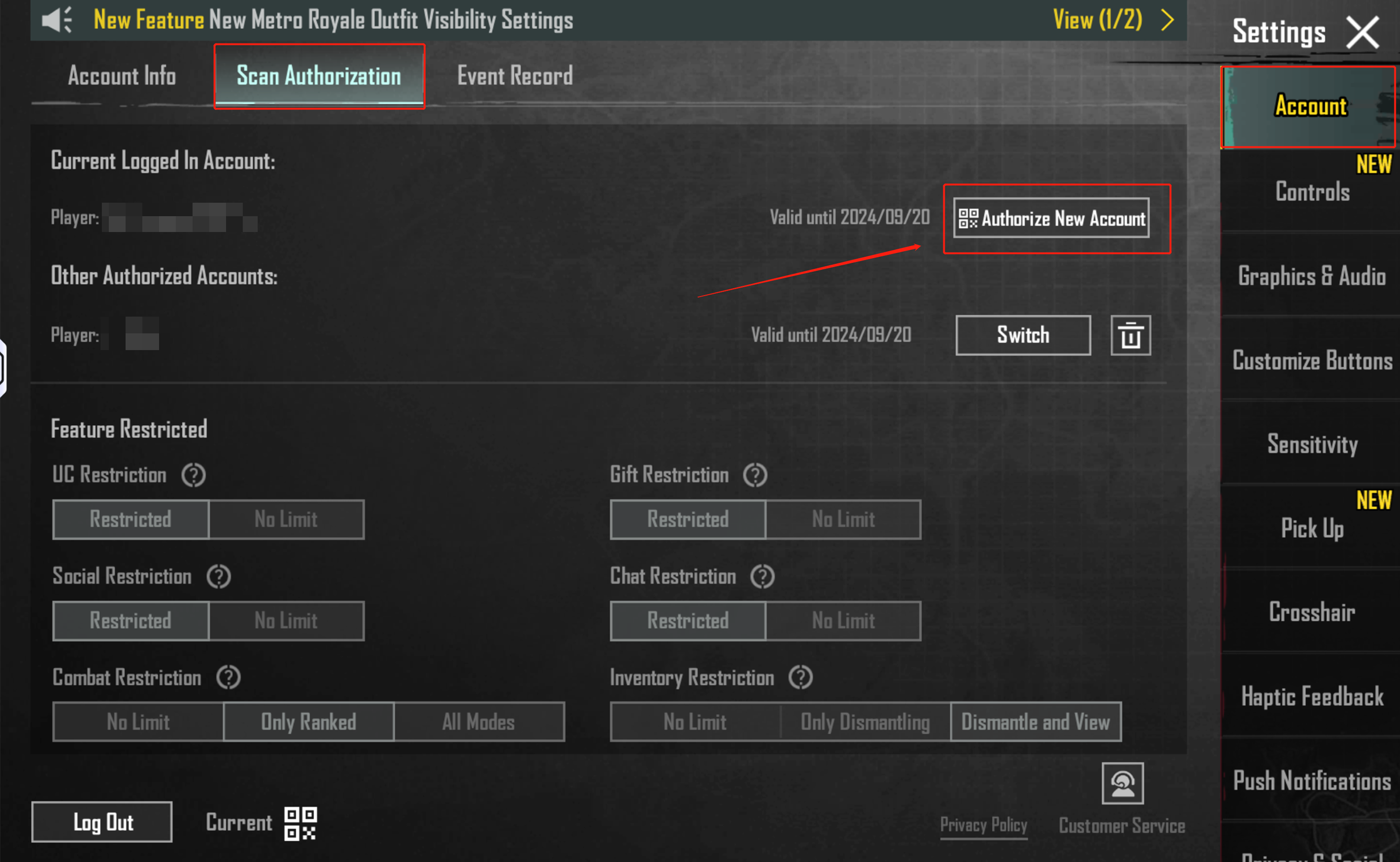
  1. Login Method: (Facebook / Google / Email / QR Code)

  2. Game UID: (Your in-game numeric ID)

  3. Password
  4. User ID: (In-game Character Name, used for verification)

⚠️ Security Tip: To avoid top-up failure, do not log into the game during the process. We recommend changing your password after the transaction is complete.


💡 Why Choose LDShop?

  • Price Advantage: Skip high official taxes and fees with our exclusive discounts—get more UC for less.

Safe & Secure: Our professional team uses legitimate channels and strict data encryption to ensure your account remains 100% safe (No bans, no revoked UC).


🛠 How to Find Your UID

🛠 How to Top Up

  1. Place Order: Select your desired UC amount on LDShop and complete the payment.

  2. Submit Info: Provide the 4 required login and character details mentioned above.

  3. Wait for Completion: Our team will notify you once the top-up is finished. You can then log in and enjoy!

إجراءات تعبئة الرصيد

PUBG Mobile Recharge Process

How to Find Your Top-up Information

  1. Launch the Game: Enter the PUBG Mobile main lobby.

  2. Check Server: On the login or main screen, identify your current Region and Server.

  3. Access Profile: Click on your Avatar in the top-left corner of the screen to open the Profile page.

  4. Copy Information: On this page, you will find your UID and Character Name. Click the copy icon next to them to ensure accuracy.


Recharge Steps

  1. Place Your Order & Check Out: Select your desired UC amount and complete the purchase securely through our checkout system.

  2. Submit Core Information: After a successful payment, please provide the needed details to our support team.

  3. Stay Offline: To ensure a smooth process and protect your account, please remain offline and do not log into the game until we notify you that the recharge is complete.

🎮 About PUBG Mobile

PUBG Mobile is the world's most popular battle royale mobile game, renowned for its realistic shooting mechanics and tactical gameplay. Drop into the battlefield with 100 players, scavenge for resources, and survive to the end. Topping up UC allows you to:

  • Royale Pass: Gain massive tier rewards and exclusive seasonal items.

  • Limited Skins: Unlock premium vehicle skins, legendary outfits, and weapon finishes.

  • Weapon Upgrades: Collect materials to craft exclusive effect weapons and dominate the field.


FAQs

Is my account safe with this top-up service?

Absolutely. LDShop uses 100% legitimate payment channels. We encrypt all your login information and recommend changing your password after the service is complete to ensure maximum privacy.

How long does the top-up take?

Typically, it is completed within 30 minutes after you submit the correct information. Processing may take slightly longer during game updates or peak hours.

Why must I stay offline during the top-up?

To avoid "multiple login" conflicts, top-up failures, or account anomalies. Please remain offline until you receive our completion notification.

Can I top up for the JP/KR or India (BGMI) servers?

No. This service is ONLY for the PUBG Mobile Global Server. It does not support Japan/Korea (JP/KR) or India (BGMI) versions.

What if I provided the wrong information?

Please contact our 24/7 Live Support immediately. If the process hasn't started, we can update it for you; however, once the top-up is successful, it cannot be reversed.


Official Links