







Top Up Your Favorite Games for Less at LDShop
LDShop has processed over 1.5 million game top-up orders. Buy currency, monthly passes and packs for Genshin Impact, Honkai: Star Rail, Wuthering Waves and more. Get competitive prices, secure checkout and fast delivery.
Supported Games
Browse games by genre. Open a game page to check available packages, supported regions and top-up methods.
RPG
FPS & TPS
Choose Currency, a Pass or a Pack
Choose based on what you want to buy and how you plan to use the rewards. Currency, monthly passes and packs work differently.
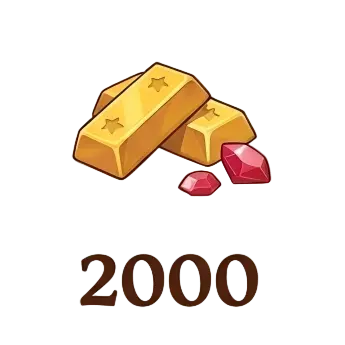
For Neverness to Everness top-ups and Monster Hunter Outlanders top-ups, visit the game page to check available currency and packages.
UID, Self-Service or Login Top-Up?
Top-up methods differ in how the order is completed. Check the method and required account details before checkout.
Honkai: Star Rail UID top-up requires your UID and server. See the Wuthering Waves recharge instructions for its self-service and login options. Always match the selected offer to your account's server and game version.
Compare Top-Up Prices & Bonuses
For currency packs in the same game, divide the final price by the total currency you will receive. Use the same payment currency and count only bonuses that apply to your account.
Check whether a first-purchase bonus replaces the regular in-game bonus before calculating the total. LDShop coupons reduce your order price; game-specific first-purchase rewards follow separate rules.
For monthly passes, compare the upfront reward, daily rewards and login requirements. For packs, compare the price of the same in-game pack. For example, a Last War "Any $9.99 Pack" offer applies to eligible in-game packs priced at $9.99. Check the pack name and contents before buying.
How to Top Up Games on LDShop
- 01Choose your game and package. Select the currency, monthly pass or pack you want.
- 02Enter your account details. Check the region, server and game version, then enter the requested UID or login details.
- 03Review and pay. Confirm the package, discounts and final price, then choose an available payment method.
- 04Complete the recharge. Follow any self-service or verification steps. Check your order status and confirm the items arrive on the correct character.
Payment Options & Order Support
Visa, Mastercard and PayPal are available where supported. The checkout page shows the payment methods available for your location and order.
For help with an order, contact LDShop support with your order number and relevant screenshots. Refund eligibility depends on the product and fulfilment status. See the Refund Policy for details.
Game Top-Up FAQs
How long does a game top-up take?
UID and self-service top-ups are usually completed within 10 minutes, while login top-ups typically take around 30 minutes. Self-service orders may require you to redeem the items after payment. Check your order status and complete any pending steps before placing another order.
Can I top up a friend's game account?
Yes, for UID-based products. Enter your friend's correct UID and server so the items reach the intended character. For self-service or login top-ups, check who needs to complete the login and verification steps before ordering.
What if I entered the wrong UID or server?
Contact support as soon as possible. Include your order number, the details you submitted and the correct UID or server. Changes depend on the order status. A recharge already delivered to another character may not be reversible.
What if my order is complete but the items are missing?
Check the game account, character and server first. Currency, passes and packs may appear in different places, and daily pass rewards follow their claim schedule. If the items are still missing, contact support with your order number and screenshots of your balance or inventory.


