


In the vast, industrious world of Talos-II in Arknights: Endfield, exploration and resource gathering are central to your mission. As regions like the Ore Vein Source Area and Aberli Quarry present sprawling, challenging terrain, repeatedly traversing on foot becomes a tedious chore. This is where building your own Zipline network transitions from a luxury to a necessity. While the tutorial introduces you to their use, unlocking the ability to craft your own is a game-changing moment, allowing you to connect distant mining outposts, strategic vistas, and important Teleport Points into a private high-speed transit system.
This guide will walk you through everything you need to know to unlock, build, and master Ziplines in Endfield.
How to Unlock Ziplines
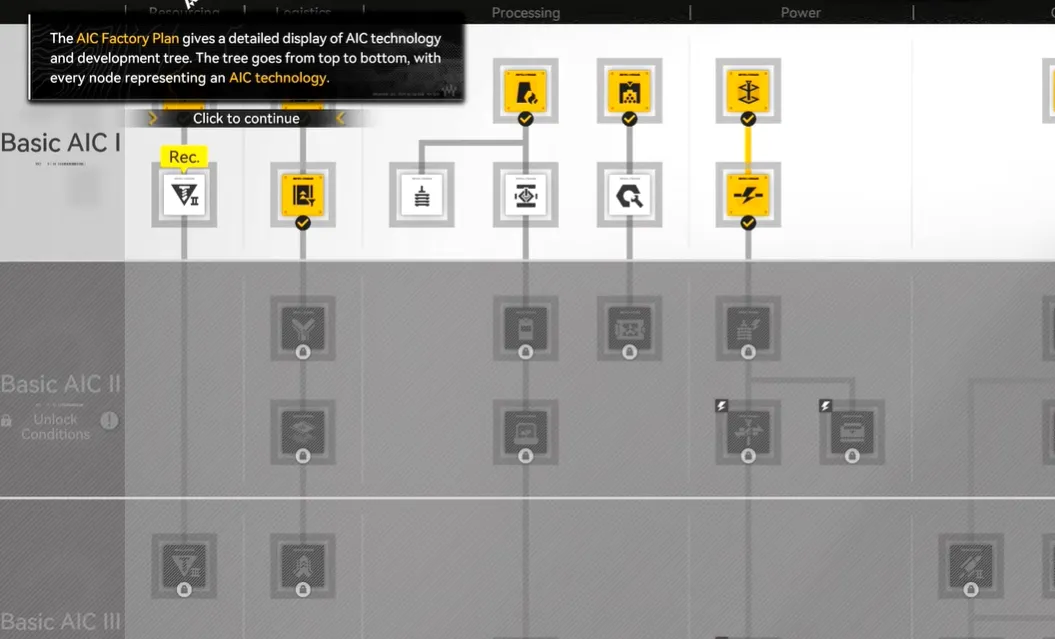
The path to constructing your first Zipline lies within the game's AIC Plan System. There are two tiers to unlock:
|
Structure |
Unlock Requirement |
Main Quest Prerequisite |
Research Node |
|
Zipline Pylon |
Basic AIC II |
Complete "Paving the Way" to obtain a Basic Expansion Core. |
Field Mobility I |
|
Zipline Tower |
Basic AIC III |
Complete "Mystery in the Building" for another Core. |
Field Mobility II |
To invest points in these research nodes, you first need Basic AIC Index points. These are primarily earned by interacting with yellow "Protocol Dataloggers" (often called flailing tube man balloons) scattered across the maps. Once you have the required points, press `T` to open the building talent interface, navigate to the infrastructure section, and invest in the respective "Field Mobility" talent.


How to Build Ziplines: A Step-by-Step Process
Unlocking the blueprint is only the first step. Successfully establishing a functional Zipline route requires careful planning and setup.
Step 1: Gather Materials
First, ensure you have the crafting materials in your inventory:
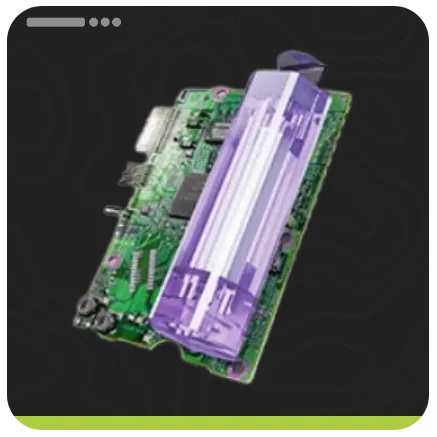
- Zipline Pylon: Requires 10 Amethyst Parts.
- Zipline Tower: Requires 10 Cryston Parts, a more advanced material. It's recommended to use Pylons in the early to mid-game and switch to Towers only when you have a surplus of Cryston Parts.
|
Zipline Crafting Materials |
|
|
Zipline Pylon |
Amethyst Part x10 |
|
Zipline Tower |
Cryston Part x10 |

Step 2: The Critical Step – Providing Power
This is the most crucial and often overlooked aspect. Every single Zipline terminal requires power to function.
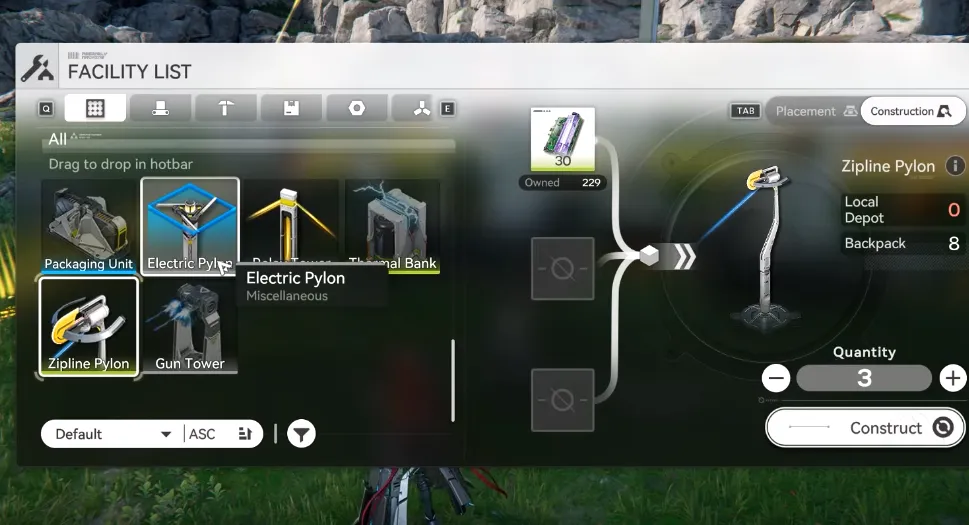
1. Extend Your Grid: You must connect a power line from your main Power Auxiliary Core (PAC) or a sub-PAC at an outpost to your desired Zipline location. Do this by placing Relay Towers and connecting them in a chain until you reach the target area.
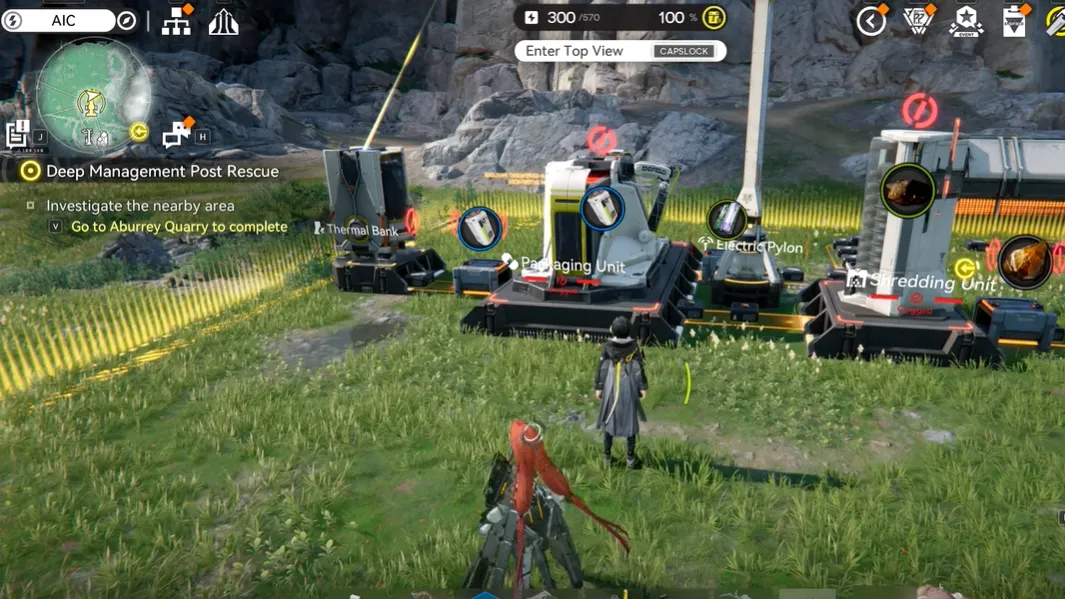
2. Power the Terminal: Once your power grid reaches the area, place an Electric Pylon right next to where you intend to build your Zipline Pylon/Tower. Connect the Electric Pylon to your Relay Tower network.
3. Pro-Tip – Relay Distribution: After unlocking Basic AIC III, immediately research the Relay Distribution node. This upgrade creates a small power field around your Relay Towers, allowing you to power buildings (including Ziplines) directly without needing an extra Electric Pylon, saving significant resources.
Step 3: Place Your Ziplines
With power secured, you can now place your Zipline terminals. The key rule is that two terminals must be within connection range of each other (80m for Pylons, 110m for Towers). You do not need to manually connect a cable between the two Ziplines—if they are powered and in range, the connection is automatic.
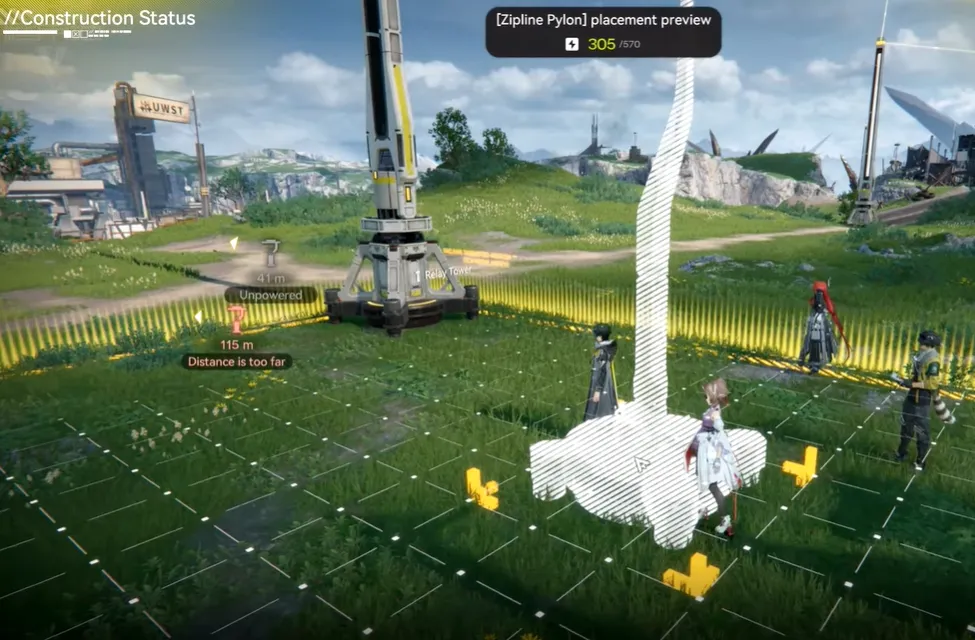
Planning Tip!
The game shows a distance marker when placing a terminal. Use this to plan efficient routes, ideally connecting Teleport Points to rare resource nodes.
How to Use Your Zipline Network
Using your network is intuitive:
1. Approach a powered Zipline terminal and press the interact key to latch on.
2. While latched, aim your camera at another Zipline terminal within range and line of sight.
3. If the connection is valid, a distance marker will appear. Press the interact key again to zip towards it at high speed.
Testing: Always test a new connection. If the marker on the target Zipline is red or you cannot see it clearly, the connection has failed—check for power, range, or physical obstacles.
Zipline Pylon vs. Zipline Tower
Choosing between the two structures is a strategic decision. Here’s a breakdown:
|
Feature |
Zipline Pylon |
Zipline Tower |
|
Connection Range |
80 meters |
110 meters |
|
Crafting Material |
Amethyst Parts (Easier to obtain) |
Cryston Parts (More complex to make) |
|
Key Advanced Feature |
– |
Can be chained together to create automatic, multi-segment travel paths without manual aiming. |
|
Best For |
Early-game networks, short connections, cost-effective coverage. |
Late-game optimization, spanning large chasms, creating efficient "express" routes. |
Pro Tips for Efficient Zipline Networks
Master the Teleport Cable Trick:
This is a community-favorite trick for difficult terrain like the Aberli Quarry. Start connecting a cable from a Relay Tower, then open your map and teleport to a distant Teleport Point. The game will draw the power cable in a straight line through the air, bypassing cliffs and chasms that would normally block you.
Start from a Teleport Point:
Always begin your network from a Teleport Point. This creates a hub-and-spoke system, allowing you to instantly teleport and then zip to your final destination.
Connect Resource Clusters: Prioritize building lines to dense clusters of rare minerals or plants to maximize farming efficiency.
Share and Maintain:
Interact with your Zipline and press "Share" to let other players see and use your creations in their worlds. Damaged ziplines can be repaired by anyone for reputation rewards, fostering community cooperation.
Conclusion
Building a personal Zipline network is one of the most empowering and gameplay-enhancing activities in Arknights: Endfield. It transforms the landscape of Talos-II from a series of obstacles into a connected, efficient web under your command. Start with the humble Pylon, master the essential art of power distribution, and eventually graduate to constructing towering long-range networks. Remember, a well-placed Zipline doesn't just save time—it unlocks a new, fluid rhythm of exploration and industry.
So grab your Amethyst Parts, chart your course, and start building. The horizon is just a zip away.






 TOP UP WITH DISCOUNT NOW
Savannah Reed Experienced Game Editor
Savannah Reed is a senior game editor at LDShop.gg, specializing in in-depth coverage of RPG and strategy games. With a strong focus on titles like Wuthering Waves, Honkai: Star Rail and Whiteout Survival, she combines industry insight with firsthand player experience to deliver clear, informative, and actionable content. Her work is dedicated to helping gamers make smarter decisions—whether it’s understanding new updates or optimizing their in-game strategy.
![[New User Exclusive] Monthly Pass | Arknights: Endfield Top Up (Global)](https://shop.ldrescdn.com/rms/ld-space/process/img/b2c5af28ef054f24a675a456f818d2851790066656.webp?x-oss-process=image/resize,m_fill,h_160,w_160)