

Are you tired of seeing your factory shut down because you hit the dreaded 200 Power Cap? As you expand your base in Arknights: Endfield, placing more Mining Rigs and relay towers will quickly drain your initial power supply.
If you’re stuck with a red "Insufficient Power" warning, you’ve come to the right place. In this guide, we will cover exactly how to break the power limit using Thermal Banks and how to set up an automated production line for LC Valley Batteries to keep your lights on forever.
Contents
How to Generate More Power (Breaking the 200 Cap)
Your main Core (Hub) only provides a base limit of roughly 200 power. To go beyond this, you cannot just upgrade the core; you must build dedicated power generators.
Step 1: Unlock the Tech
Open your Tech Tree (press T). Navigate to the Basic AIC II tab (the second tier) and look for the node labeled "Power I".
- Cost: Small amount of Tech Points.
- Unlock: This gives you access to the Thermal Bank.
Step 2: Build Thermal Banks
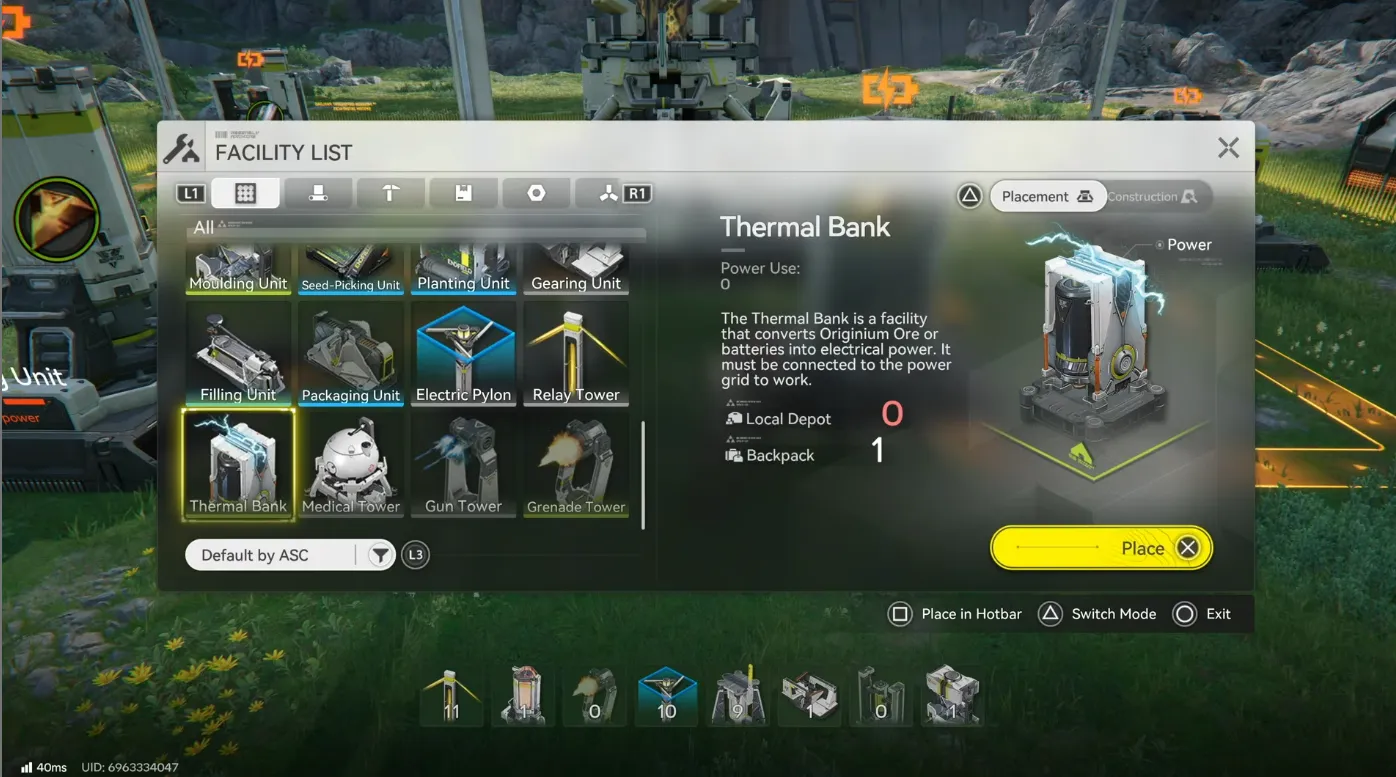
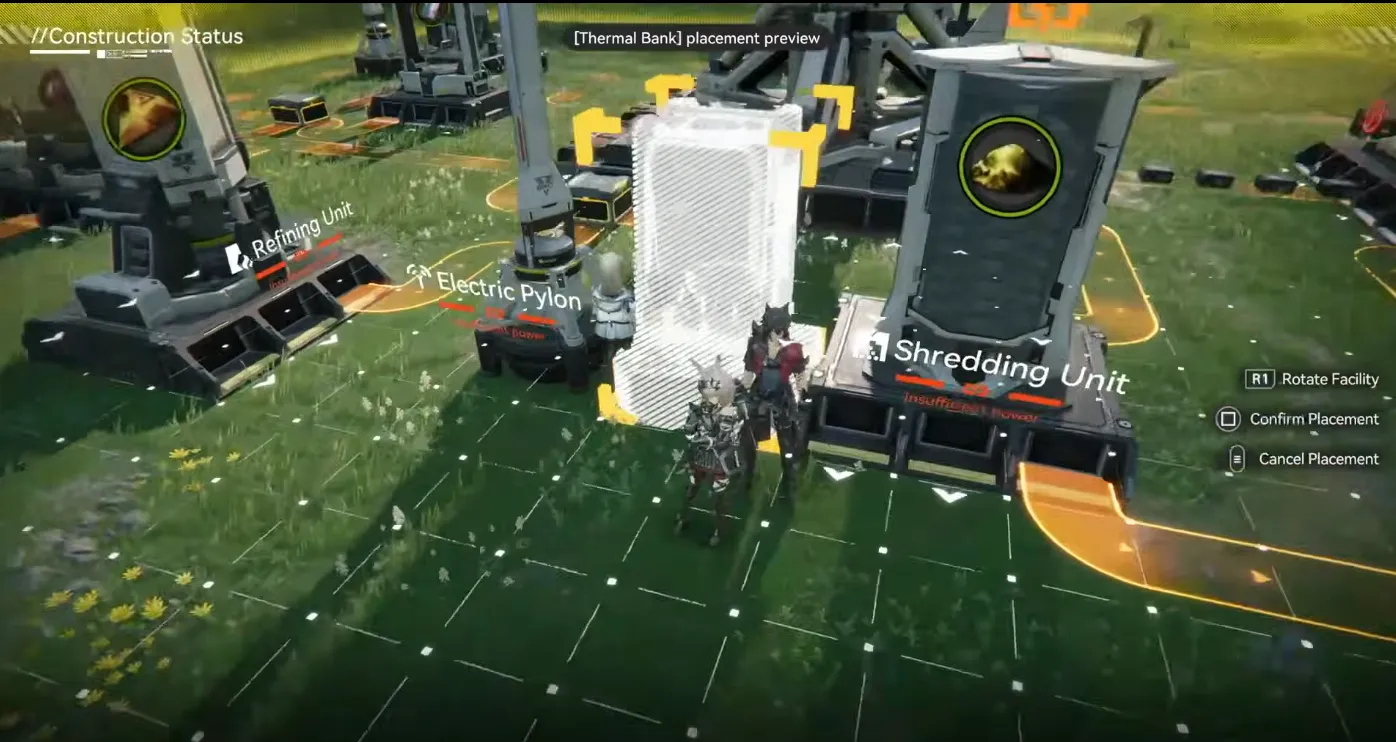
Open your construction menu and place down a Thermal Bank.
- Important: The building must be within the range of an Electric Pylon (the blue grid area) to connect to your main network.
- How it works: Unlike solar panels in other games, Thermal Banks do not generate passive power. They are generators that consume items to produce electricity.
Step 3: Choose Your Fuel
You can feed two main types of fuel into a Thermal Bank. The difference in efficiency is massive:
|
Fuel Type |
LC Valley Battery | Burn Duration | Verdict |
|
Originium Ore |
+50 Power | ~8 Seconds | Early Game Only. Inefficient. |
|
LC Valley Battery |
+220 Power | ~40 Seconds | The Goal. High efficiency. |
Strategy: In the very early game, you can run a conveyor belt of raw Originium Ore directly into a Thermal Bank. However, this burns through ore rapidly and provides very little power. Your goal should be to switch to Batteries as soon as possible.
How to Automate Battery Production
To stabilize your grid, you need to stop burning raw ore and start manufacturing LC Valley Batteries. This requires a specific production chain.
1. The Prerequisites
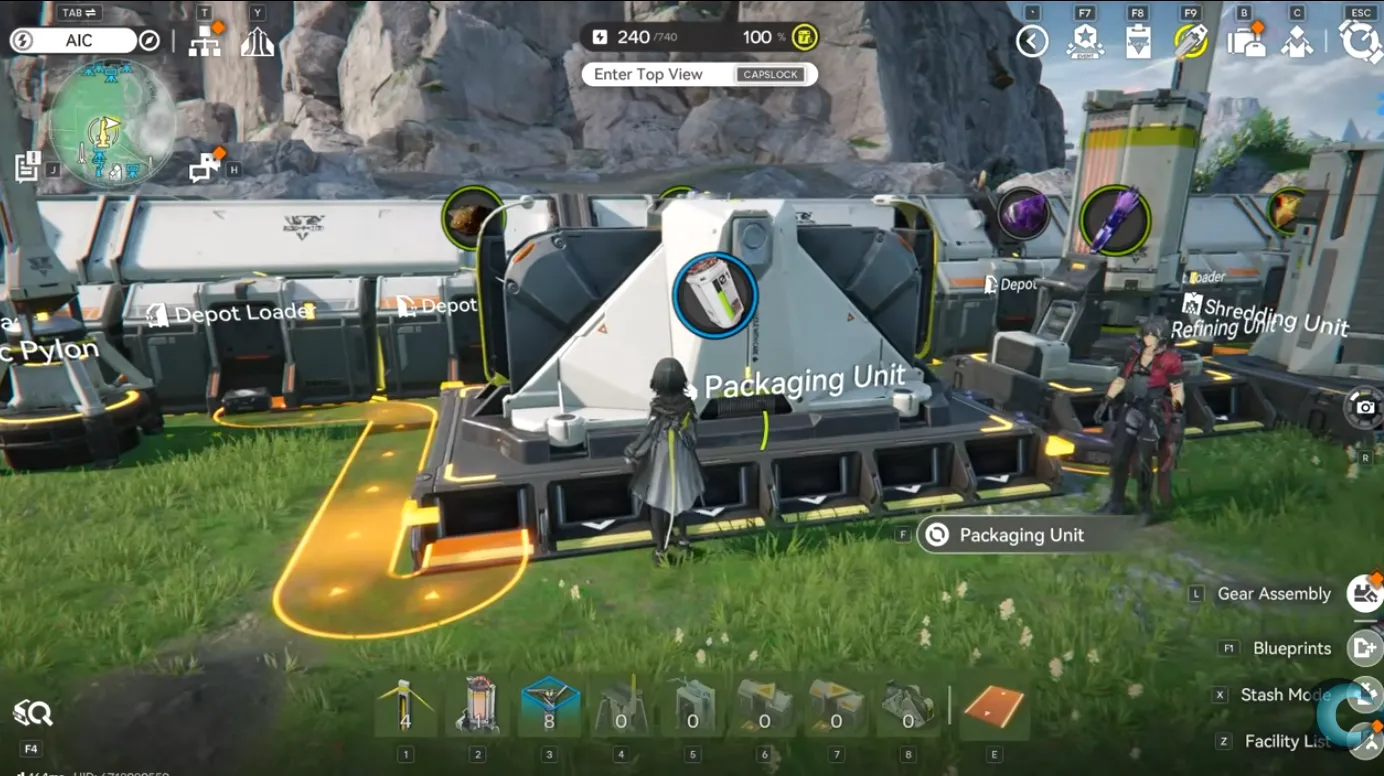
Go back to your Tech Tree and unlock "Packaging Tech". This gives you the Packaging Unit, which is the machine used to assemble the final battery.
2. The Recipe
To craft 1 LC Valley Battery, you need:
- 10x Originium Powder
- 5x Amethyst Parts
3. The Automation Setup (Step-by-Step)
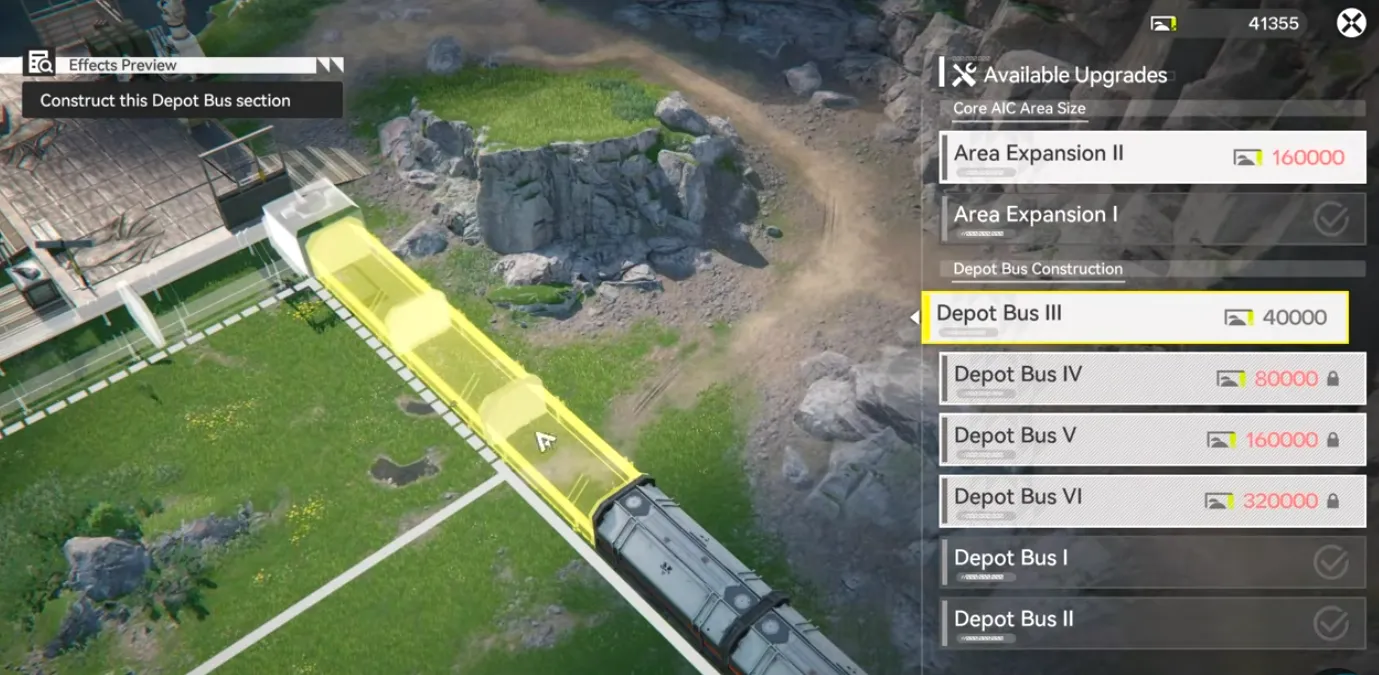
We recommend building this near your main Depot Bus (the long train-like storage system) for easy logistics.
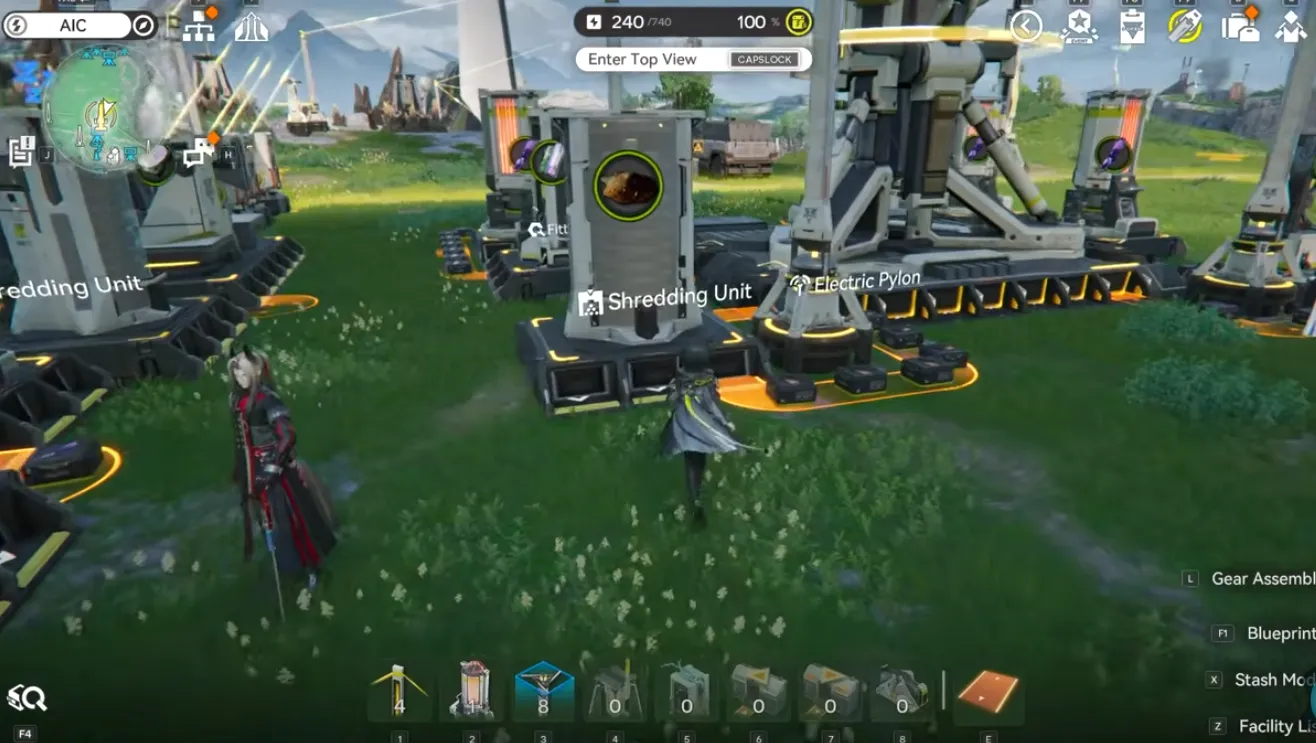
Step A: Making Originium Powder
- Machine: Shredding Unit.
- Input: Originium Ore (Pull this from your Depot using a Depot Unloader).
- Process: The Shredding Unit crushes the ore into powder.
- Output: Belt this powder toward your final assembly area.
Step B: Making Amethyst Parts
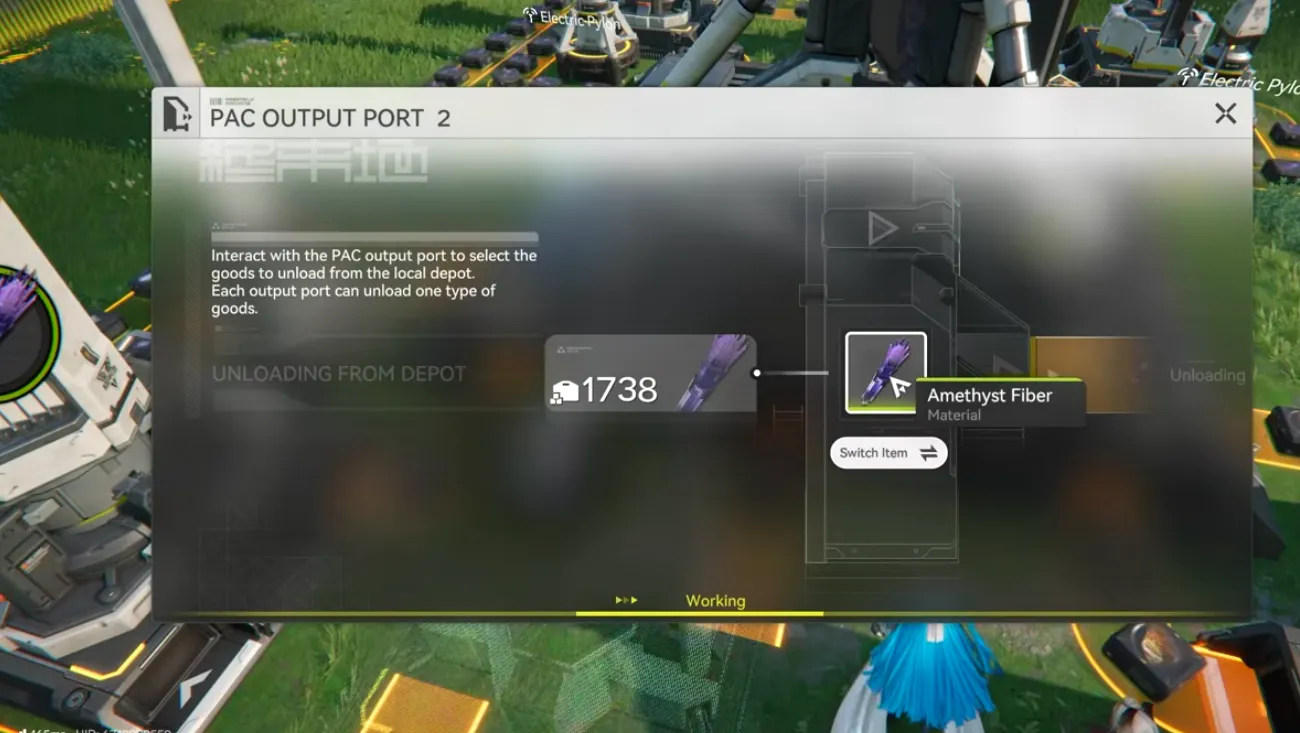
- Machine: Fitting Unit.
- Input: Amethyst Fiber (You should have a refiner making Fiber from raw Amethyst Ore).
- Process: The Fitting Unit crafts the precise parts needed for the battery casing.
- Output: Belt these parts toward your final assembly area.
Step C: Final Assembly
- Machine: Packaging Unit.
- Input: Merge the belts from Step A (Powder) and Step B (Parts) into this machine.
- Result: The machine will output LC Valley Batteries.
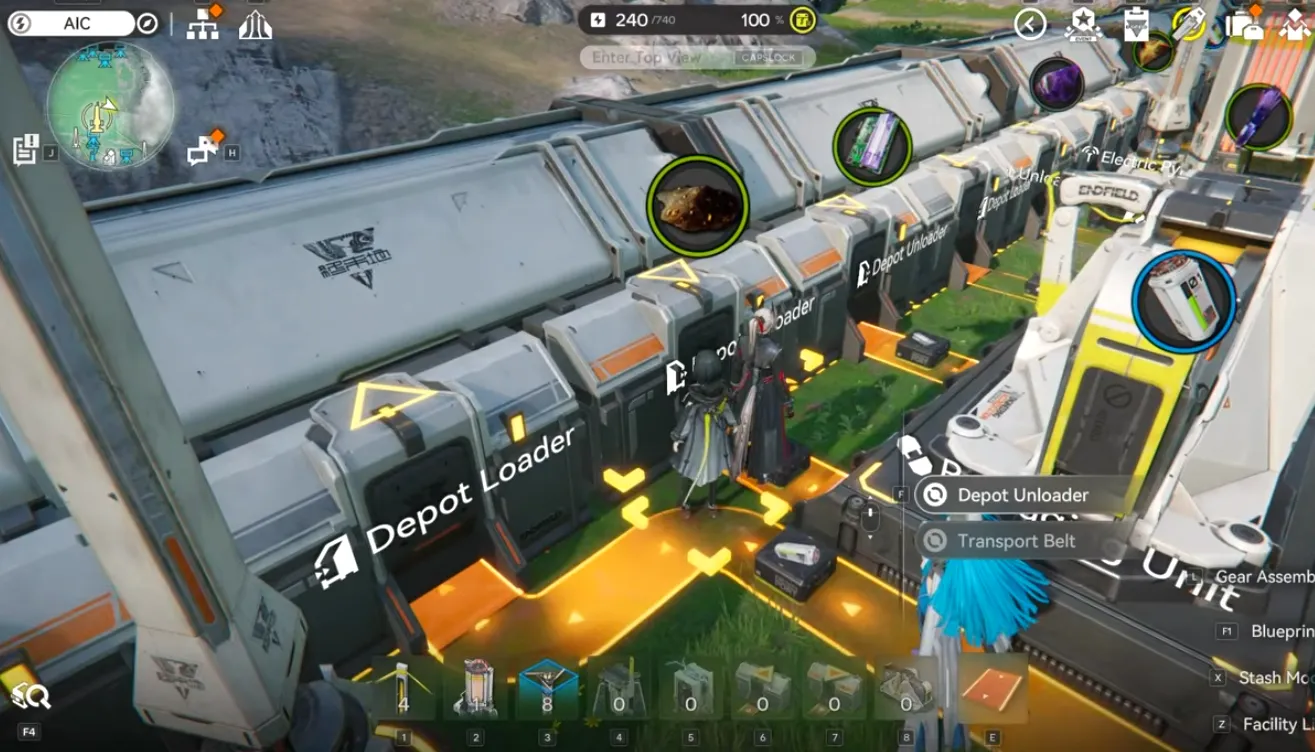
- Storage: Use a Depot Loader to feed these finished batteries back into your main Depot Bus.
The Infinite Power Layout
Now that you have batteries automating into your storage, how do you set up the generators efficiently?
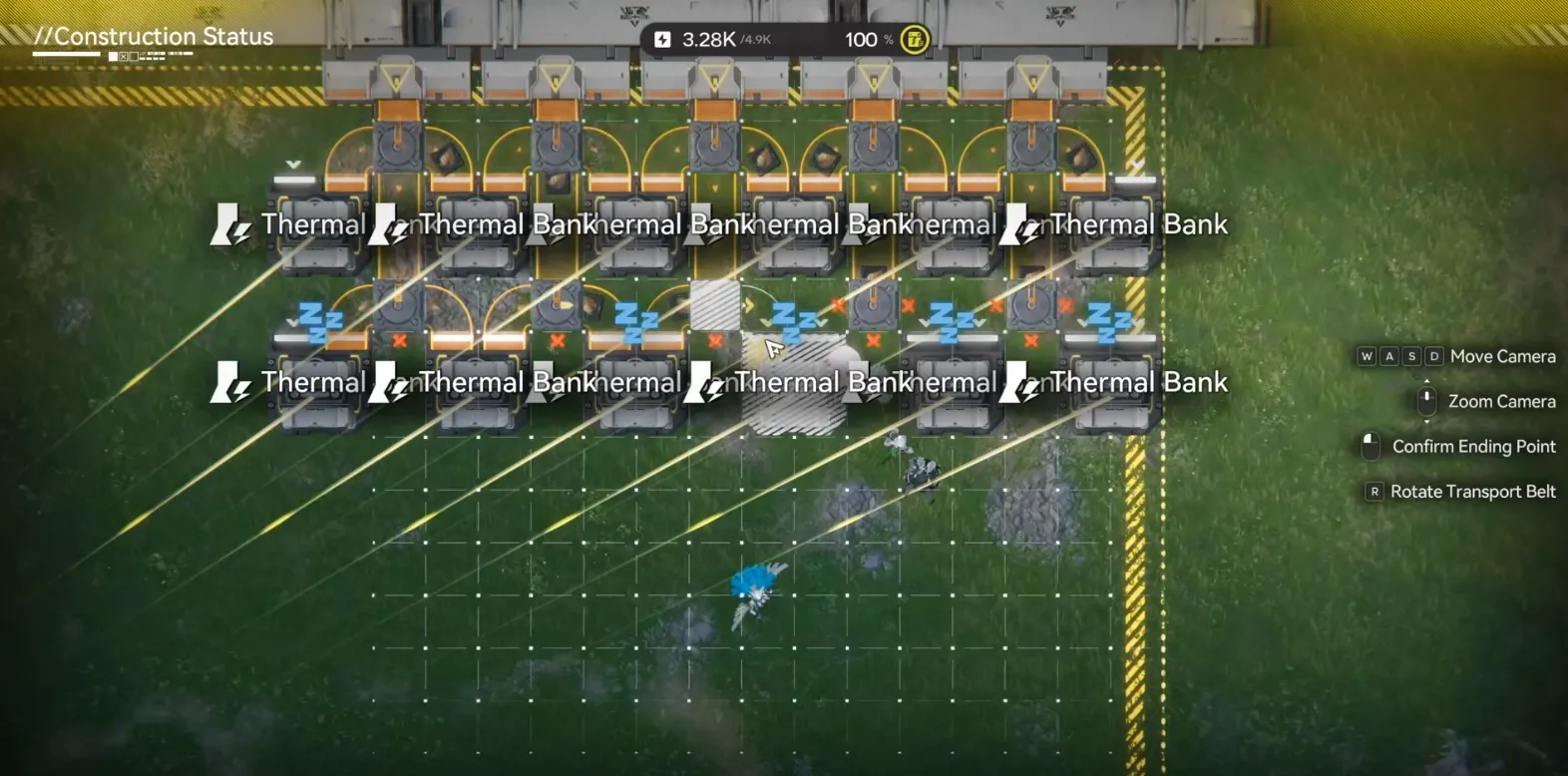
Instead of running long, messy belts across the map, use your Depot Bus.
- The Source: Place a Depot Unloader on your main bus line and select "LC Valley Battery" as the output item.
- The Split: Place a Splitter immediately after the unloader.
- The Array: Build a row of 5-10 Thermal Banks side-by-side. Run a single belt line through them (using splitters or direct feed).
- Expansion: As long as your factory produces enough batteries, you can simply add more Thermal Banks to this line to increase your power cap to 600, 800, or even 1000+.
Pro Tip: The "Blackout" Fail-Safe
WARNING: If your base runs out of power completely, your Shredding Units and Packaging Units will stop working. This means no more batteries will be produced. If you have no batteries, your Thermal Banks stop working. This is the Death Spiral.
The Fix:
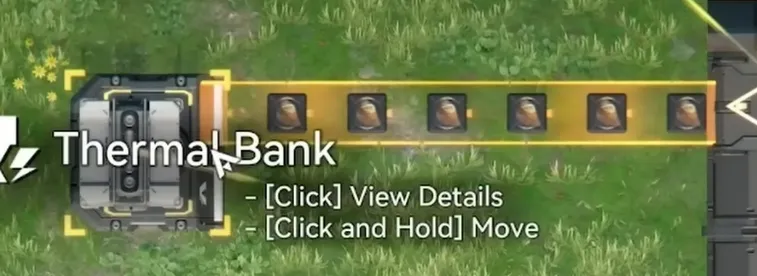
Always keep one separate Thermal Bank connected to a dedicated, independent Originium Ore miner. This ensures that even if your battery line fails, you have a tiny trickle of "kickstart" power to get the machines running again manually.
Conclusion
Hopefully, this solves your energy crisis in Arknights: Endfield. Don't forget to bookmark the blog for more Endfield automation strategies.
If you’re looking to accelerate your growth, you can also top up Arknights Endfield through LDShop, a reliable and convenient option for in-game purchases that helps you stay ahead without the hassle.
Happy Building, Endministrator!






 TOP UP WITH DISCOUNT NOW
Delancy Cooper Experienced Game Editor
Delancy Cooper, Professional Teyvat Guide, Astral Express Veteran, and High-tier Resonator. Specializing in saving your Primogems (and sanity) with frame-perfect character builds and elite team comps. Main quest is optimizing your DPS until the numbers break the screen. Side quest is wondering why my gacha luck is E-rank. Follow me to turn every 'Game Over' into a speedrun.
![[New User Exclusive] Monthly Pass | Arknights: Endfield Top Up (Global)](https://shop.ldrescdn.com/rms/ld-space/process/img/b2c5af28ef054f24a675a456f818d2851790066656.webp?x-oss-process=image/resize,m_fill,h_160,w_160)