


You’ve found the player you want, but the Transfer Market is locked on your phone. Or you’ve won the auction and the card still isn’t in your club. Both problems are easier to solve once you know which menu to check.
Here’s how to get access in FC 27 Ultimate Team, make your first purchase or sale, and follow up when a listing or player goes missing.

How to Unlock the Transfer Market in FC 27
Unlock the Market on PC or Console
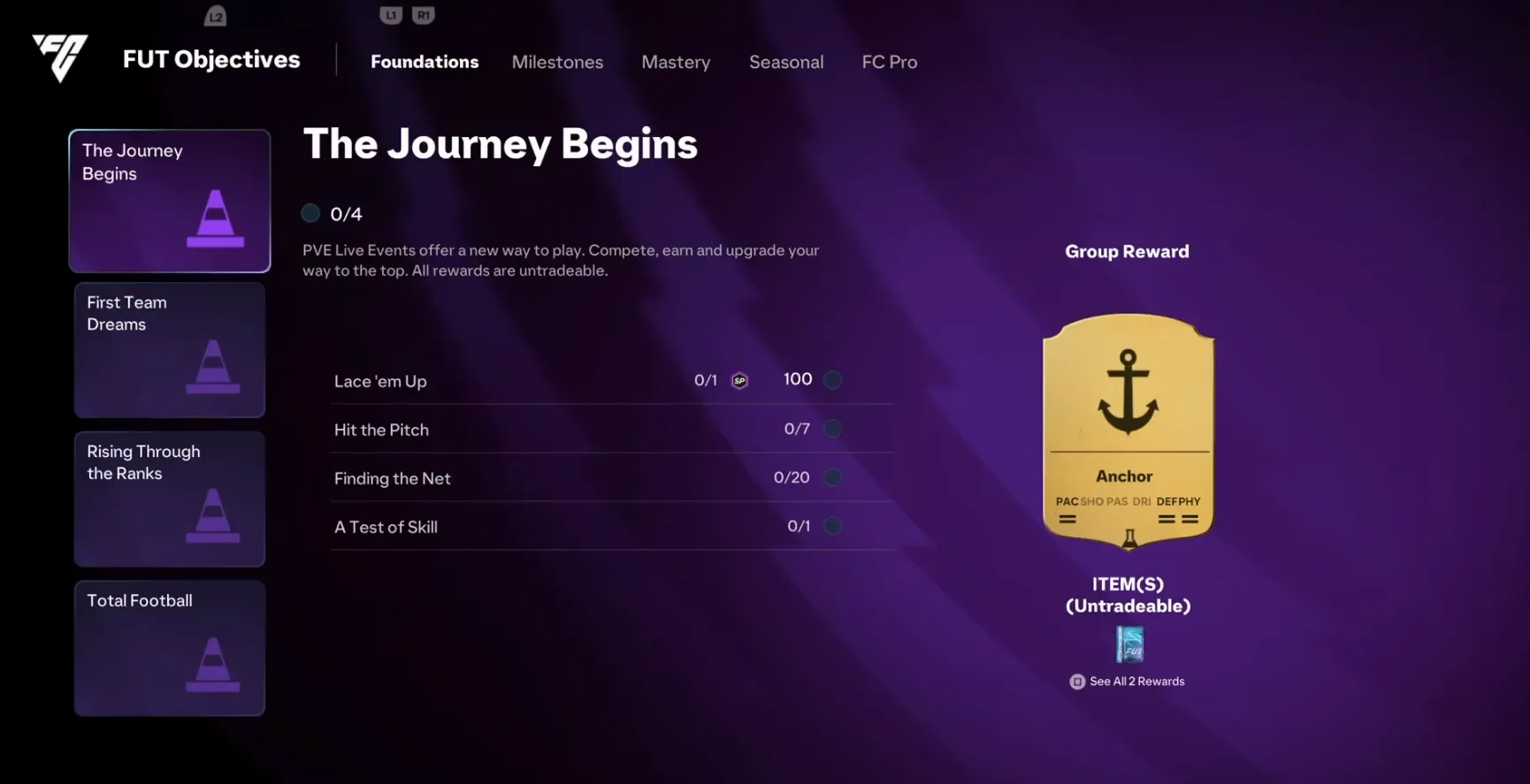
If your account already has access, you can go straight to Ultimate Team → Transfers. If the game asks you to earn access, open Objectives and complete these three groups in order.
- The Journey Begins
- First Team Dreams
- Rising Through the Ranks
After the final group, EA says full access can take up to 48 hours on PC or 24 hours on console. During that wait, you can list tradeable items. Searching, bidding, and using Buy Now become available once full access opens.
Unlock the Market on the Web or Companion App
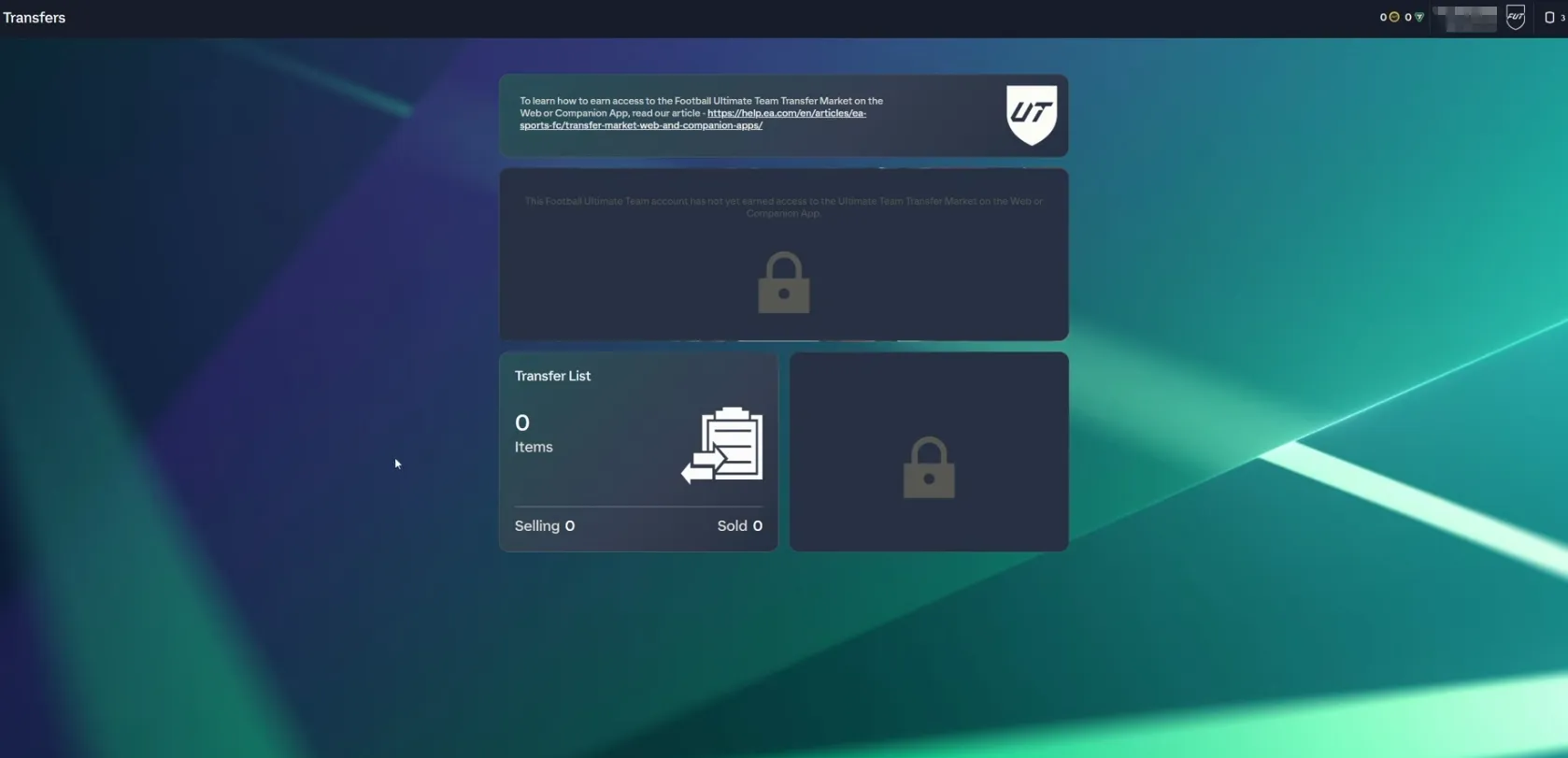
Sign in to FC 27 Ultimate Team on your PC or console at least once. In the Web or Companion App, use the same EA account and check that you’ve opened the right club.
If your EA account is in good standing, you may already have app market access. To qualify as a returning player, you need to have earned Transfer Market access in FC 26 before August 1, 2026, FC 25 before August 1, 2025, or FC 24 before August 1, 2024.
If you can open your club in the app but the market says you haven’t earned access, start building up active days in FC 27.
An active day means finishing three Ultimate Team matches and signing into either app on the same UTC calendar day. This counts separately for each Ultimate Team account. If you finish your third match before midnight UTC, log in to one of the apps before that same cutoff. Extra matches in one day don’t speed up the unlock.
EA says an account in good standing normally earns access after two active days if it’s the only Ultimate Team account used or created on that device. If other Ultimate Team accounts have been used or created there, it normally takes at least four. The exact wait varies, and you’ll get an in-game message when access opens.
Why Can I Trade In-Game but Not on the App?
The in-game and app markets unlock separately. Start with the message you see or the actions you can still use.
Can I Order FC 27 Coins If I Can Trade In-Game?
You’ll also need an unlocked Transfer Market in the Web or Companion App and at least 3,000 coins in your club for LDShop’s Comfort Trade delivery. If you’re short of the starting balance, see how to earn FC 27 Coins through matches and rewards.
Once your club is ready, shop low-priced FC 27 Coins on LDShop and give your squad budget the boost it needs to land your next signing.
How to Buy and Sell Players in FC 27
Buy a Player With Bid or Buy Now
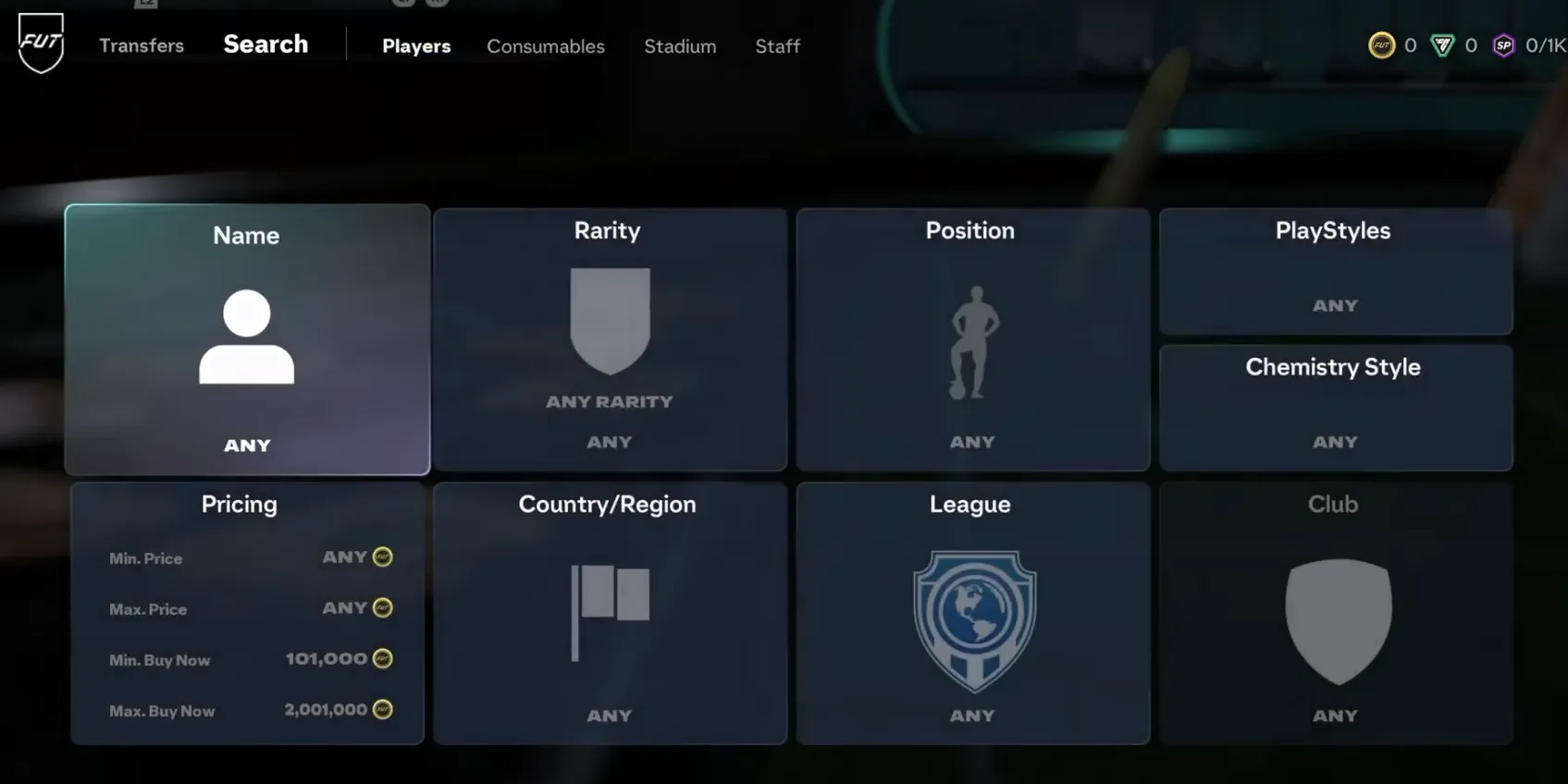
Open Transfers → Transfer Market and search for the player by name. If you get no results, clear the rarity and price filters and search again. For example, a low Buy Now cap can hide every listing for the card you want.
Check the item version before you buy. In FC 27, a Holographic card has the same in-match attributes as the corresponding base card, but it’s a distinct version. Use Compare Price to check other listings for the version you’ve selected.
Use Buy Now to purchase an available listing at its fixed price. Use Bid if you’re happy to wait for the auction to end. Check Transfer Targets to see whether you’re still the highest bidder, have been outbid, or have won.
List a Player From Your Club
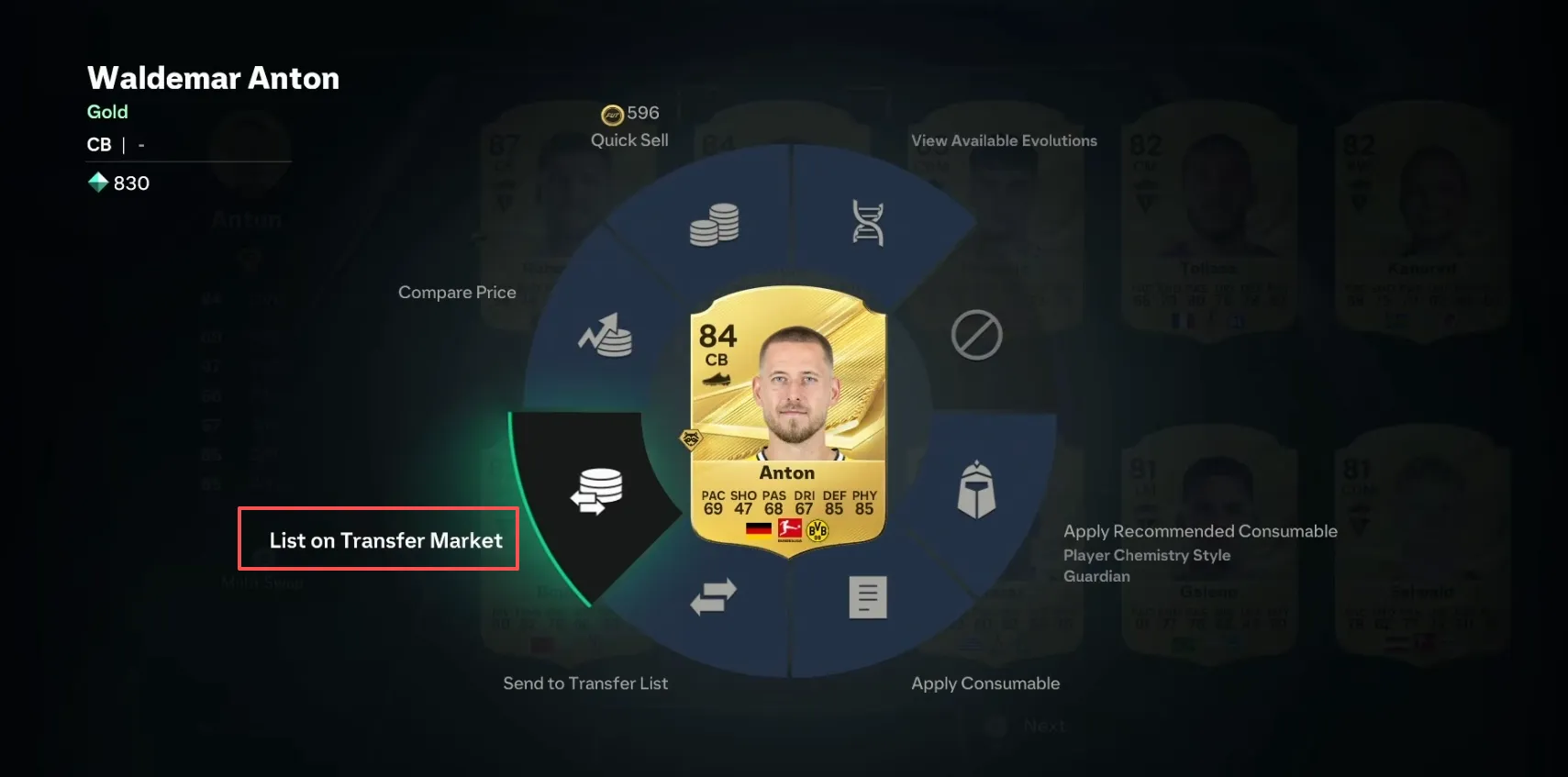
Select a tradeable card in your club and choose List on Transfer Market. Set the Starting Price, Buy Now Price, and listing duration. If you’re unsure what to ask for, compare current listings for the same card first.
Each item has a price range that limits what you can enter. If the game rejects your price, check the allowed minimum and maximum on the listing screen. Once you’ve listed the card, follow it in Transfer List. If you’re buying cards to resell, our FC 27 trading guide shows how to set a maximum bid and work out your profit after the market fee.
How to Find a Missing Player or Listing
You Won a Player but Can’t Find the Card
Open Transfer Targets and check Won Items and Expired Items. If the auction ended and the card is under Expired Items, you didn’t win that listing. If it’s under Won Items, check whether it’s still waiting to be sent to your club.
If you’ve confirmed the purchase and still can’t find the card, restart Ultimate Team and check your club again. EA says a player item that gets stuck after a confirmed market purchase should appear within 72 hours. Check Transfer Targets again after that window, then contact EA Help if the card is still missing.
Your Listing Disappeared
Start in Transfer List. In the Web App, check Sold Items and Unsold Items. If your card sold, your balance reflects the sale price minus the 5% market fee. If it expired unsold, you can relist it or send it back to your club.
You Quick Sold the Player by Accident
Open the Web or Companion App and go to Club → Quick Sell Recovery. Select the date of the discard and recover the player within seven days. You’ll need enough coins to repay the original Quick Sell amount. The restored card goes to Unassigned Items.
You can recover up to five eligible Player Items per 31-day period. Loan players and cards submitted into an SBC are ineligible.
FAQ
Conclusion
Start by checking the market where you want to trade. If you’re locked out, the message tells you whether to wait, keep logging active days, or check for a restriction. After a trade, Transfer List shows what happened to your listings, and Transfer Targets shows the outcome of your bids and purchases.




 TOP UP WITH DISCOUNT NOW

LDShop Team Experienced Game Editors
The LDShop Editorial Team covers game updates, character builds, team compositions, and practical gameplay guides. We follow official announcements, test game mechanics, and gather insights from gaming communities to provide accurate, useful, and easy-to-follow content. Our goal is to help players make informed decisions, save resources, and get more out of their favorite games.
