



Hey, GTA fans! 👋
Even after more than a decade since its original release, Grand Theft Auto V remains one of the most popular open-world games ever created. Millions of players are still exploring Los Santos, building businesses in GTA Online, and waiting for the next chapter in Rockstar's legendary franchise.
However, after years of updates and multiple platform versions, GTA 5 can also run into different technical problems. Players may experience game crashes, installation failures, activation errors, low FPS, online connection issues, and mod conflicts.
The good news is that most GTA 5 problems can be fixed with the right troubleshooting steps.
In this guide, Kurila has collected the most common GTA 5 issues and solutions for PC, PlayStation, Xbox, and GTA Online. Whether you're installing the game for the first time, returning after a long break, or trying to fix a frustrating error, this guide will help you get back into Los Santos as quickly as possible.
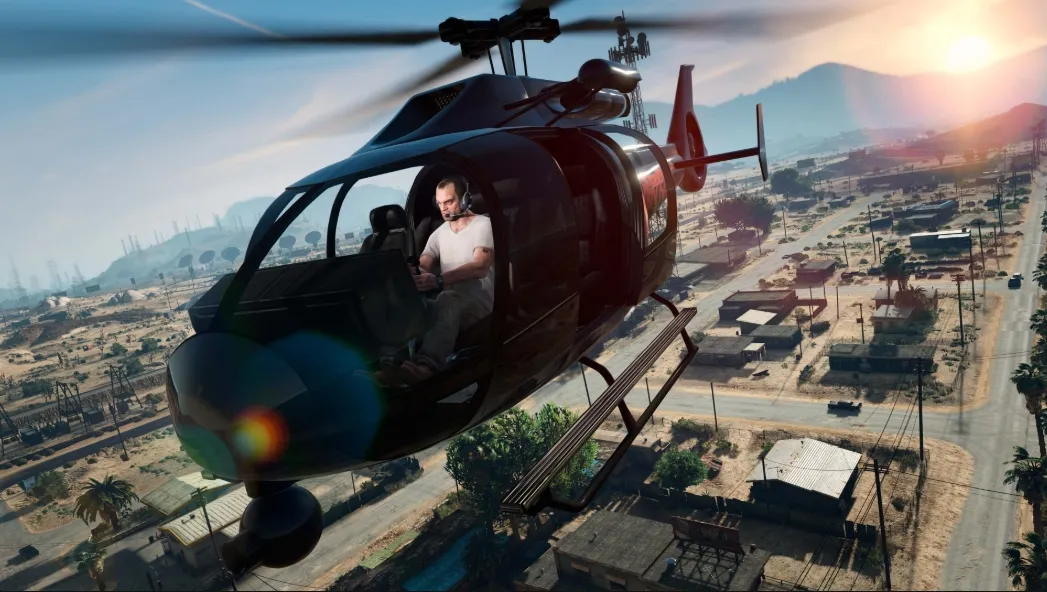
GTA 5 Won't Launch, Crashes, or Shows a Black Screen
One of the most common GTA 5 problems is the game failing to start properly.
Players may encounter:
- GTA 5 crashes immediately after clicking Play
- Rockstar Games Launcher opens but the game does not start
- Black screen during startup
- The game freezes on the loading screen
- GTA 5 closes without any error message
These problems are usually caused by corrupted game files, launcher issues, outdated drivers, or conflicts with third-party software.
Why Does GTA 5 Keep Crashing?
There are several possible reasons:
Corrupted Game Files
Large games like GTA 5 can occasionally have damaged files after updates, interrupted downloads, or installation problems.
A missing or corrupted file may prevent the game from launching correctly.
Outdated Graphics Drivers
GTA 5 relies heavily on GPU performance. Old NVIDIA, AMD, or Intel drivers can cause:
- Random crashes
- Poor performance
- Rendering problems
- Black screens
Rockstar Games Launcher Problems
Since GTA 5 depends on Rockstar services, launcher-related issues can prevent the game from opening.
Common causes include:
- Outdated launcher files
- Cache problems
- Login synchronization errors
Mods and Third-Party Tools
Mods can significantly change GTA 5, but they are also one of the most common causes of crashes.
After a GTA 5 update, older mods may become incompatible and cause:
- Infinite loading screens
- Game crashes
- Missing textures
How to Fix GTA 5 Crashes and Launch Problems
1. Verify GTA 5 Game Files
The first thing you should try is checking whether your game files are complete.
Depending on your platform:
Steam
- Open Steam Library
- Right-click GTA 5
- Select Properties
- Go to Installed Files
- Click Verify integrity of game files
Epic Games
- Open Epic Games Launcher
- Find GTA 5 in your Library
- Select Manage
- Click Verify
Rockstar Games Launcher
- Open Settings
- Select GTA 5
- Choose Verify Integrity
The launcher will automatically repair missing or corrupted files.
2. Update Your Graphics Drivers
Before changing complicated settings, make sure your graphics drivers are updated.
Update through:
- NVIDIA App / GeForce Experience
- AMD Software: Adrenalin Edition
- Intel Driver & Support Assistant
After installing new drivers, restart your PC and try launching GTA 5 again.
3. Run Rockstar Games Launcher as Administrator
Windows permission issues can sometimes prevent GTA 5 from accessing necessary files.
Try:
- Close GTA 5 completely
- Right-click Rockstar Games Launcher
- Select "Run as administrator"
- Start the game again
4. Remove Mods Temporarily
If GTA 5 was working before installing mods but suddenly crashes afterward, the mod files are likely the problem.
Try removing:
- Script Hook
- ASI files
- Trainers
- Graphics mods
Launch the clean version of GTA 5 first. If the game works normally, reinstall mods one by one to find the conflict.

GTA 5 Download, Installation, or Activation Problems
Another common issue happens before players even enter Los Santos.
Some users experience:
- GTA 5 download stuck
- Installation failed
- Update cannot complete
- Activation code not working
- Game missing from Rockstar account
These problems are especially common when switching between platforms or activating digital keys.
Why Is GTA 5 Download or Installation Failing?
Not Enough Storage Space
GTA 5 requires a large amount of storage, especially after years of updates.
Before installing:
- Check available disk space
- Leave extra space for future updates
- Install on an SSD if possible
Unstable Internet Connection
Large downloads can fail if your connection is unstable.
Try:
- Restarting your router
- Using a wired connection
- Pausing other downloads
- Disabling VPN temporarily
Launcher Cache Problems
Sometimes Rockstar Launcher, Steam, or Epic Games stores incorrect temporary data.
Clearing the launcher cache can solve:
- Download loops
- Update errors
- Installation freezes
GTA 5 Key Activation Not Working
Many players encounter activation problems when redeeming GTA 5 digital keys.
Common errors include:
- "Activation code already used"
- "Invalid activation code"
- "Unable to activate"
GTA 5 not appearing in the library
How to Fix GTA 5 Activation Problems
Check Your Rockstar Account
A GTA 5 activation key is usually linked to the Rockstar account that first redeems it.
Before activating:
- Confirm you are using the correct Rockstar account
- Avoid switching accounts during activation
- Check whether the game already exists in your library
Confirm Your Key Platform
Make sure your key matches the correct version:
- Rockstar Launcher version
- Steam version
- Epic Games version
- Console version
A key for one platform cannot normally be activated on another platform.
Restart Rockstar Launcher
Sometimes activation errors are caused by temporary account synchronization problems.
Try:
- Log out of Rockstar Launcher
- Restart the launcher
- Log back in
- Redeem the key again
GTA 5 Low FPS, Lag, and Stuttering Problems
Even powerful PCs can experience GTA 5 performance issues.
Common symptoms:
- Sudden FPS drops
- Stuttering while driving
- Long loading times
- Textures loading slowly
- Random freezes
Why Is GTA 5 Lagging?
Graphics Settings Too High
Some GTA 5 settings have a huge impact on performance:
- Extended Distance Scaling
- Grass Quality
- Shadow Quality
- Population Density
- Reflection Quality
Reducing these settings can significantly improve FPS.
Running Out of VRAM
If your graphics card does not have enough video memory, GTA 5 may struggle with:
- Texture loading
- Frame drops
- Stuttering
Lower texture quality and advanced graphics settings if needed.
Installing GTA 5 on HDD
Although GTA 5 can run on HDD, an SSD provides a much smoother experience.
Installing the game on SSD can improve:
- Loading speed
- Texture streaming
- Open-world driving performance
How to Improve GTA 5 Performance
Try these fixes:
- Update GPU drivers
- Lower advanced graphics settings
- Close background programs
- Disable unnecessary overlays
- Install GTA 5 on SSD
- Restart your PC before playing
GTA 5 Installation, Download, and Version Upgrade Problems on Consoles
Many players encounter issues when downloading GTA 5 for the first time or upgrading from an older console version.
Common problems include:
- GTA 5 download stuck at a certain percentage
- Installation fails before completion
- Updates cannot be installed
- Game missing from the library
- PS4 to PS5 upgrade problems
- Xbox One to Xbox Series X|S upgrade issues
- Not enough storage space errors
These problems are usually caused by incomplete downloads, corrupted files, insufficient storage, or account license synchronization problems.
Check Storage Space Before Installing GTA 5
GTA 5 has grown significantly since its original release due to years of updates, especially GTA Online content.
Before downloading the game:
- Make sure your console has enough free storage
- Remove unused games or applications
- Keep additional space available for future updates
Installing GTA 5 on internal storage is also recommended when possible, as external drives may sometimes cause slower loading or compatibility issues.
Restart Your Console and Restart the Download
Temporary system errors can interrupt large downloads.
Try:
- Pause the GTA 5 download
- Fully restart your console
- Open the game library again
- Resume the installation
For Xbox:
- Hold the power button until the console shuts down
- Disconnect the power cable
- Wait for about one minute
- Restart the console
For PlayStation:
- Turn off the console completely
- Restart normally
- Try downloading GTA 5 again
A full restart can clear temporary cache files that interfere with installation.
Restore Licenses on PlayStation
If GTA 5 does not appear correctly in your library, or the console asks you to purchase the game again, the issue may be related to digital license synchronization.
To restore licenses:
- Open Settings
- Go to Users and Accounts
- Select Other
- Choose Restore Licenses
This refreshes your digital purchases and can fix access problems with GTA 5.
Clear Cache on Xbox and PlayStation
Cached system files can sometimes cause:
- Failed updates
- Download errors
- Game launch problems
Clearing cache does not delete your games or save files, so it is a safe troubleshooting step.
After clearing the cache, restart GTA 5 and try the installation again.
GTA 5 Crashes, Freezes, or Cannot Launch on Console
Although GTA 5 is generally stable on consoles, some players may still experience crashes or freezing.
Common symptoms include:
- GTA 5 closes unexpectedly
- Black screen after launching
- Game freezes during loading
- GTA Online crashes while joining a session
- Console becomes unresponsive
Why Does GTA 5 Crash on PS5, PS4, and Xbox?
Possible causes include:
Damaged Game Files
Interrupted updates or incomplete installations can leave corrupted files behind.
Outdated System Software
Running an older console system version may cause compatibility issues with newer GTA 5 updates.
Cache Problems
Temporary system data can sometimes interfere with game performance.
Storage Issues
A nearly full hard drive can affect loading and stability.
How to Fix GTA 5 Crashes on Console
Update Your Console System
Make sure your PlayStation or Xbox has the latest system update installed.
System updates often include:
- Stability improvements
- Compatibility fixes
- Performance improvements
Restart Your Console Completely
A simple restart can solve many temporary issues.
Avoid using only Rest Mode or Instant-On mode if GTA 5 keeps crashing. Fully shutting down the console can clear temporary memory problems.
Reinstall GTA 5
If crashes continue after updates, the installation files may be damaged.
Try:
- Delete GTA 5
- Restart your console
- Download the game again
- Install all updates
Your save data should remain safe if it is stored through:
- PlayStation cloud saves
- Xbox cloud saves
- Rockstar account synchronization
GTA Online Cannot Connect, Load, or Find Sessions
One of the most frustrating problems is being unable to enter GTA Online.
Players may encounter:
- "Rockstar Games Services are unavailable"
- Unable to find compatible session
- Connection timed out
- Infinite loading screen
- Saving failed
- Friends cannot join the same lobby
Why Is GTA Online Not Working?
There are several possible causes.
Rockstar Server Problems
Sometimes the issue is not caused by your console or internet connection.
Rockstar services may experience:
- Maintenance
- Temporary outages
- Heavy traffic after updates
Before changing your settings, check whether Rockstar services are operating normally.
Network Connection Problems
GTA Online requires a stable connection.
Common network-related issues include:
- Weak Wi-Fi signal
- High ping
- Strict NAT type
- Router configuration problems
- Firewall restrictions
How to Fix GTA Online Connection Problems
Restart Your Router
A router restart can solve many temporary connection issues.
Steps:
- Turn off your router
- Wait 30 seconds
- Turn it back on
- Restart GTA Online
Use a Wired Connection
If possible, use an Ethernet connection instead of Wi-Fi.
A wired connection can improve:
- Connection stability
- Ping
- Session reliability
Check NAT Type
A strict NAT type may prevent players from joining sessions.
Possible solutions:
- Enable UPnP on your router
- Check firewall settings
- Restart network devices
- Contact your internet provider if necessary
Change GTA Online Session
Sometimes a specific lobby may be unstable.
Try:
- Open the pause menu
- Select Online
- Join a new session
Switching sessions can fix temporary matchmaking problems.


GTA Online Character, Progress, or Account Problems
Some players worry when their GTA Online character, money, or progress appears to disappear.
In many cases, the problem is caused by account synchronization rather than permanent data loss.
Common issues include:
- Character not appearing
- Progress missing after changing consoles
- GTA Online transfer problems
- Wrong Rockstar account linked
How to Fix GTA Online Progress Problems
Check Your Rockstar Account
Make sure you are using the correct Rockstar account connected to your console.
A different account may appear as if your progress has disappeared.
Confirm Console Account Linking
Check that your:
- PlayStation Network account
- Xbox account
- Rockstar account
are correctly connected.
Avoid Creating a New Character Immediately
If your old character is missing, do not immediately create a new one.
Wait and try:
- Restarting GTA Online
- Logging back into Rockstar services
- Checking account connections
Creating new data may complicate the recovery process.
If you're preparing for Rockstar's next major release, you can also check our complete GTA 6 Guide Hub for the latest news, preorder information, and updates.
GTA 5 Mod Issues & Fixes
Mods have always been a huge part of the GTA 5 community. From graphics improvements and new vehicles to completely redesigned gameplay experiences, mods can make Los Santos feel like a brand-new game.
However, mods can also create new problems, especially after GTA 5 receives updates.
Common mod-related issues include:
- GTA 5 crashes after installing mods
- Infinite loading screen
- Script Hook errors
- Missing textures
- Game closes after updates
- Mods no longer working
Why Do GTA 5 Mods Cause Crashes?
The most common reason is that a mod becomes incompatible with the latest GTA 5 update.
For example:
- Script Hook V needs an update after major patches
- Older ASI plugins may conflict with new files
- Multiple mods may overwrite the same game files
- Incorrect installation paths can break the game
How to Fix GTA 5 Mod Problems
Remove Recently Installed Mods
If GTA 5 was working before installing a new mod, that mod is likely the cause.
Try:
- Remove the latest installed mod
- Launch GTA 5 again
- Check whether the problem disappears
Install mods one by one instead of adding many at once. This makes it easier to identify conflicts.
Update Mod Tools
Many GTA 5 mods depend on additional tools, such as:
- Script Hook V
- ASI Loader
- OpenIV
After a GTA 5 update, check whether these tools have received new versions.
Keep a Clean GTA 5 Backup
Before installing major mods, create a backup of your original game files.
This allows you to quickly restore GTA 5 without reinstalling the entire game.
Common Rockstar Games Launcher Errors & Solutions
Because GTA 5 relies on Rockstar Games Launcher, launcher-related problems can prevent the game from starting even if the game files are completely fine.
Common launcher problems include:
- Rockstar Launcher not opening
- "Activation Required" error
- Unable to connect to Rockstar services
- Game not appearing in library
- Launcher stuck loading
GTA 5 Activation Required Error
This is one of the most common Rockstar Launcher errors.
Possible causes:
- Incorrect Rockstar account
- Internet connection problems
- Launcher authentication failure
- Key already linked to another account
How to Fix Activation Required Error
Try these solutions:
Login Again
- Close Rockstar Games Launcher
- Sign out completely
- Restart the launcher
- Log in again
Check Your Internet Connection
Rockstar Launcher needs to verify ownership online.
Try:
- Restarting your router
- Disabling VPN
- Checking firewall settings
Verify Your Rockstar Account
Make sure the account you are using is the same account that activated GTA 5.
A key can only be linked once, so switching accounts may make the game appear unavailable.
Will These GTA 5 Problems Also Appear in GTA 6?
Although GTA 6 will be built on a newer version of Rockstar's technology, some technical problems from GTA 5 may still appear in future releases.
Large open-world games often face similar challenges, including:
- Download and installation errors
- Account linking problems
- Activation issues
- Performance optimization problems
- Online connection failures
- Server-related issues
The good news is that understanding GTA 5 troubleshooting can help players prepare for GTA 6.
Before launch, you can check our complete GTA 6 Guide Hub for the latest news, release updates, preorder information, and helpful guides.
If you are planning to buy GTA 6 on day one, you can also compare available editions and pricing before release with our GTA 6 Price Comparison guide.
LDShop will also provide GTA 6 digital products after launch, including GTA VI game keys and related Rockstar products.
GTA 5 Common Issues FAQ
Why does GTA 5 keep crashing?
GTA 5 crashes are usually caused by corrupted files, outdated drivers, launcher problems, or incompatible mods.
Try:
- Verifying game files
- Updating GPU drivers
- Removing mods
- Reinstalling Rockstar Launcher
Why can't I activate my GTA 5 key?
Most activation problems happen because of:
- Wrong Rockstar account
- Incorrect platform version
- Already redeemed keys
- Connection issues
Make sure you are logged into the correct Rockstar account before activation.
Why is GTA Online not working?
GTA Online connection problems are usually caused by:
- Rockstar server issues
- Unstable internet
- Strict NAT settings
- Account synchronization problems
Restarting your router, checking Rockstar services, and changing sessions can often solve the issue.
How do I fix GTA 5 lag and low FPS?
To improve GTA 5 performance:
- Update graphics drivers
- Lower demanding settings
- Close background programs
- Install GTA 5 on SSD
- Adjust advanced graphics options
Can these solutions work for GTA 6?
Many troubleshooting methods will likely remain useful for GTA 6, especially for issues related to installation, accounts, downloads, and online connectivity.
However, GTA 6 will also introduce new technology and systems, so some problems may require new solutions after launch.
Conclusion
After more than a decade, GTA 5 is still one of the most popular open-world games ever made. However, with multiple platforms, years of updates, and a huge online mode, players may occasionally encounter technical problems.
Whether you're dealing with crashes, installation errors, activation problems, performance issues, or GTA Online connection failures, most GTA 5 problems can be solved with the right troubleshooting steps.

Many of these issues are also valuable lessons for the upcoming GTA 6. While Rockstar's next title will bring improved technology and a new experience, problems like downloads, account linking, and online connectivity can still happen in any large-scale game.
To prepare for launch, check out our GTA 6 Guide Hub, compare editions with our GTA 6 Price Comparison, and get ready for the next generation of Grand Theft Auto.
When GTA 6 officially arrives, LDShop will continue bringing you the latest guides, updates, and game products to help you enjoy Rockstar's newest adventure from day one.






 TOP UP WITH DISCOUNT NOW
Kurila Experienced Game Editor
I'm a game editor who enjoys exploring RPGs, anime-inspired adventures, and story-driven games. I focus on breaking down gameplay systems, character builds, and progression mechanics into clear and practical guides. Whether you're just getting started or looking to improve your strategy, I aim to make every guide easy to follow and useful throughout your journey.
