


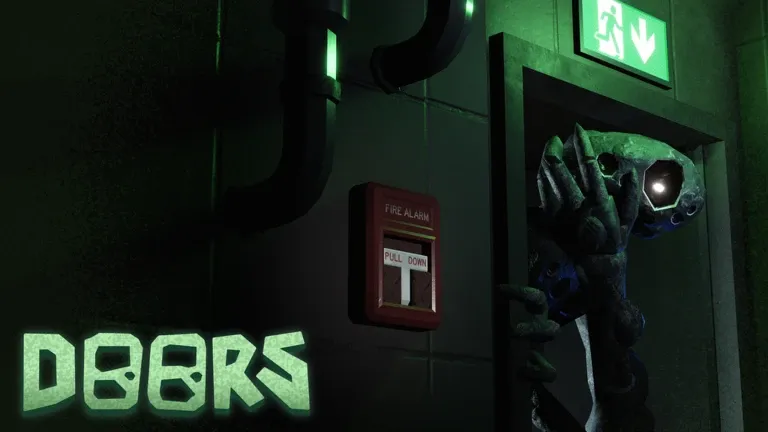
The Stairwell has changed a lot with the Access Granted update. What used to feel like a long stretch of empty stairs is now a proper DOORS subfloor built around maze-like Depot areas, spreading Meld, dangerous machinery, Salvage, and a new shop waiting near the end.
The October update also made The Stairwell available from the Lobby, added a Pre-Run Shop and revives, expanded Cobbler's role, and introduced new Scanner Modules. After a follow-up patch on October 5, the run was shortened from 199 landings to 99.
This LDShop guide covers how the new Stairwell works, how to survive its main threats, what to do with Salvage, and which Scanner Module is worth choosing.
What's New in the DOORS Stairwell Expansion?
|
Feature |
What Changed |
|
Stairwell Access |
The Stairwell can now be entered through the Lobby |
|
Pre-Run Shop |
You can prepare before starting the subfloor |
|
Revives |
Reviving is now supported in subfloors |
|
Landing Count |
Reduced from about 200 to 99 landings |
|
Meld |
Now actively spreads through affected Depot areas |
|
Crusher |
New instant-kill mechanical hazard |
|
Salvage |
Junk can be processed into Scrap at Depots |
|
Cobbler |
Now operates a shop near the end of the run |
|
Scanner |
Can use Translator, Threat Detector, and Flashlight Modules |
The biggest difference is that The Stairwell now gives you reasons to explore instead of simply climbing. Depot areas contain loot, garages, Scrap opportunities, Fire Alarm objectives, and several threats that can overlap if you stay too long.
Best Items to Bring into The Stairwell
The Stairwell is dark, and many of its Depot sections are large enough that losing your bearings can become dangerous.
For a normal clear, prioritize:
- Straplight or another reliable light source — much more useful than constantly spending Glowsticks.
- Compass — helpful when navigating large Depot layouts and returning toward the exit.
- Garage Key — lets you open garages containing additional loot and Salvage.
- Glowsticks — best used as markers rather than your main light source.
A Battery Pack is also useful if you're relying on a battery-powered light. The Flashlight, Bulklight, Straplight, and Shakelight are all solid options for the dark Depot sections.
Tip: Don't burn through Glowsticks on the normal stair sections. Save them for confusing Depot layouts and drop them near intersections, the Fire Escape, or routes you've already checked.
How The Stairwell Run Works
Most of the run alternates between ordinary stair sections and larger Depot landings.
The stair sections are mostly about progression and keeping Creak under control. Depot areas are more dangerous, adding Crushers, Noise, spreading Meld, loot, and Salvage objectives.
If there is no major objective blocking you, don't feel forced to search every room. Staying too long only gives Creak, Noise, and other hazards more chances to cause problems.
How to Survive Creak
Creak is the Stairwell's persistent stalker, and a small mistake around it can end your run quickly.
It moves closer while you're looking away, but staring directly at it for too long is also dangerous. The safest approach is to check Creak briefly, make it back off, then break eye contact and continue moving.
Avoid two extremes:
- Don't ignore Creak for too long.
- Don't walk toward it while staring at it continuously.
Creak can kill instantly, so treat it as a constant positioning problem rather than something you need to defeat.
How to Deal with Noise
Noise appears from television sets found inside Depot areas.
Once activated, Noise follows the path you took, almost like a delayed copy of your movement. If you stop, Noise normally stops as well. If it falls too far behind, however, it can speed up to catch you. Touching it means instant death.
Best Noise Strategy
Avoid unnecessary loops. If you keep circling through the same hallway, you may eventually run directly into the trail Noise is following.
If Noise gets close:
- Create some distance.
- Use a wider loop to pull it away.
- Stop briefly when needed to control its position.
- Avoid retracing your exact route immediately.
You can permanently disable an active Noise encounter by destroying its television. Rolling the TV down a flight of stairs will break it, while Fire Sprinklers can destroy televisions during a Meld incineration sequence.
How Meld and Fire Alarms Work
Meld is one of the most important mechanics in the expanded Stairwell.
On affected landings, the fleshy growth spreads through the area and can block passages. You cannot simply activate the Emergency Override and leave while Meld remains in control.
Your main objective is to locate the Fire Alarm.
Once you pull it, you have a short window to find a marked Fire Escape. Get inside before the blast doors close. The fire system then burns through the landing, destroying Meld and other vulnerable objects.
After the incineration finishes, return to the gate and use the Emergency Override to continue.
Do Not Stay Outside the Fire Escape
The Fire Sprinklers are not normal water sprinklers. They incinerate the landing.
Being outside when they activate can kill you very quickly, so once the alarm is pulled, stop looting and head for safety.
This fire also:
- Incinerates Meld.
- Destroys Noise televisions.
- Temporarily stuns Creak.
- Turns exposed Stems into Ceramic Stems.
- Burns large items left outside the safe area.
Watch Out for Crushers
Crusher is a new mechanical trap introduced with Access Granted.
Listen for the wall shaking and the mechanical audio cue. Shortly afterward, the spiked wall can slam across the corridor. Getting caught in its path is an instant kill.
Don't rush past one just because it has already moved once. Crushers can activate repeatedly.
Crushers are dangerous, but their predictable audio cue gives you a chance to react. Once one appears, wait for the wall to retract before crossing instead of trying to squeeze past it. Creak can survive a Crusher hit, so don't rely on the trap to remove it for you.
How Stems Work
Stems can appear when you open containers in Depot rooms. They roll toward players and deal damage by ramming or biting.
One or two are manageable, but groups become much more annoying while you're also trying to navigate around Creak or Noise.
You can throw or pop troublesome Stems instead of letting them pile up. If several remain alive, they may combine into larger Stem structures.
There is also a useful interaction with the Fire Alarm: Stems left outside during the incineration can become Ceramic Stems, which can then be processed for Scrap.
Salvage, Scrap, and Depots Explained
One of the biggest additions to The Stairwell is its small scavenging economy.
You'll find junk and large objects scattered around Depot rooms, garages, and containers. Bring these objects to a Depot Scrapper to convert them into Scrap.
Items can have different Scrap values, so don't waste too much time hauling every low-value object across a dangerous landing. Shopping carts are useful when several valuable objects are close together, but pushing one around can make escaping Noise or watching Creak harder.
The reason to collect Scrap becomes clear near the end of the run: Cobbler converts Scrap into Gold, with 1 Scrap currently worth 10 Gold.
So if you're aiming for the Scanner or Jug of Starlight, don't completely ignore the Depot system.
Cobbler's Shop and the End of The Stairwell
You'll meet Cobbler at Landing 99, near the end of The Stairwell.
Cobbler is passive and operates the Stairwell's end-of-run shop. Current major purchases include:
|
Item |
Cost |
|
Peach Cobbler |
250 Gold |
|
Scanner |
500 Gold |
|
Jug of Starlight |
750 Gold |
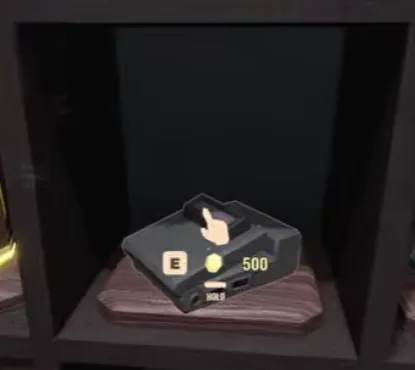
The Scanner is the most interesting purchase after the latest update. It can reveal nearby objects through its display, and buying one now triggers Cobbler to offer two Scanner Modules to choose from.
Roblox DOORS Scanner and Best Scanner Modules
The Roblox DOORS Scanner is one of the most useful purchases available at Cobbler's Shop. It costs 500 Gold and periodically highlights items and progression objects within its field of view, including objects hidden behind walls.
After you buy the Scanner, Cobbler will offer two of the three available Modules. Choose one and install it into the Scanner to unlock an extra function.
There are currently three Scanner Modules: Threat Detector, Flashlight, and Translator.
Threat Detector Module
This is the most practical survival choice.
The Threat Detector marks harmful entities within the Scanner's field of view, including threats hidden behind walls.
Flashlight Module
The Flashlight Module turns the Scanner itself into a light source.
It's convenient because it combines scanning and illumination in one item, although it provides less unique utility than the Threat Detector if you already have a strong light source.
Translator Module
The Translator Module translates entity dialogue, including Cobbler's unusual language.
It's the best pick if you're interested in lore and Cobbler's dialogue, but it offers the least direct help during survival.
Recommended priority: Threat Detector > Flashlight > Translator for most players.
Installing any Module into your Scanner also ties into the Plug & Play achievement.
Best Tips for Beating The Stairwell
The Stairwell becomes much easier once you stop treating every landing like a loot room.
Keep moving when the path is already open. You don't need to fully clear every Depot.
Use Glowsticks as breadcrumbs. Mark important intersections instead of throwing them randomly.
Listen before crossing Crusher corridors. The sound cue matters more than trying to react after the wall moves.
Don't panic around Creak. Briefly control it with your view, then keep going.
Plan your path around Noise. The more you double back, the more dangerous its copied route becomes.
Find the Fire Escape before pulling the alarm when possible. That removes the biggest source of panic during Meld sections.
Collect Scrap with a goal. If you want the Scanner, aim for enough Scrap to convert into the Gold you still need instead of carrying junk indefinitely.
Final Thoughts
Access Granted makes The Stairwell feel much more complete. The challenge is no longer simply surviving a long climb. You now have to manage Creak's stalking, Noise's delayed movement, spreading Meld, Crushers, Fire Escape sequences, and the decision between exploring for Scrap or leaving while the route is still safe.
For a first clear, focus on survival rather than squeezing value out of every Depot. Once you know the layouts and entity mechanics, later runs are the better time to farm Scrap, hunt achievements, loop the Stairwell, and collect Scanner Modules.
For more Roblox guides and new update breakdowns, keep an eye on LDShop.






 TOP UP WITH DISCOUNT NOW
Savannah Reed Experienced Game Editor
I'm a game guide writer with over 20 years of experience playing all types of games, especially anime-style RPGs, gacha and sports games. I love finding smart ways to beat tough levels without spending too much money. By studying game mechanics and character systems, I create easy tips to help players save time and resources. When I'm not gaming, I watch anime to get inspiration for strategies. My goal? To help you enjoy games more and stress less – even when facing "impossible" bosses! Let’s make gaming fun and affordable together!
