


If you are a fan of first-person shooter games, Roblox Rivals is just for you. Unlike the other shower FPS games which can be slow-paced, Rivals is a well-designed game where your movement tactics and weapon management matter a lot.
As a beginner, you may encounter a lot of hurdles on your way when you step onto the matchmaking pad. The skill gap can feel incredibly intimidating. Let’s folloe LDShop, as in this guide, we break down every nook and cranny of Roblox Rivals for players who are just starting. So, let’s begin!
Optimization and Settings
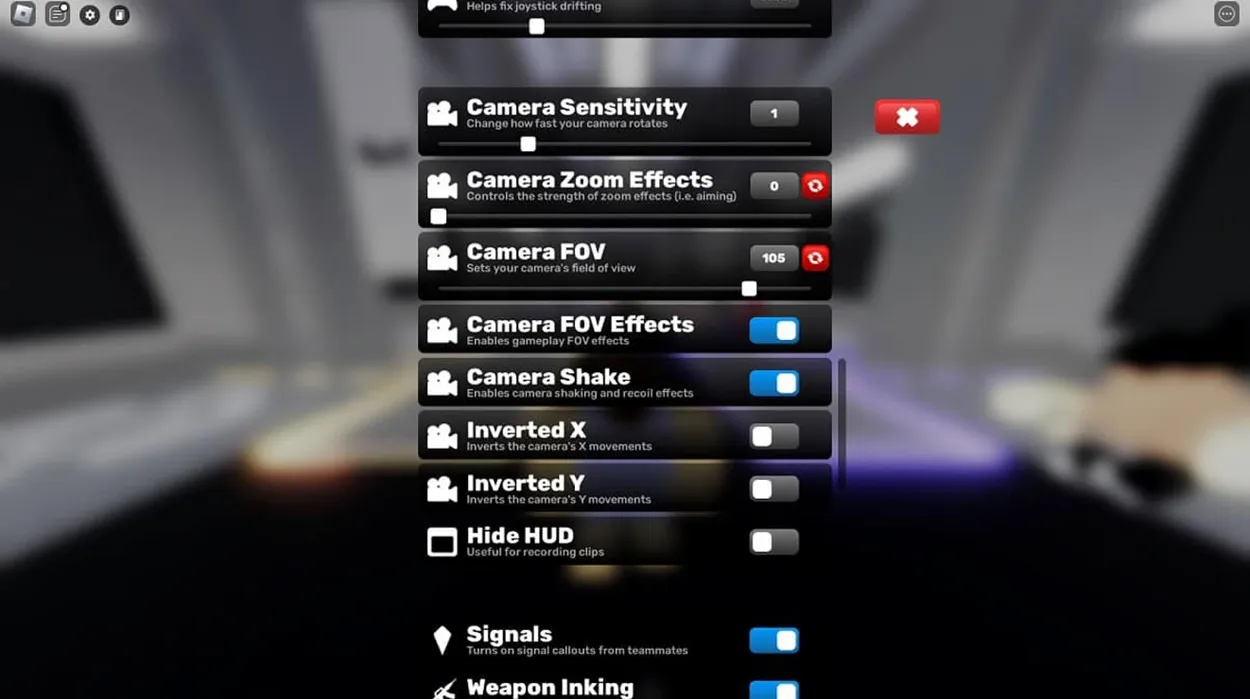
Playing Rivals with default settings will limit your performance. That is why you must configure the game before you step onto a matchmaking pad. Here are some optimal settings that will help you in the long run:
- Auto Sprint: Toggle this ON immediately. Never waste time on holding down a sprint key in an arena shooter.
- Easy Slide: Set this to ON. This allows you to smoothly slide across the arena with a single tap.
- Field of View (FOV): Pull the slider up to 90–110. Shifting to a wider perspective allows you to track your targets more efficiently.
- Camera Zoom Effects: Reduce this slider to 0. Screen-shake and heavy zoom animations introduce visual distortion during intense duels.
- Crosshair Architecture: Set your crosshair profile to Static. Enable the Outline option and select a high-contrast color that does not naturally blend into the environment or player silhouettes.
Beginners Goals: Tasks, Contracts, and Keys
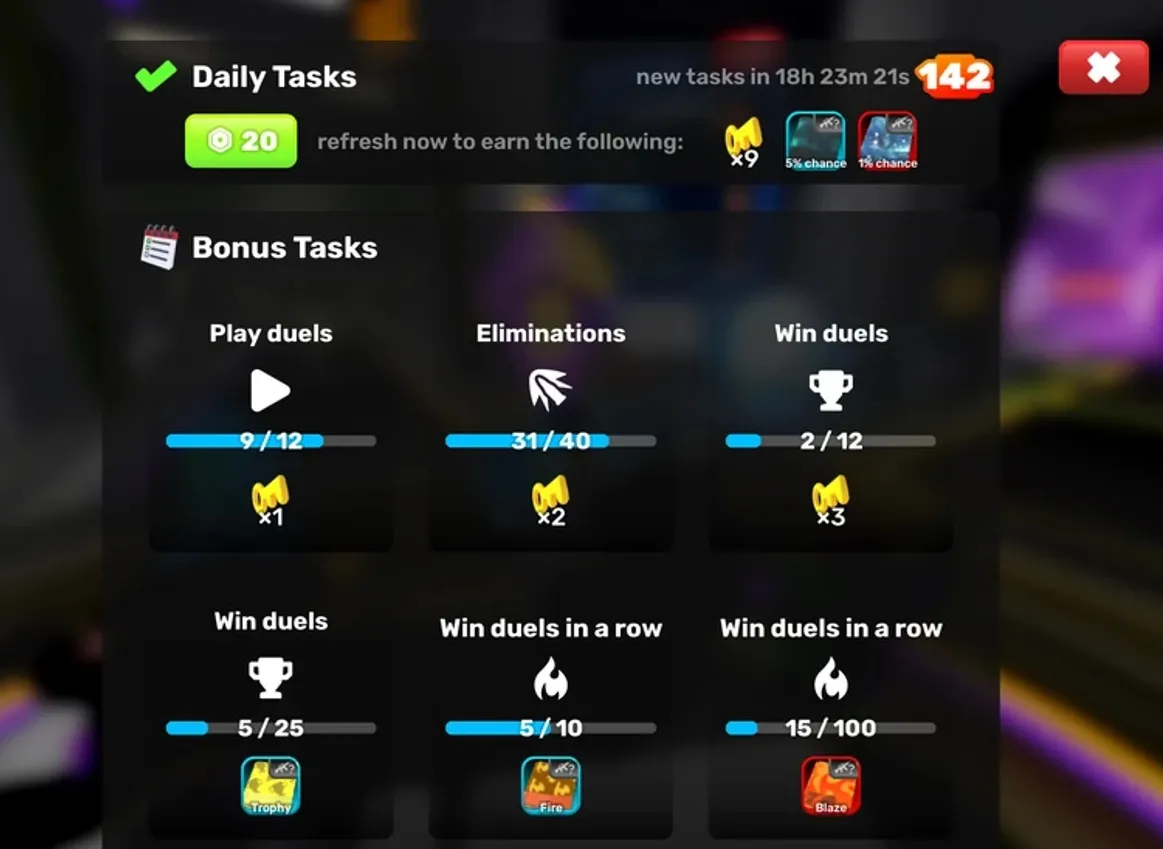
Progressing through Rivals means completing daily and weekly tasks. This helps you expand your arsenal as well. You can use the coins and keys you get from completing the tasks to buy weapons and skins.
Daily and Weekly Tasks
The fastest way to generate resources is by consistently clearing the Tasks board found in the main menu. These daily challenges have the following niche challenges:
- Kill Tasks: Eliminating a designated number of opponents using specific weapon classes.
- Damage Tasks: Accumulating flat damage values in your matches
- Usage Tasks: Deploying specific utility items like Grenades for a set number of times.
Clearing these basic objectives rewards you with Keys and Coins. Save your hard-earned Keys to roll for Weapon Cases. You can also directly unlock specific tools within the weapon modification inventory.
Weapon Contracts
Here are the weapons upgrades you can avail after reaching the specific kill count:
|
Weapon Contract Tier |
Required Kill |
Reward Unlocked |
|
Tier 1 Activation |
3 to 5 Kills |
1x Key |
|
Tier 2 Mastery |
10 to 20 Kills |
1x Charm Capsule |
|
Tier 3 Mastery |
50 to 100 Kills |
1x Charm Capsule |
|
Tier 4 Wrap-Box |
125 to 250 Kills |
1x Weapon Wrap Box |
|
Gold Coating |
1,000 to 2,000 Kills |
Premium Gold Weapon Wrap |
|
Diamond Coating |
5,000 to 10,000 Kills |
Premium Diamond Weapon Wrap |
|
Midas Touch |
10,000 to 20,000 Kills |
Custom Midas Touch Finisher Animation |
|
Dark Matter Wrap |
20,000 to 40,000 Kills |
Ultimate Dark Matter Mastery Wrap |
Matchmaking Pads and Game Modes
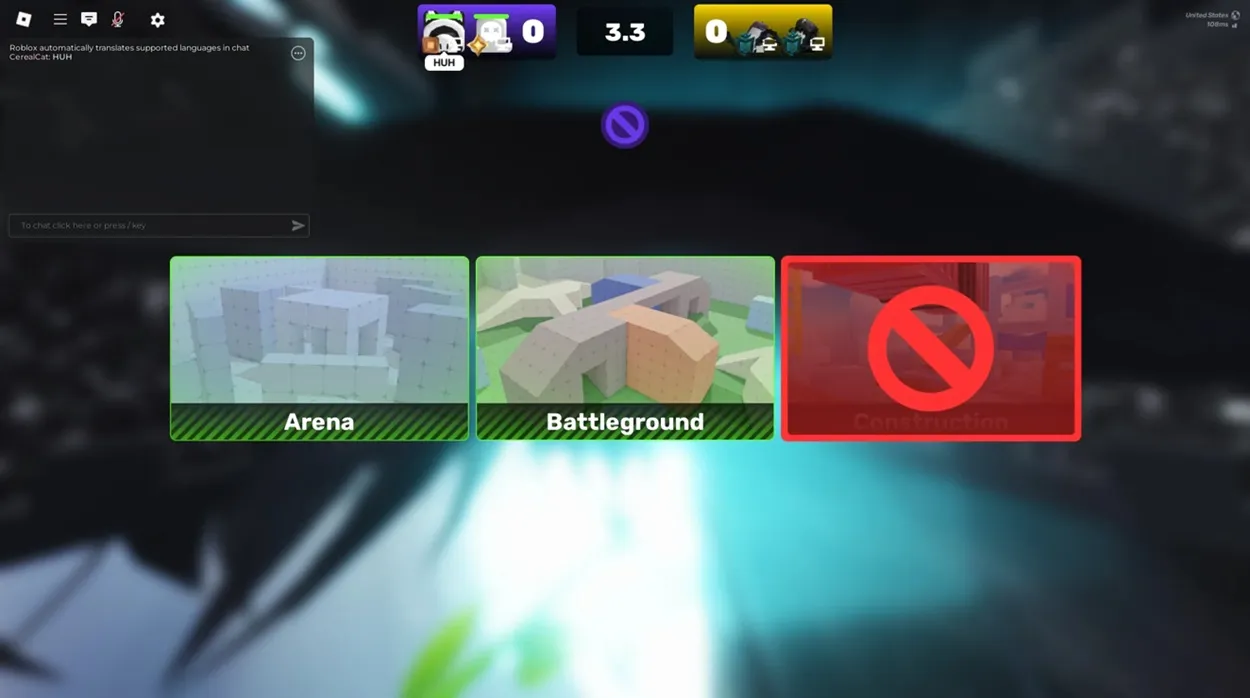
To launch a match in Roblox Rivals, you can step on the various matchmaking pads available. However, they are colour-coded, each having a designated game mode:
- Green Pads (1v1): In this, you will be Face-to-face against a single opponent. It is highly competitive and perfect for rapid warm-ups.
- Blue Pads (2v2): This mode lets you team up with another player against a duo. If your teammate goes down, your positioning must shift to cover the angle.
- Red Pads (5v5): You can team up with more players in this mode. It features constant map shifts and crossfires.
As a beginner, you can start with longer game modes like the 5v5 mode to get used to the game. Once you have developed significant skills, you can switch to 1v1 or 2v2 and showcase your skills.
Available Weapons in Roblox Rivals
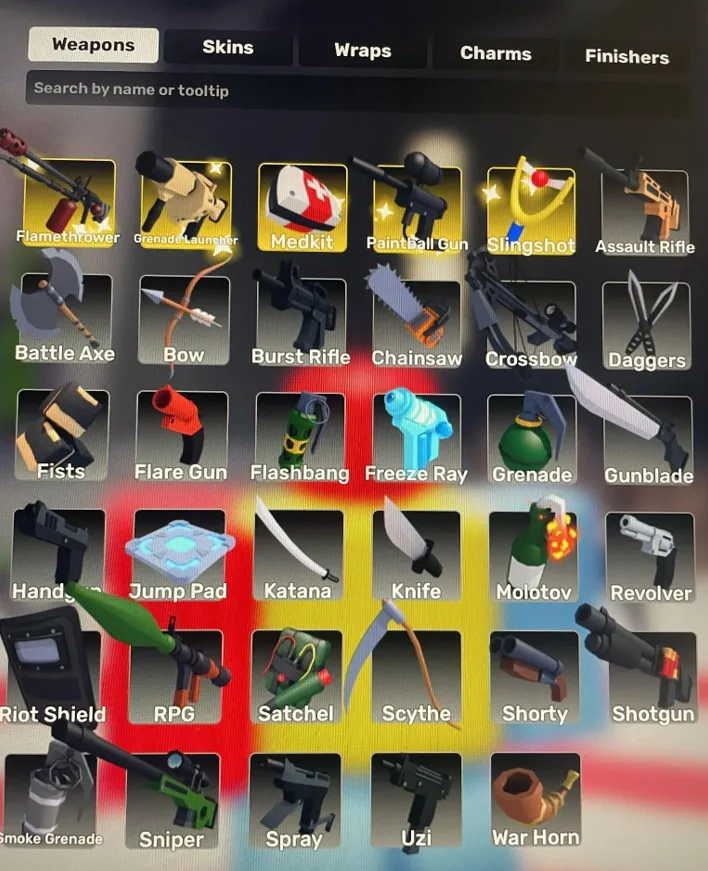
While Roblox Rivals offers various exotic weapons, some of them outshine the others. You can get these weapons from the gacha boxes. However, if you want to rapidly build your arsenal, you can buy Robux to get the weapons from the Rivals shop. The best platform to make the top-up is LDShop, it lets players top up for less and it is a great way to save money.
Here are some suggestions for you as a beginner:
|
Slot |
Weapon |
Description |
|
Primary |
Assault Rifle |
The Assault Rifle features a highly predictable vertical recoil pattern and strong headshot damage multipliers. It handles long-range map fights cleanly while offering stable hip-fire accuracy if you are caught mid-slide. |
|
Secondary |
Uzi or Shorty |
The Uzi: This delivers a devastating fire rate that melts health bars up close. It is the premier choice for wiping targets after you have broken their shield with a primary rifle. The Shorty: This is a pocket shotgun that provides incredible burst damage. It is capable of taking down an aggressive player if they push your corner blindly. |
|
Melee |
Katana |
The Katana features a built-in bullet deflection mechanic and a permanent maximum movement speed buff when drawn. If you time your swing perfectly against incoming single-fire weapon shots, you can deflect the damage. |
|
Utility |
Medkit |
Never enter a high-tier match without a Medkit, as it can heal you and instantly reset your health bar between encounters. |
Advanced Movement Mechanics
Along with aiming, your movement tactics are also very important to win a match in Roblox Rivals. If you stand stationary or walk in straight lines, you are an easy target for skilled sniper players. To win, you can use some of these movement mechanics:
- Slide-Jump: Instead of running straight, try to slide and jump across the arena. When you drop into a slide, it lowers your hit-boxes and gives you a breather. Once you reach your target position, jump to cancel your forward momentum.
- The Reload Animation Cancel: The reload animation can feel like a waste of time. But you can always cancel it by instantly switching to your secondary weapon as soon as the animation starts and swapping straight back to your primary weapon once again.
- Explosive Rocket Jumping: In Rivals, you can fire an explosive projectile at your own feet while jumping. If you time it correctly, the impact can launch your character high in the air, allowing you to get a higher ground. You can also avoid crossfire and locate your opponent’s positioning.
Conclusion
By customizing your settings, prioritizing tasks to build out your weapon arsenal, and practicing in longer game modes, you can excel in Roblox Rivals. Make sure to master the movement mechanics that can help you avoid being shot right at the beginning. If you catch a bullet or two, keep the medikits handy for instant healing and you will be unstoppable!




 TOP UP WITH DISCOUNT NOW
Edmund G. Kolis Experienced Game Editor
I'm a game guide writer with over 20 years of experience playing all types of games, especially anime-style RPGs, gacha and sports games. I love finding smart ways to beat tough levels without spending too much money. By studying game mechanics and character systems, I create easy tips to help players save time and resources. When I'm not gaming, I watch anime to get inspiration for strategies. My goal? To help you enjoy games more and stress less – even when facing "impossible" bosses! Let’s make gaming fun and affordable together!
