LDShop
guide registrationRegister now to enjoy 15% off new member gift!Go to register >
Fate War

Fate War

Instant DeliveryInstant Delivery
🔥Invite Friends And Get 15%OFF

Faster Self Top-Up is now available! Click the "?" on the right for guidance.

More Games You Might Like

Description

Cheap Fate War Top Up — Fast & Secure

Fate War top up gives you the Gold needed to support your progress. Use Fate War Gold to develop your settlement, manage resources, strengthen your army, and prepare for the gods’ survival challenges.

Top Up Fate War on LDShop and choose the Gold package that fits your needs.

Join our Discord to get more offers and information

Discord: https://discord.com/invite/6VVYPqkVj7
Fate War Gold Price: 

Top-up Procedures

Information Required for Top-Up

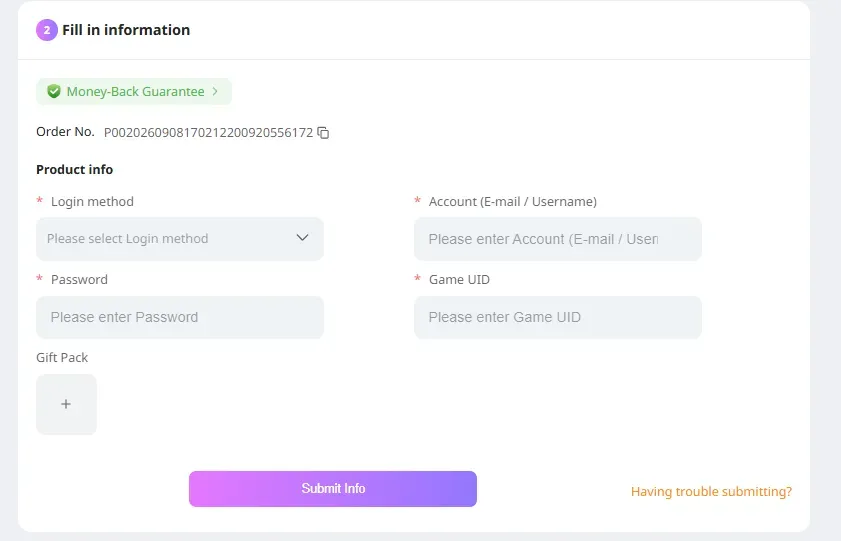
  • Game account: your Fate War account and password
  • User ID: your Fate War UID and server ID 

Supported login methods:IGG Pass(recommended), Google, Facebook

Note: This product currently does not support top-ups for Huawei or RuStore versions.

How to top up Fate War Survival on LDShop?

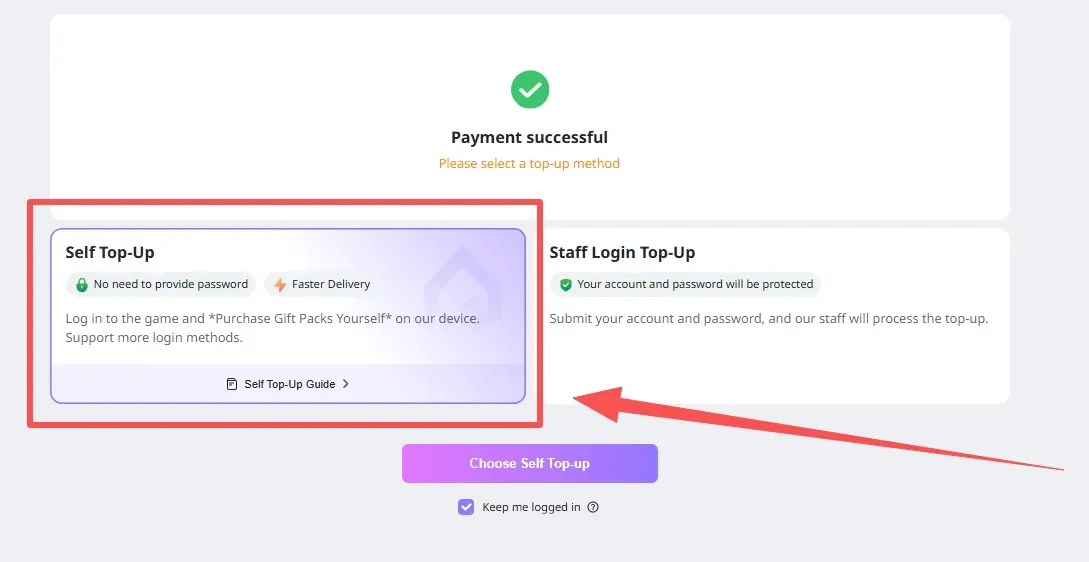
Self-Service Top-Up

1. After placing the order, select[Self-Service Top-Up]:After selecting the product, creating the order, and completing payment, select [Self-Service Top-Up].

Self-charge

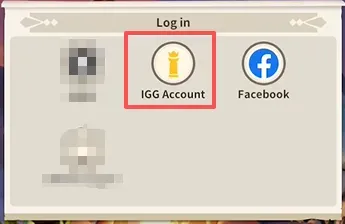
2. Log in through LDShop:Enter the game through LDShop and log in to your game account.(IGG account recommended) (Apple login is not supported)

Log in via LDShop

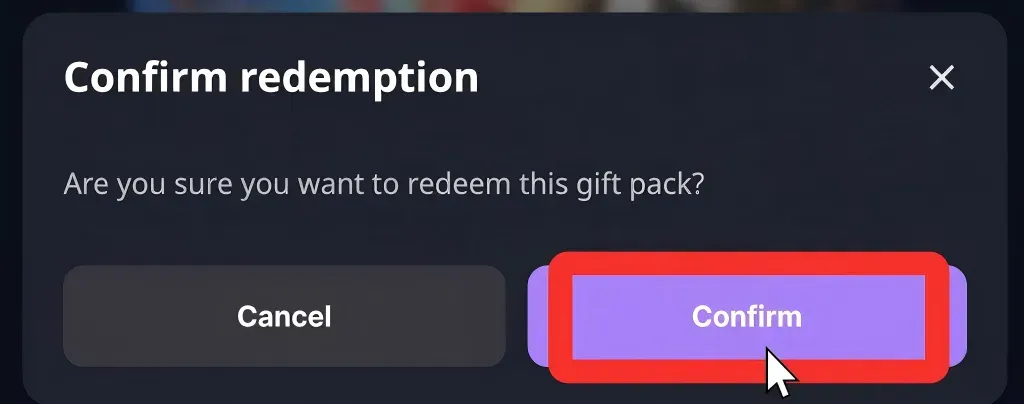
3. Redeem the gift pack through LDShop:In the game, select the gift pack you want and clickConfirm.

[Purchase Recommendation]

To ensure a smooth transaction,we recommend spending Gold Coins in the game first (for example, buying daily items or resources) so that the account balance is lower than the amount required for the gift pack before placing an order on this platformOnce the balance is lower, return to the platform to complete the purchase.

Redeem a gift pack via LDShop

4. Complete:After the top-up is complete, you will be logged out automatically and your login records will be cleared.

Assisted Top-Up:

Step 1: Log in to the LDShop official website and select your preferred language and currency. 

Step 2: Select the Fate War gift pack and Dawn Medals you want to purchase, then click “Top Up”.

Step 3: Select your preferred payment method and coupon, then click “Pay Now”.After selecting the product, placing the order, and completing payment, select “Assisted Top-Up”.

Step 4: Fill in the relevant information and click Continue to complete the payment process.

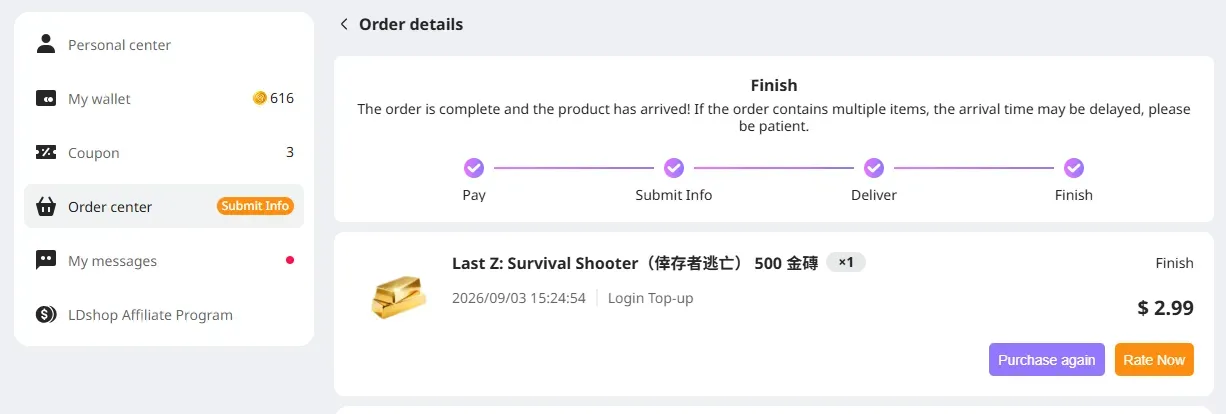
Step 5: Go to Order Center to check the order status. Once it shows Completed, collect the item in the game.

Step 6:If you encounter any problems, please contact customer service.

What should I do if I accidentally close the top-up information page?

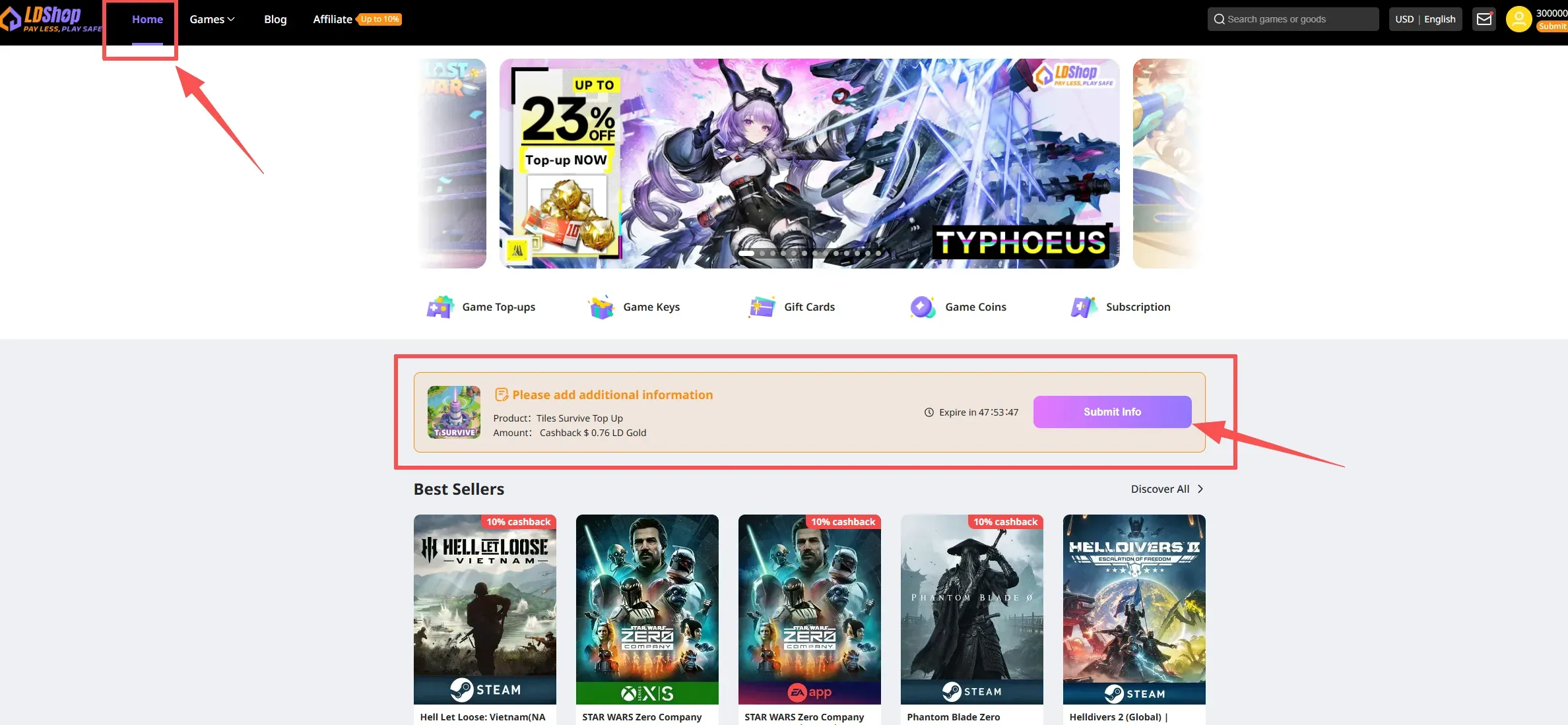
Method 1: Return to the main site, find the gift pack you paid for, and click “Fill in Information”

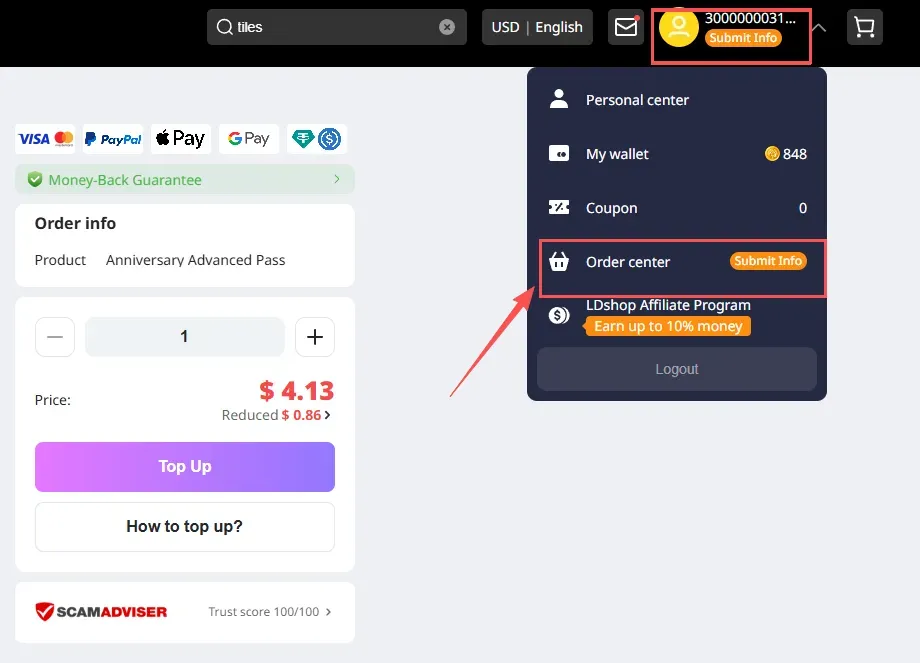
Method 2:Click the avatar in the upper-right corner, then click Order Center

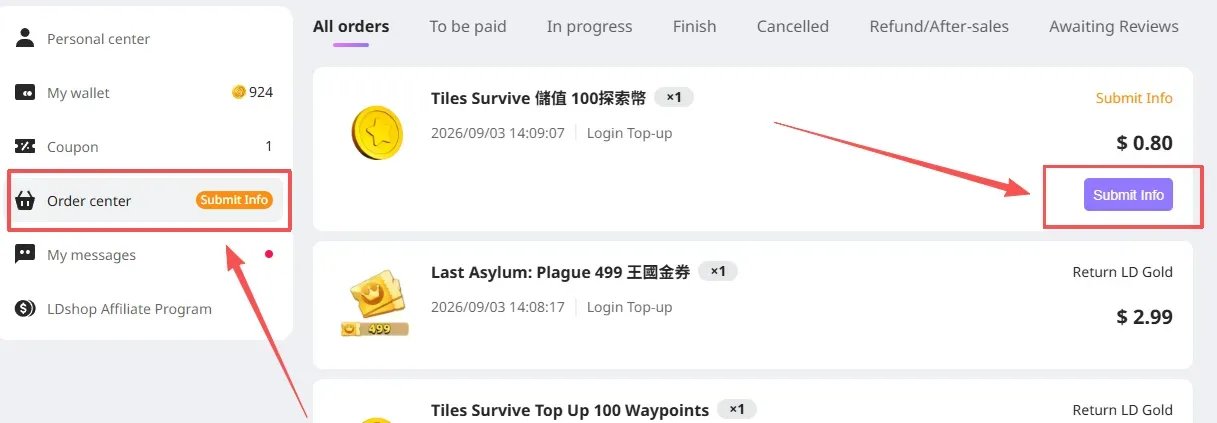
In Order Center, find the item you purchased and click “Fill in Information” to continue.


🚨[MUST READ] If this top-up requires verification-code login, check the messages on the site after submitting the order.

If you do not receive it in time, contact customer service for assistance.


How to top up Fate War on LDShop?

1. Place the order and complete payment
Complete your purchase securely through our checkout system.

2. Provide account login information
After payment, provide your account email/login information to our customer service team through a secure channel.
Important reminder: Do not log in to the game during this process to avoid conflicts.

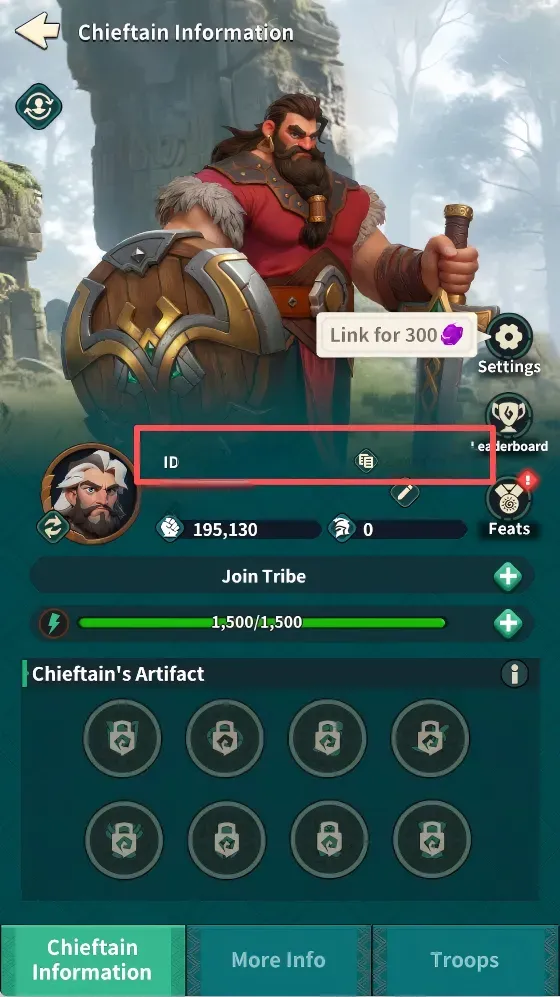
How to obtain your character UID?

1. After logging in to the game, click the avatar in the upper-left corner

Fate War Character UID

2. Obtain your character UID and server ID 

Fate War Server ID

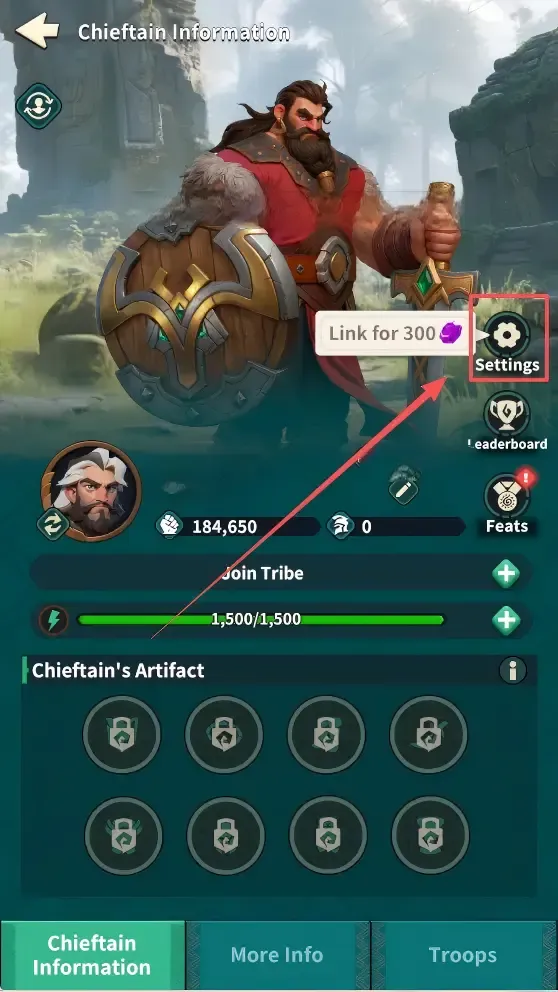
How to bind an in-game account:

1. After logging in to the game, click the avatar in the upper-left corner "Avatar"

Fate War Game Avatar 

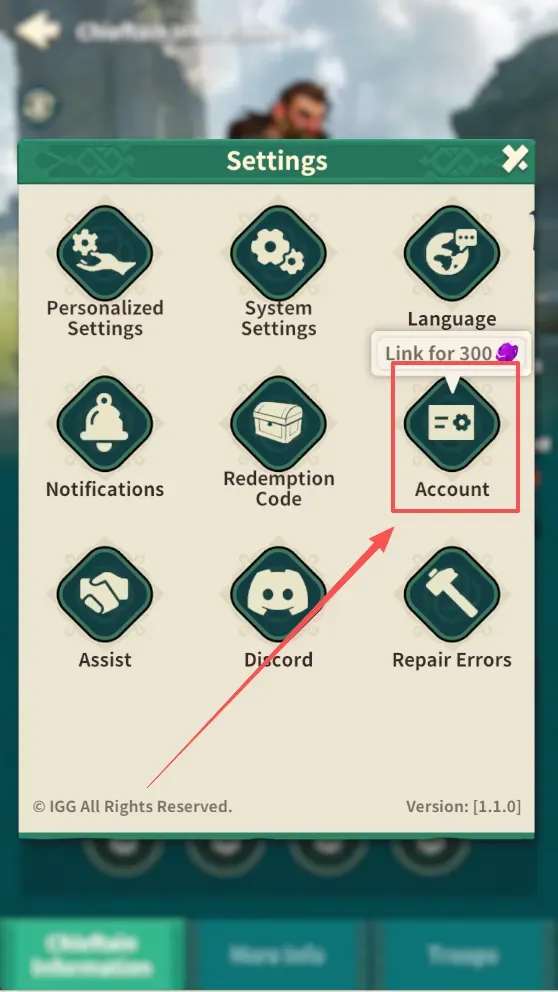
2. Click "Settings"
Fate War Settings

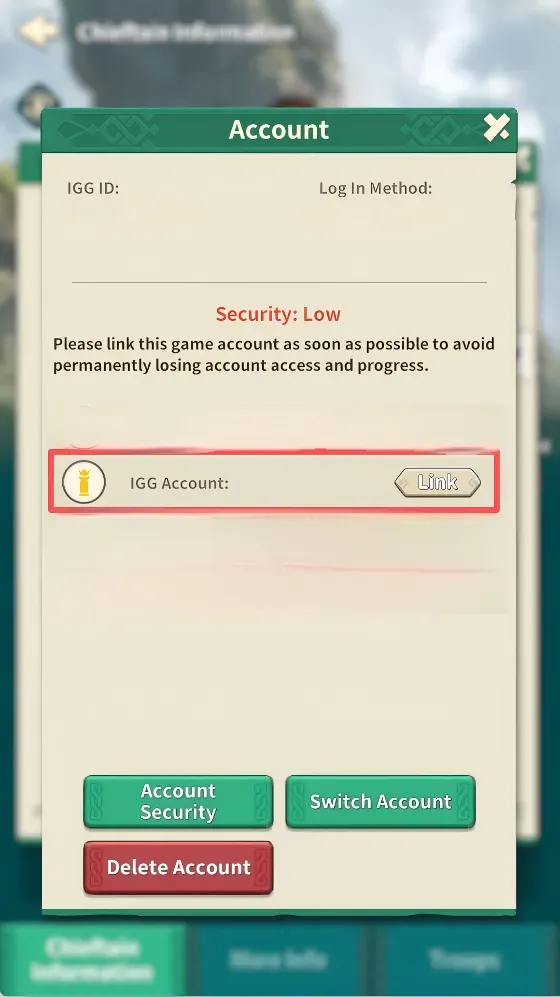
3. Select "Account"

Fate War Game Account

4. Bind your game account

Fate War Game Account


FAQs

Is it safe to top up Fate War on LDShop? Is there any risk of my account being banned?

Topping up Fate War through LDShop is completely safe. All transactions are protected by encryption technology, so your account will not face any risks from the top-up. You can use our service with complete confidence.

How long does it take to process my Fate War top-up?

Your top-up is normally processed and delivered within about 30 minutes. If there are any delays, our 24/7 customer support is always available to help ensure a smooth gaming experience.

What payment methods does LDShop support?

LDShop supports a variety of secure payment methods, including Visa, MasterCard, and PayPal, so you can choose the payment option that works best for you.

Can I receive the first top-up bonus through LDShop?

Of course! You can receive the first top-up bonus by topping up Fate War through LDShop.

Official Links