

How to buy Genshin Impact-Miliastra Wonderland top up at a lower price on LDShop?
- 1. Log in to the LDShop official website, select the language and currency type.
- 2. Select the product and quantity, enter your Genshin Impact UID and server, then click "Top Up".
- 3. Select your preferred payment method and coupon, then proceed to pay.
- 4. Check the top-up status in the order center. After the top-up is completed, check it in-game.
- 5. If you encounter any problems, please contact customer service (contact method: click the customer service button in the lower right corner of the platform).
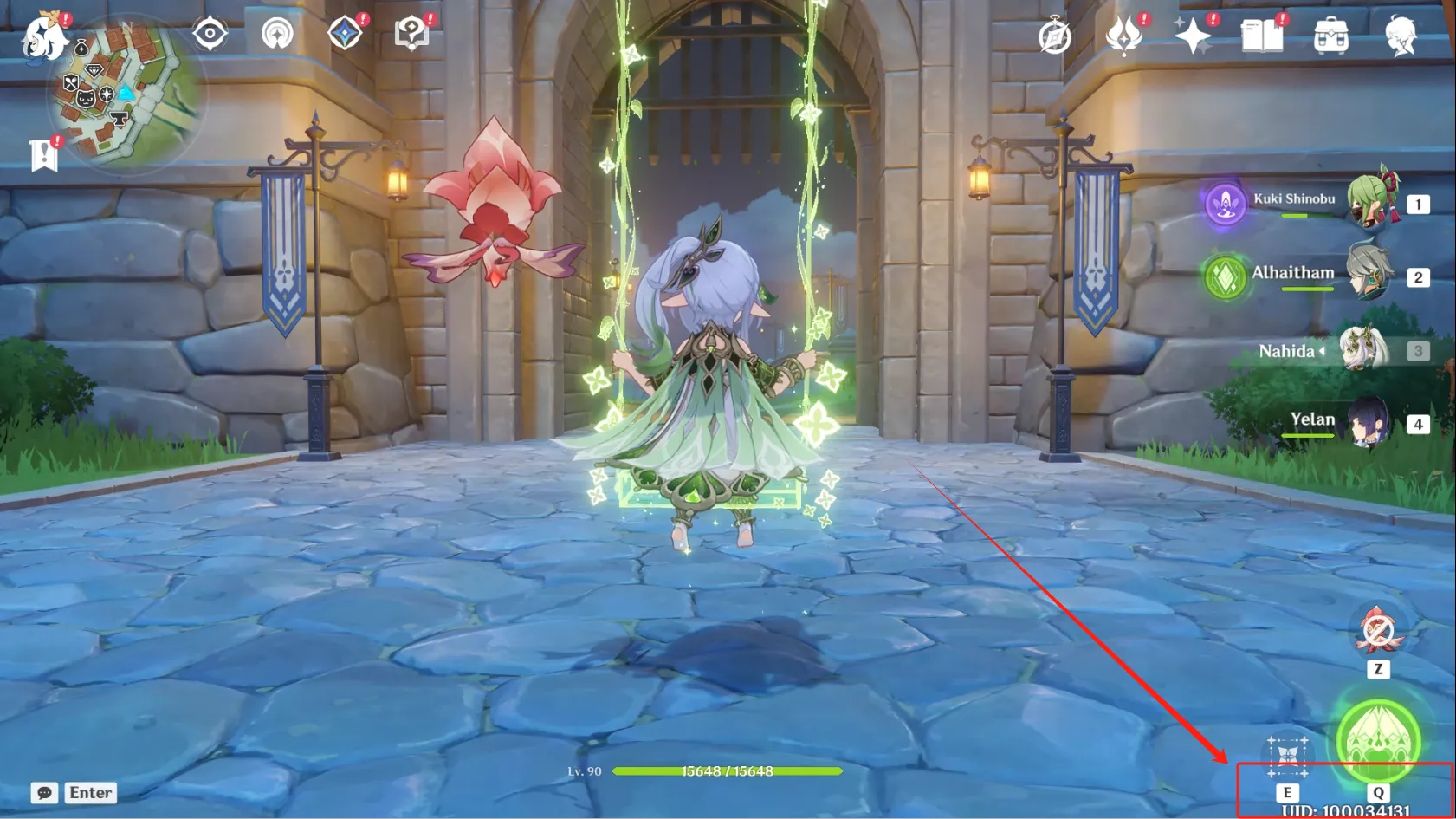
How to find the Genshin Impact UID?
- 1. Log into the game using your account.
- 2. Click the lower right corner of the screen.
- 3. Your Genshin Impact UID will be displayed.