LDShop
guide registrationRegister now to enjoy 15% off new member gift!Go to register >
PUBG Mobile Top up(UID top-up)

PUBG Mobile Top up(UID top-up)

Instant DeliveryInstant Delivery

Due to risk control restrictions, your top-up may fail. Please try again in 30 minutes or contact customer support for assistance.

More Games You Might Like

Description

Accounts from Taiwan, Japan, South Korea, Vietnam aretemporarily not supported. Players in the Taiwan region should visit the Taiwan server page to top up.

Buy PUBG Mobile UC - Cheap and Secure

Want to stand out on the battleground? Buy PUBG Mobile UC at LDShop and unlock a premium gaming experience with epic weapon skins, stunning outfits, and exclusive crates.

With 100 players dropped into a fight for survival in PUBG Mobile, only one emerges as the winner — but with UC, you're not just surviving — you're dominating in style.

Purchase your PUBG UC now at LDShop for unbeatable prices and lightning-fast delivery!

Top-up Required Information

Applicable Platform: PUBG Mobile version

Applicable Server: PUBG Mobile Global 

Recharge Info: PUBG Mobile UID

*Please be sure to correctly fill in the required information to avoid any delays to your PUBG UC recharge.

How to find the PUBGM Player ID in the game?

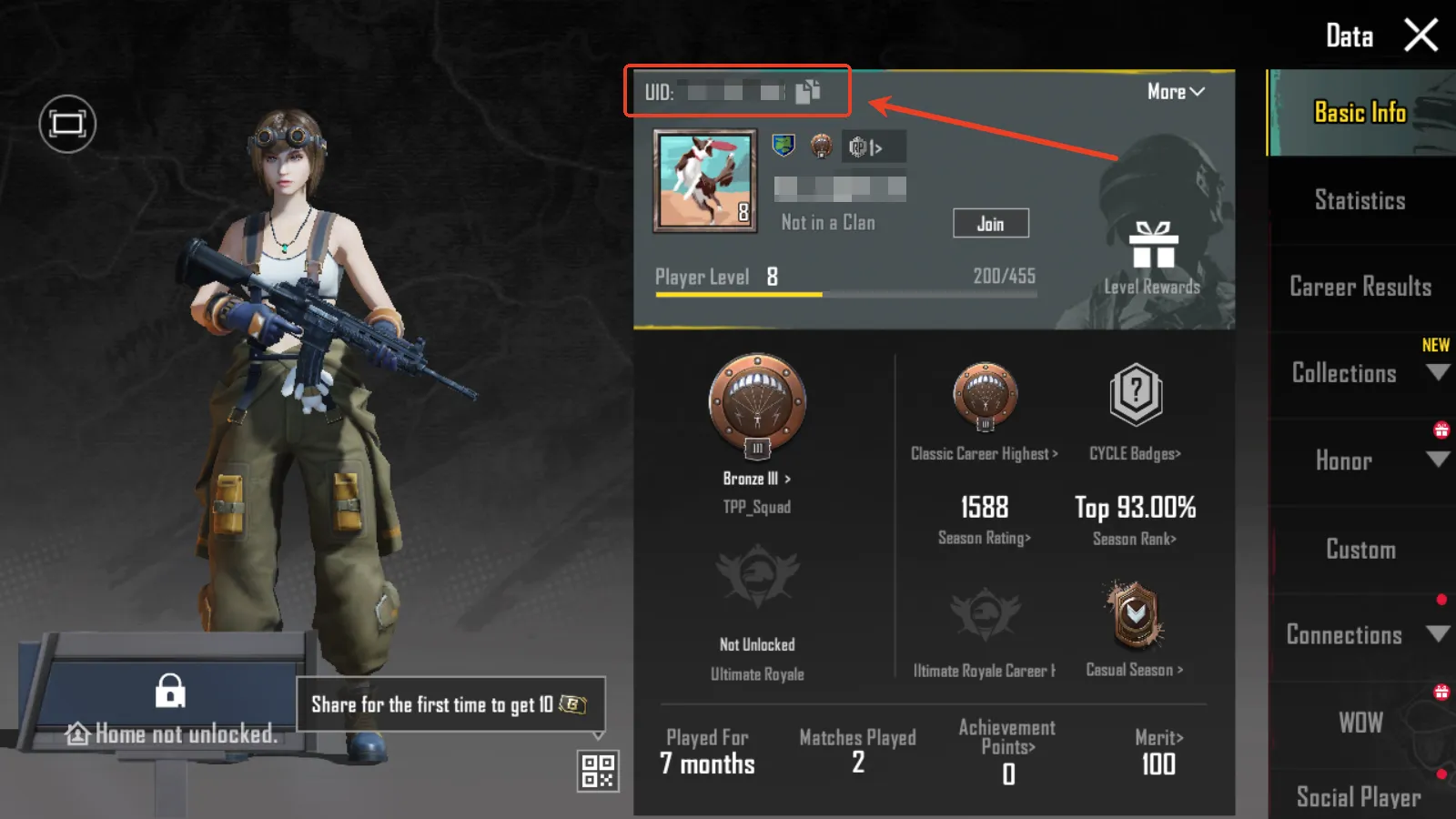
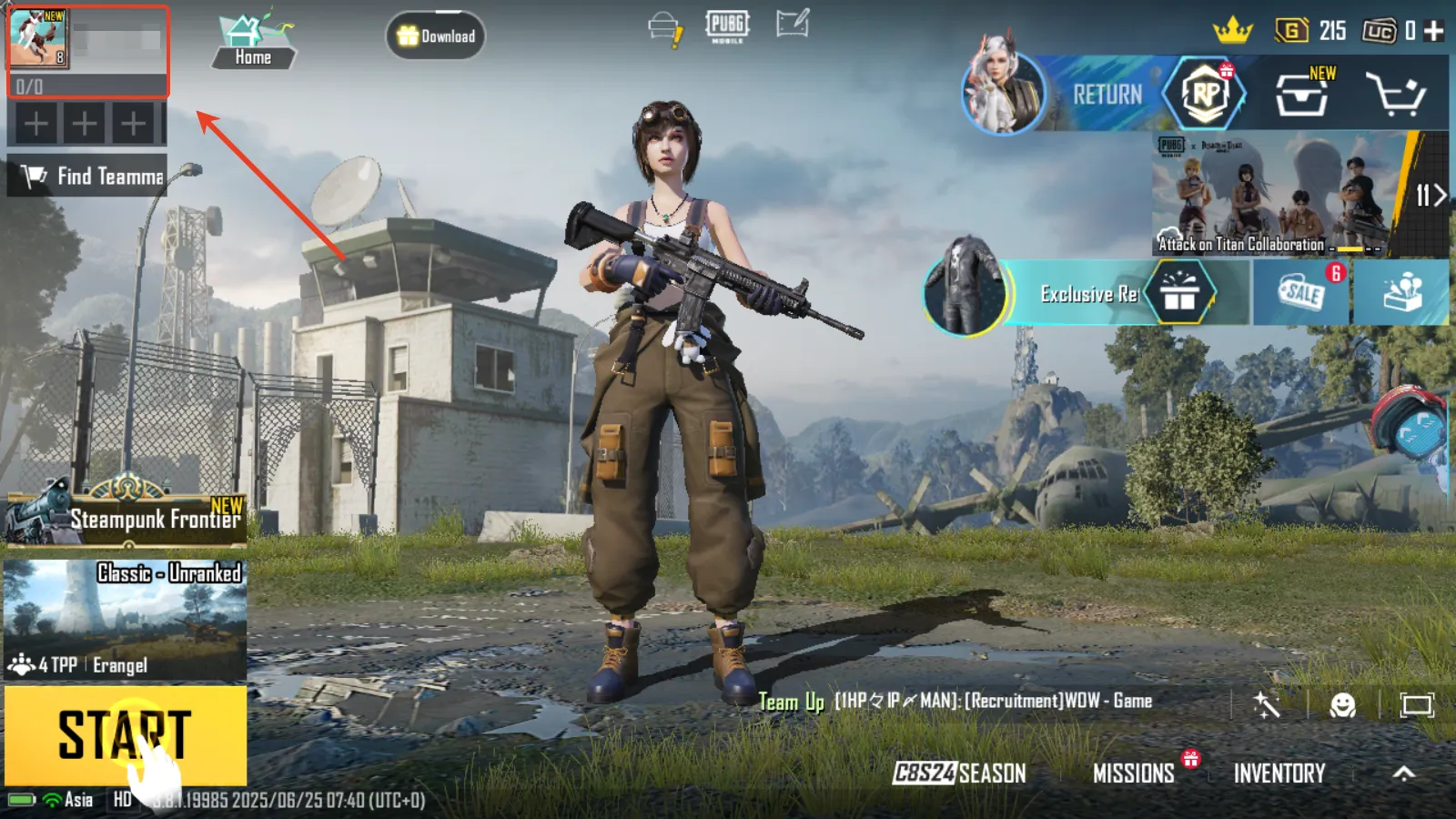
1. Log in to your PUBG Mobile account.

2. Click on the top-left avatar to enter the [Basic Info] page.

3. The Player ID is shown above the avatar, you can simply copy it by click the icon.
how to find pubgm uid

how to find pubg uid

Why Choose LDShop for PUBG UC Top-ups?

LDShop isn't just another store—it's your global, professional gaming hub for safe and affordable PUBG UC top ups. Here's why players worldwide trust us:

💴Cheaper Offers: Enjoy discounts up to 21% on UC, plus seasonal coupons and VIP membership perks.

⚡Fast & Safe: Instant delivery with secure payment options tailored for every region.

✅Trusted Service: Supporting top games like Genshin Impact and Mobile Legends, our reliable customer support ensures a hassle-free experience.

🛒Multiple Choices: Plenty of products that fit your budgets.

UC allows for the purchase of special bundles that offer a mix of items at a discounted price.

What is PUBG Mobile UC?

PUBG Mobile is the PUBG corporation game for mobile devices like Android or iOS systems. PUBG Mobile UC (Unknown Cash) is the premium currency that powers your personalization in PUBG Mobile. Use it to grab exclusive in-game items like:

  • Weapon skins to flex your style;
  • Outfits that turn heads;
  • Crates packed with surprises;
  • Emotes to taunt or celebrate;
  • Elite Royale Pass for exclusive missions, challenges, and rewards;
  • Vehicle skins to change the look of rides;
  • Voice packs to alter the voice commands.

Unlike pay-to-win mechanics, UC focuses on cosmetic upgrades—perfect for making your character and arsenal look legendary. With it, your victories look as good as they feel. Don't wait—recharge PUBG UC at LDShop now and make every chicken dinner unforgettable!

How to get PUBG Mobile UC?

PUBG UC can be obtained through different ways. The easiest way to get UC is directly purchase from the PUBG Mobile app using real money. You can also receive as rewards of the in-game events, level up your Royale Pass, or use the PUBG Mobile UC redeem feature to claim UC through a valid PUBG Mobile UC redeem code.

Another popular option is purchase UC from trusted platforms like LDShop, where you can top up quickly, securely, and cheaper than in-game purchases. Occasionally, there are bonus events or special discounts that give you even more value for your money. Whether you're aiming for the latest Royale Pass or limited-time crates, LDShop helps you stay ahead in the battle — without overspending.

Top-up Procedures

How to top up cheaper PUBG Mobile UC at LDShop?

1. Log in to the LDShop, select the language and currency type.

2. Choose your amount, bigger purchases unlock bigger discounts.

3. Enter your PUBG Mobile player ID, then click "Top Up".

4. Select your preferred payment method and pay.

5. Check the top-up status in the order center. After the top-up is completed, check your UC in-game.

Receive your UC instantly and start customizing. Skip the grind of in-game events—buy PUBG UC cheap and fast at LDShop for the full battle royale experience!

If you encounter any problems in the transacation, please feel free to contact our customer service (contact method: click the customer service button in the lower right corner).

FAQs

Where can I buy PUBG Mobile UC?

LDShop is a convenient place to buy PUBG Mobile UC online, offering competitive prices, various UC packages, and promotional deals. Simply select your preferred package, enter your PUBG Mobile Player ID (UID), and complete your payment.

Which PUBG Mobile servers does LDShop support?

Currently, LDShop supports PUBG Mobile Global server UC top-ups on this page. Taiwan, Japan, and South Korea servers are not supported. Please check your game version and server before purchasing to ensure compatibility.

How long does PUBG UC top-up take at LDShop?

Enjoy fast PUBG UC delivery with LDShop! Most orders are completed within 10 minutes after successful payment and correct UID submission. You can track your order through the LDShop Order Center, with 24/7 Live Customer Support available if you need assistance.

Can I buy PUBG UC for my friends?

Absolutely! LDShop makes it easy to purchase PUBG UC for friends. Simply enter their PUBG Mobile Player ID (UID) instead of your own, choose a UC package, and complete the payment. Double-check the recipient's UID and server to ensure successful delivery.

What payment methods does LDShop accept for PUBG UC?

You can pay for PUBG UC on LDShop using convenient payment methods, including Visa, Mastercard, and PayPal. Available options may vary by region. Check the checkout page for supported payment methods, applicable discounts, and the final price before placing your order.

Is LDShop a safe and reliable website to buy PUBG UC?

LDShop is a third-party game top-up platform offering PUBG Mobile UC recharge services, transparent product information, and dedicated customer support. For UID-based top-ups, you only need to provide your correct Player ID through the designated process, without sharing your game account password. You can also check your order progress and reach LDShop's 24/7 customer support team whenever you need help.

What should I do if my PUBG UC hasn't arrived or I entered the wrong UID?

If your PUBG UC hasn't arrived, first check your order status in the LDShop Order Center. For delayed deliveries or incorrect UID submissions, contact LDShop's 24/7 Live Customer Support with your order number so the team can check your order and provide assistance. Please note that successfully completed top-ups may not be reversible.