LDShop
USD | English
guide registrationRegister now to enjoy 15% off new member gift!Go to register >
WOS

WOS

Instant DeliveryInstant Delivery
🔥Invite Friends And Get 15%OFF

Faster Self Top-Up is now available! Click the "?" on the right for guidance.

Description

Buy WOS Top up at low cost

Build a thriving shelter in WOS with your allies in the frozen wasteland and survive in the harsh winter. To survive and advance in the ranks, you'll need a consistent supply of survival resources. That's why top-up WOS is crucial to earning a competitive edge and staying ahead.

LDShop provides a range of top-up options, including pure Gems, All-In-One Packs, Weekly Card Bundle, and Monthly Card Bundle. Different options are available to meet your unique demands. Top up safely and fast with LDShop to boost your gaming experience today!


Join our Discord to participate in the $10 LD Coin giveaway and get more offers and information

Discord: https://discord.com/invite/6VVYPqkVj7


Top-up Required Information

  • Bound Account  (Facebook, Google)
  • Gift pack Screenshot


* Important Tips:

1. Currently only supports accounts with Google and Facebook login methods. If you have any questions, please consult customer service.

2. Please do not log in to the game during the recharge process. It is recommended to change the account password after the recharge is completed.
3. Stored value may require a login verification code, add customer service discord below, login top-up verification is faster.

*Please be sure to accurately fill in the required information to avoid affecting your recharge.

*Do not log in to the game during recharge. Continue monitoring the order center and provide verification info promptly.


Recharge Process

If you purchased the "49.99 Pack", it can be redeemed for any in-game pack of equal value.

Redemption Process:

Contact customer service and provide screenshots of the gaming pack you want to purchase.

Note: This policy applies to all other priced packs as well. For further assistance, please reach out to our customer service.

How to top up WOS at LDShop

1. Select the product you wish to purchase, then click "Top up".

2. Choose your preferred payment method and make the payment.

3. Select the Login method, enter your WOS Account, password, and username. 

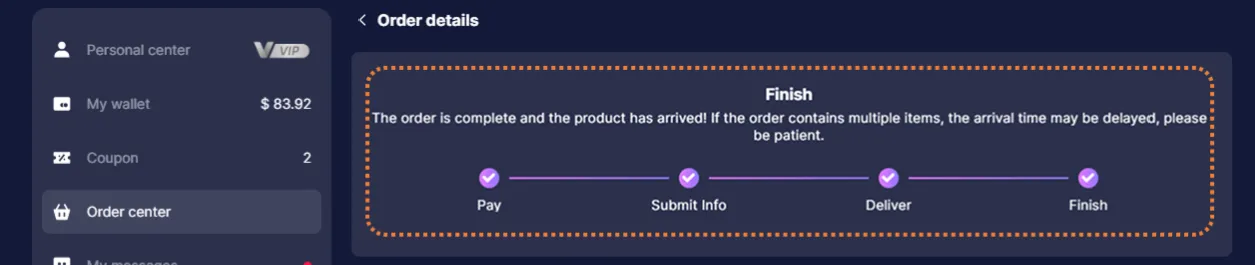
4. Check the top-up status in the order center. After the top up is completed, you can check the result in the game.

5. If you encounter any problems, please contact customer service (contact method: click the customer service button in the lower right corner of the platform).

* Note: Click your avatar on the top-left corner, and your character name will be displayed on the right side of your profile pic.
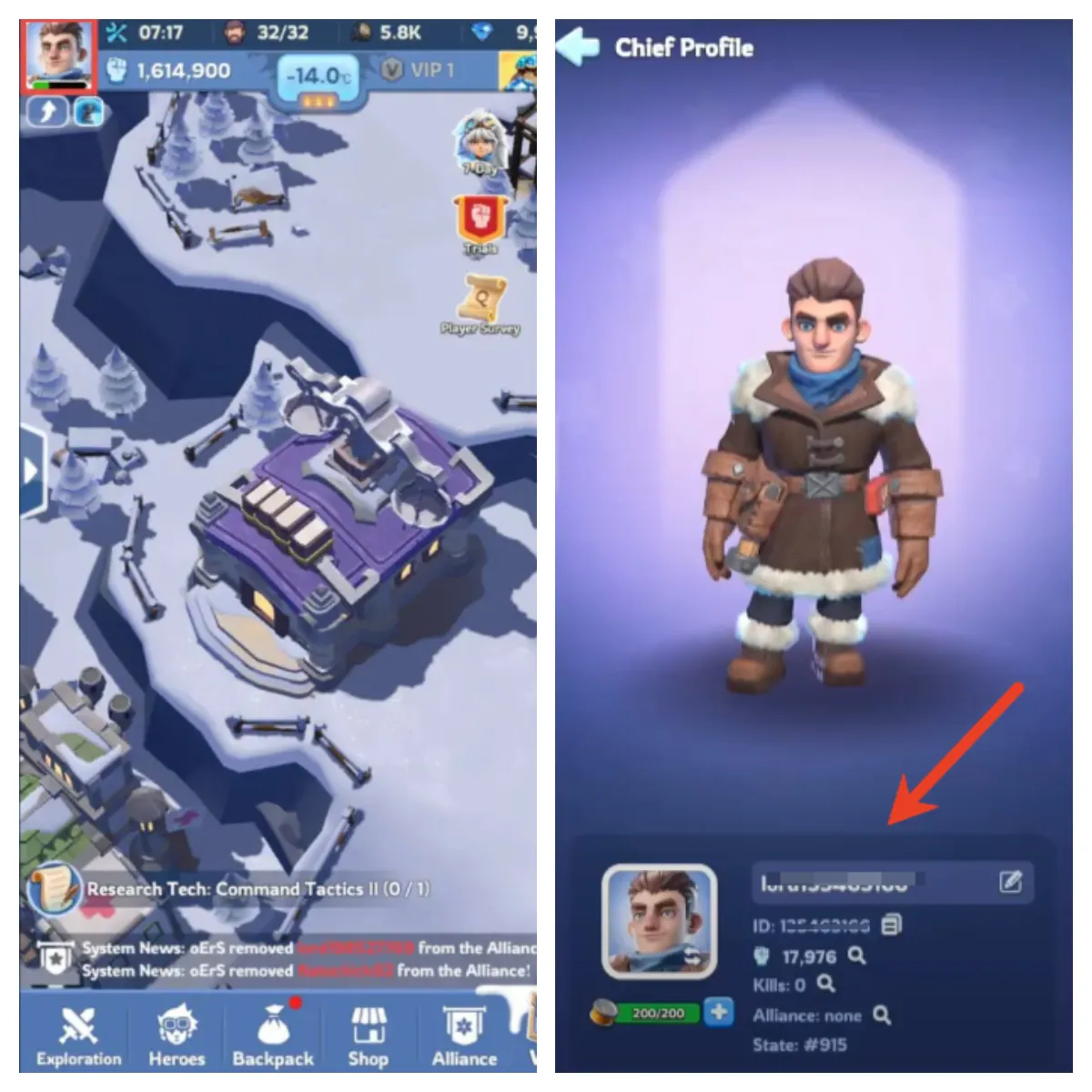
WOS ID name

First Recharge Bonus

The first time you recharge Gems, you will receive double the amount of Gems, which is comparable to a 50% discount! As a result, it is recommended that you top up larger amount of Gems for your first recharge.

  • 1. Place Your Order & Check Out
    Complete your purchase securely through our checkout process.

  • 2. Share Account Access (Google/Facebook)
    After payment, send your account email/login details to our support team via secure channels. Do not share your password directly.
    Important: Avoid logging into the game during this process to prevent conflicts.
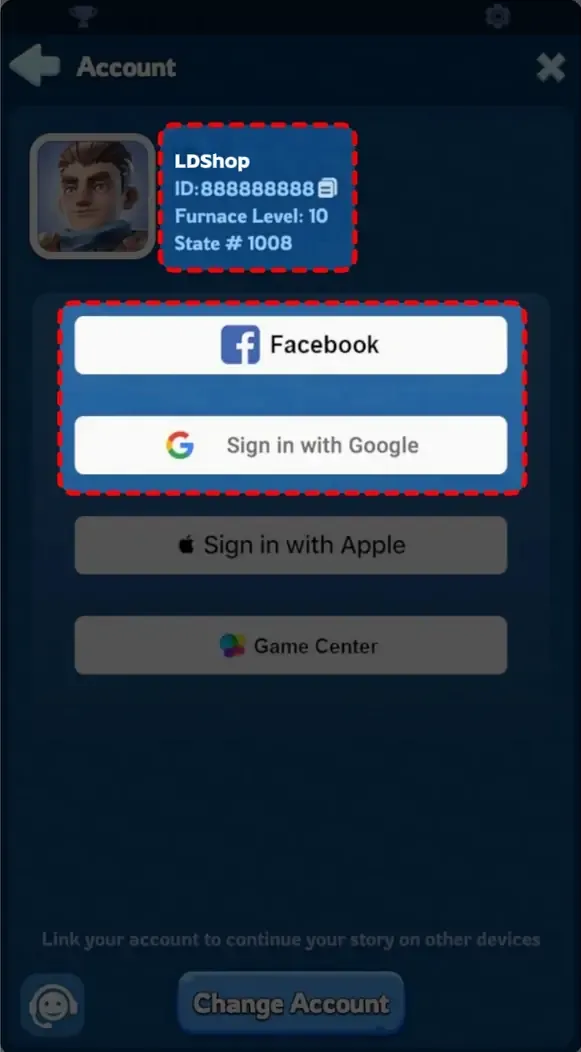
    WOS facebook google log in


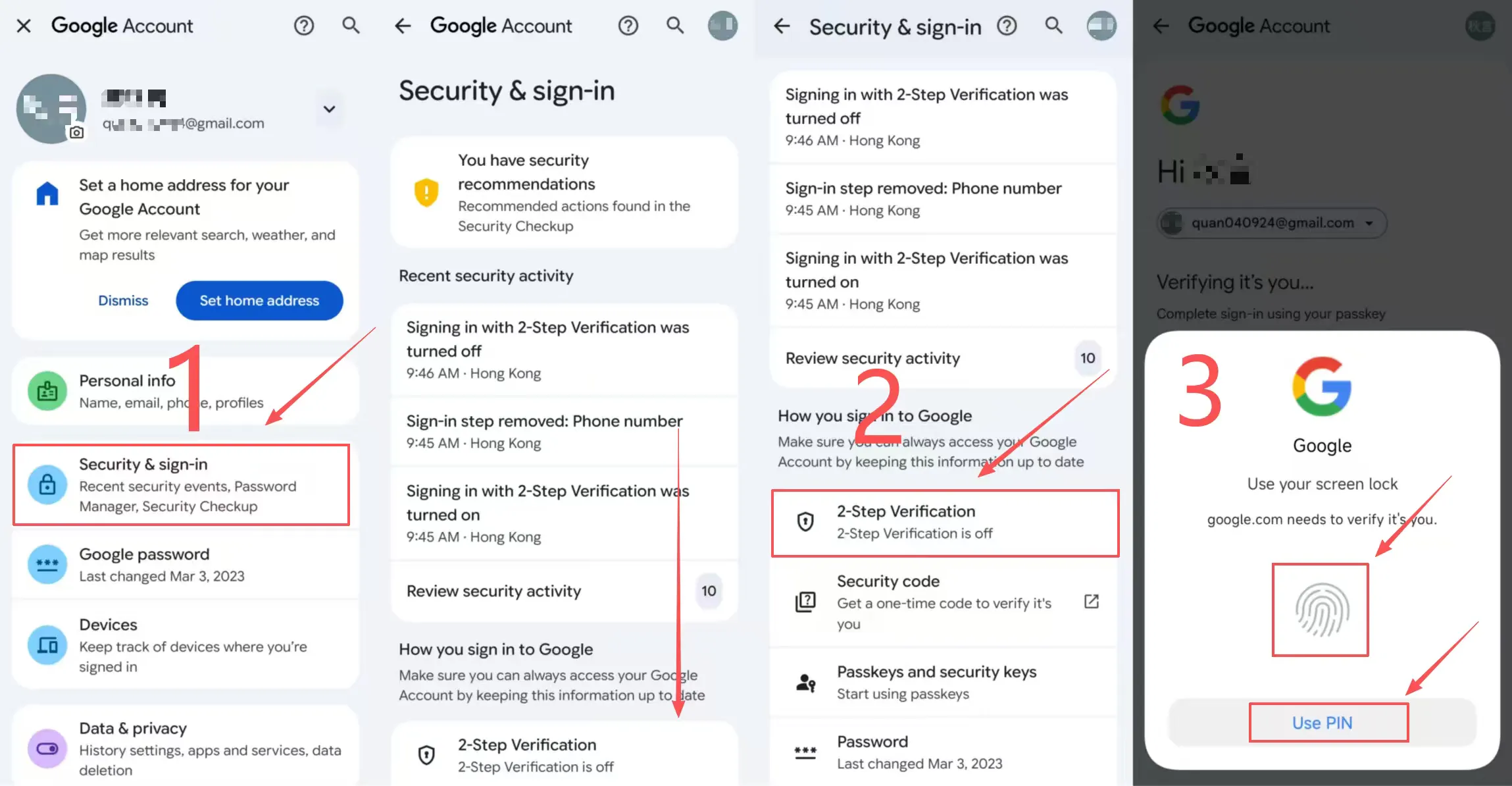
*If you are using Google login, please make sure that Google secondary verification is enabled.

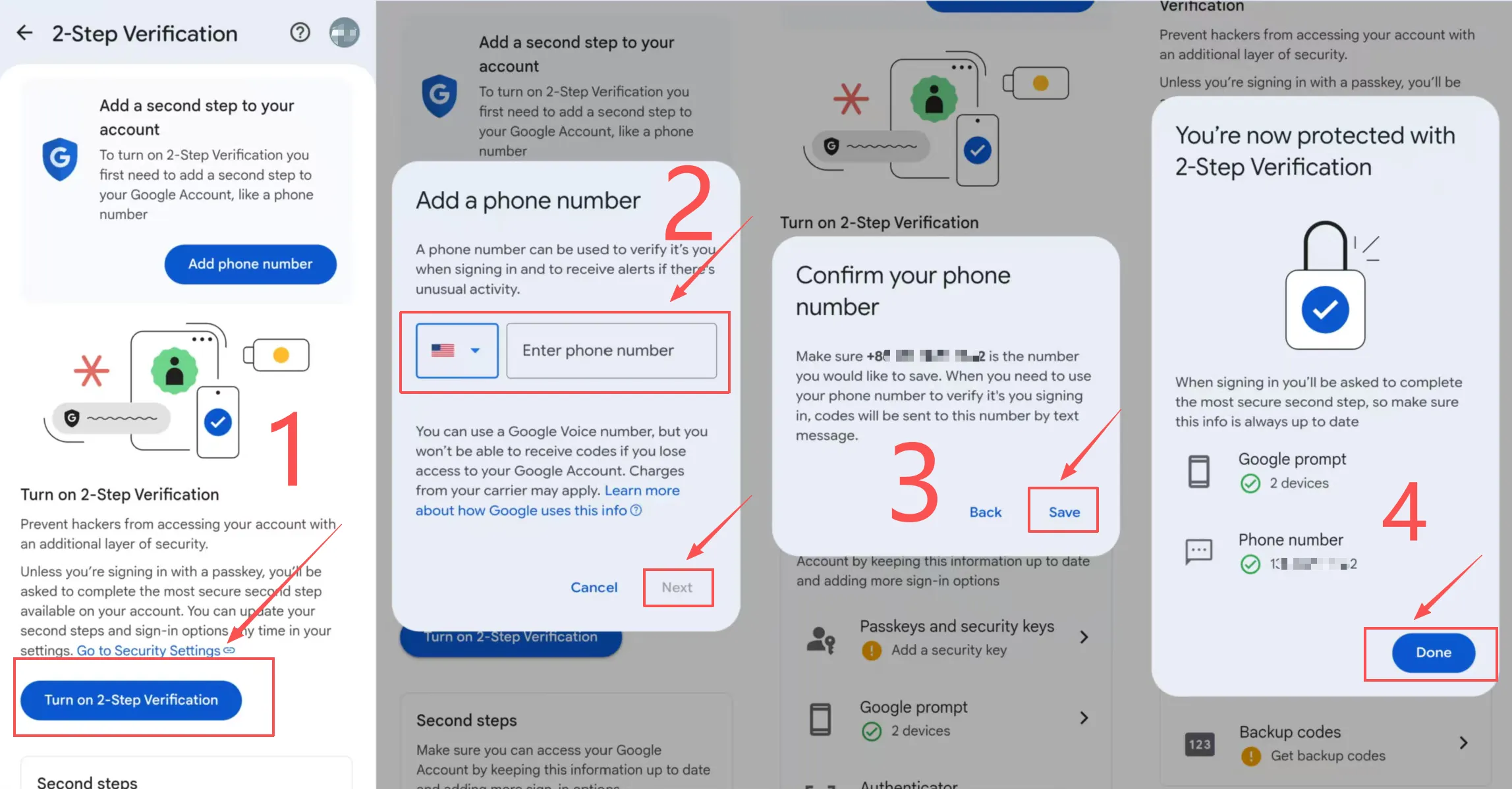
  • 3.How to set up Google's 2-step verification?
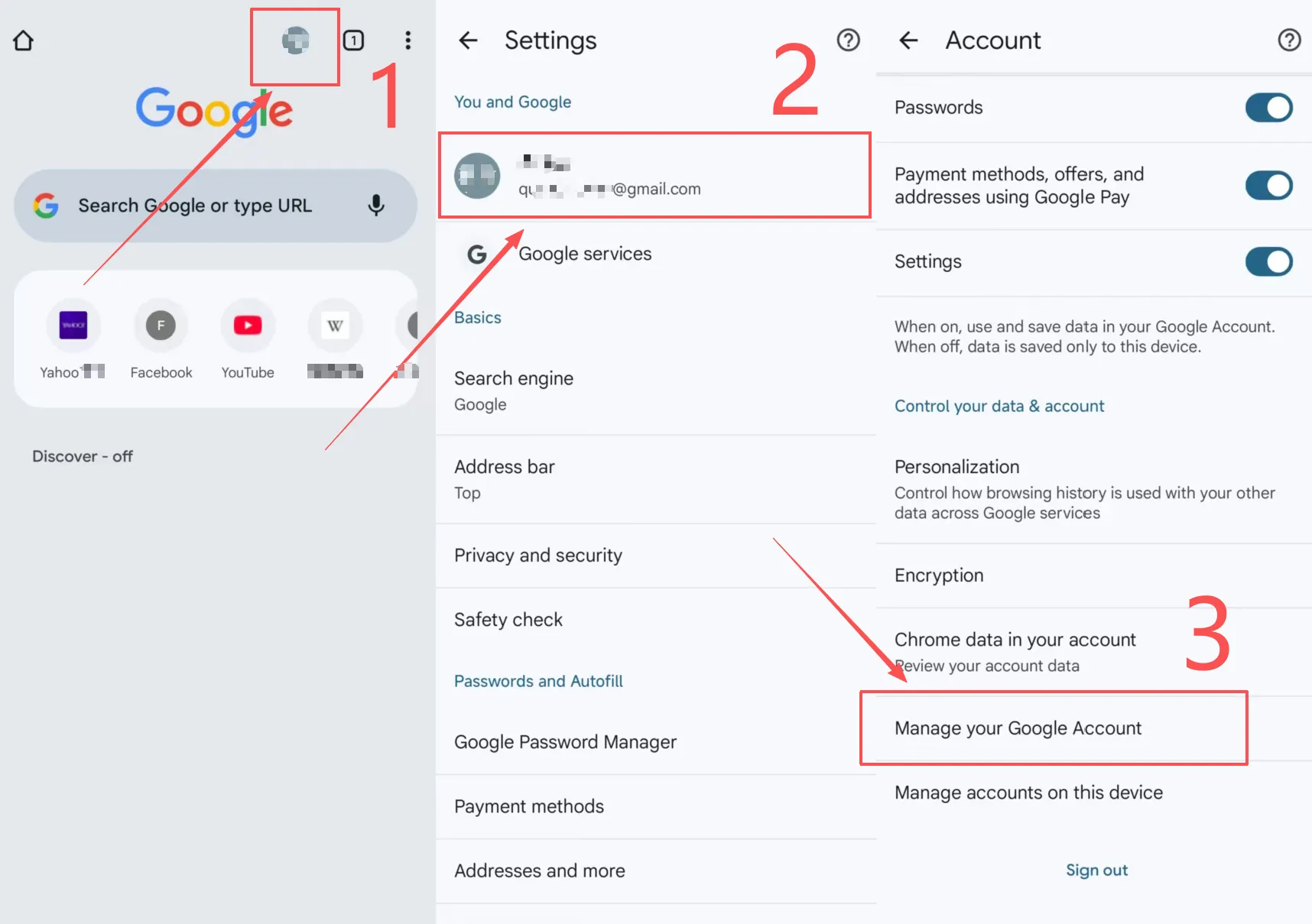
    1. 1. In Google Chrome, click on your avatar in the upper right corner.
    2. 2. Click on your account in "You and Google".
    3. 3. Slide down, select "Manage your Google account" and select "Security".
    4. 4. Slide down and turn on "2-step verification" for authentication.
    5. 5. Click "Enable two-step verification" to enter the mobile phone number you need to bind.
    6. 6. "Next", complete the 2-step verification.
   

  • 4. Submit a Screenshot of Your Purchase
    Share a screenshot of the in-game item/pack you ordered with our customer service. We’ll use this to process your top-up accurately.
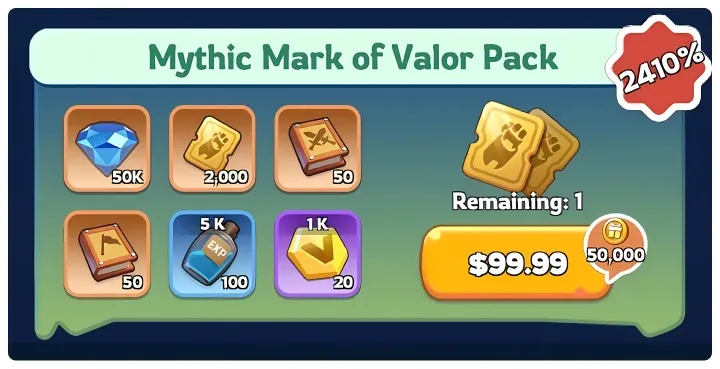
    WOS packs

  • 5. We Handle the Rest
    Our team will securely log into your account, complete the purchase/top-up, then log out and clear all login traces for your safety.

  • 6. Confirmation & Verification
    You’ll receive a notification once the top-up is done. Log back into your game to confirm your items are delivered!
Top-up Procedures

How to top up Whiteout Survival at LDShop?

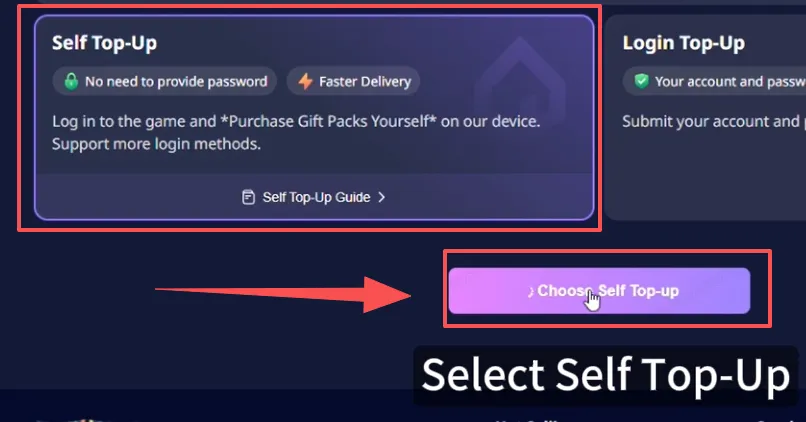
  • Self Top-Up

1. Select [Self Top-Up] after ordering: After selecting the product, placing the order, and completing the payment, choose [Self Top-Up].

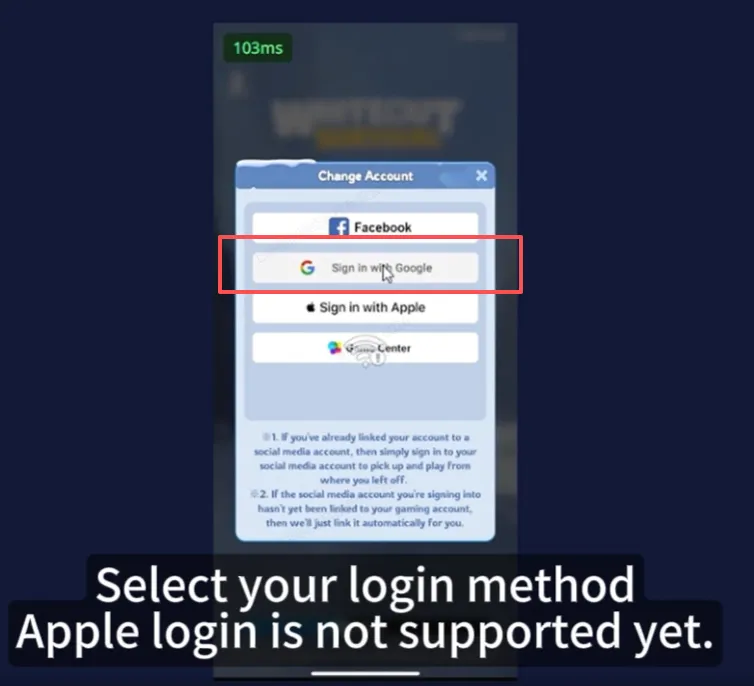
2. Log in via LDShop: Enter the game through LDShop and log in to your game account. (Email login only)

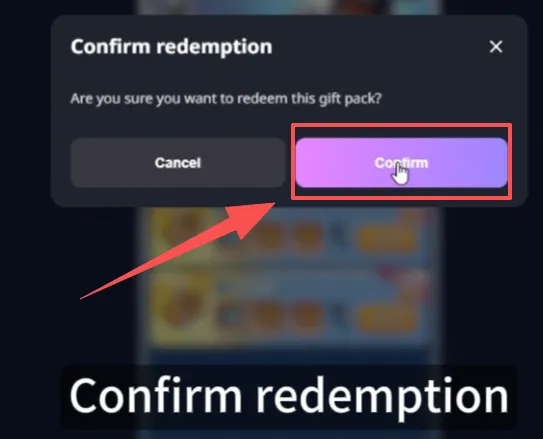
3. Redeem the gift pack via LDShop: Select the desired gift pack within the game and confirm.

4. Complete: You will be automatically logged out after the top-up, and your login records will be cleared.


  • Manual Top-Up

1. Choose your product: Select the pack you want and click the "Top Up" button.

2. Select payment: Choose your preferred method and use a New Customer Coupon or any other LDShop discount coupon to complete the payment.

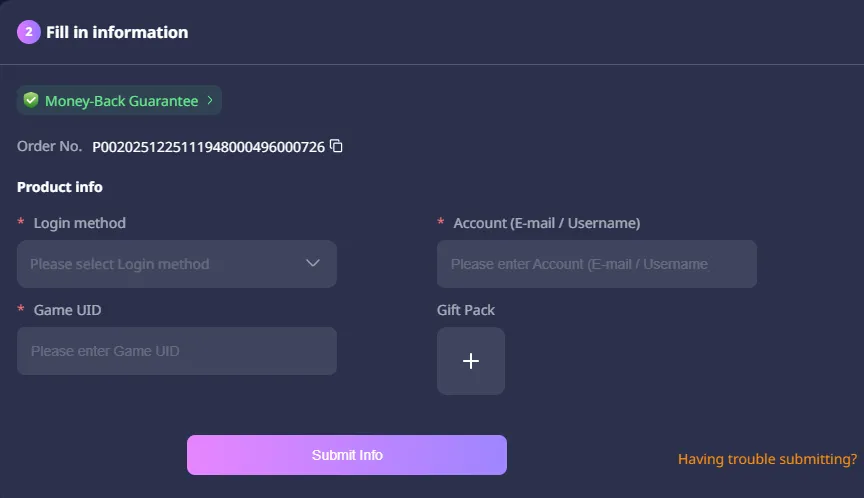
3. Submit account details: After payment, provide the required top-up information (Bound Email, Character Name & UserID, Giftpack Screenshot) and the email verification code to customer service. Follow their guidance and do not log in—our team will handle the top-up for you.

last war top up account details

4. Processing your order: We will log in to your account and purchase/top up the items you selected; once completed, we will securely log out and clear all login records.

5. Track your top-up: Check your order status in the Order Center, and verify it in the game once the top-up is complete.

* If you experience any issues, contact customer service by clicking the "Customer Service" button in the bottom-right corner of the platform.

How to buy Forst Star?

Frost Star is the universal currency of the Tundra in WOS. It is equivalent in value to cash and can be used to buy gems or gift packs. You can buy anything in the in-game store with Frost Star.

You can select the amount of Frost Stars and top-up. 

Why should you top up Gems?

Gems are a significant currency in WOS, and they can be employed in a variety of scenarios. The best option is to use them on the Lucky Wheel, which gives you a chance to unlock Mythic Hero. When you activate VIP in the game, you will receive access to a number of advantages. These benefits improve as your VIP status rises. And Gems can help you climb the VIP ladder swiftly and efficiently.

Though Gems are available for free, obtaining the necessary amount will take a long time. So, topping up Gems is an excellent strategy to save time and improve your gaming.

Buy Weekly Card Bundle

The Weekly Card Bundle has four different Weekly Cards, including Fire Crystal, Speedup, Pet, and Gear Weekly Cards. After purchasing this bundle, you will earn daily Gems and other progression resources to help you power up. It is good for budget-conscious players because it offers excellent value for money.

Buy Monthly Card

The Monthly Card features both an Ultra Value Monthly Card and Daily Deals. When you acquire the Monthly Card, you will receive daily claimable items, namely 200 Stamina per day, as well as a 30-day VIP pass, which allows you to claim critical survival supplies. Purchasing a Monthly Card can dramatically increase your power and main gear for a cheap cost.

Buy All-In-One Packs

LDShop offers different kinds of packs, including Hero Gear, Gear Empowerment, Fire Crystal Fanatic, Exclusive Gear ES All-In-One Packs, and Troops Training All-In-One Bundle. Each pack contains a bunch of rewards, such as a large number of Gems, exclusive gear enhancements, varying levels of heroes' marks, and so on.

It is highly recommended to buy packs that enhance your Chief Gear / Charms because they will basically last for the duration of your game, then buy packs of Hero Gear, and Fire Crystal in order. Some of the special event packs, such as holiday packs, are unquestionably good value, so don't miss out.

FAQs

What Payment Methods Does LDShop Support?

LDShop supports a variety of secure payment methods for you to choose from, including Visa, MasterCard, and PayPal.

How Long Will It Take for the Top-Up to Arrive?

Usually, it arrives within 30 minutes. If not, please feel free to contact our online customer service.