



Hey, GTA fans! 👋
Since the launch of Grand Theft Auto Online, multiplayer has become one of the most important parts of the GTA experience. From building criminal empires with friends to completing heists and exploring open worlds together, GTA Online has kept millions of players coming back for years.
However, online modes are always more complicated than single-player games. Server problems, connection errors, account issues, matchmaking failures, and lost progress can interrupt your experience at any time.
In this guide, Kurila will cover the most common online problems across the GTA series, including GTA Online, GTA 4 Multiplayer, GTA: San Andreas Multiplayer, and future GTA 6 Online expectations.
For GTA 5 Online, many issues such as connection errors, infinite loading screens, crashes, and installation problems overlap with the general GTA 5 troubleshooting guide. You can check our detailed GTA 5 Common Issues & Solutions article for complete fixes.
GTA Online Common Issues & Solutions (GTA 5)
GTA Online Cannot Connect or Find Sessions
Connection problems are among the most common GTA Online issues.
Players may experience:
- Unable to connect to Rockstar services
- Failed to join session
- Connection timed out
- Friends cannot enter the same lobby
- Kicked from online sessions
These problems are usually related to:
- Rockstar server maintenance
- Internet instability
- NAT restrictions
- Router settings
- Firewall issues
How to Fix GTA Online Connection Problems
Check Rockstar Server Status
Before changing your own settings, check whether Rockstar services are working normally.
If servers are experiencing maintenance or outages, there is usually nothing to fix on your side—you simply need to wait.
Restart Your Network
A simple network restart can solve many connection problems.
Try:
- Restarting your router
- Restarting your console or PC
- Using a wired connection instead of Wi-Fi
- Disabling VPN temporarily
Check NAT Type
A strict NAT type can prevent matchmaking and peer-to-peer connections.
Possible solutions:
- Enable UPnP on your router
- Check firewall settings
- Restart your network equipment
GTA Online Loading Problems and Progress Errors
Another common problem is getting stuck during the loading process or losing access to online progress.
Common symptoms:
- Infinite loading screen
- Character not appearing
- Missing GTA Online money or progress
- Transfer problems between platforms
How to Fix GTA Online Progress Problems
Before assuming your data is lost, check:
Rockstar Account Connection
Make sure you are using the correct Rockstar account.
Your GTA Online progress is linked to your account, not just your device.
Restart Synchronization
Try:
- Restarting GTA Online
- Logging out and back into Rockstar services
- Checking linked console accounts
Avoid creating a new character immediately if your old character is missing.
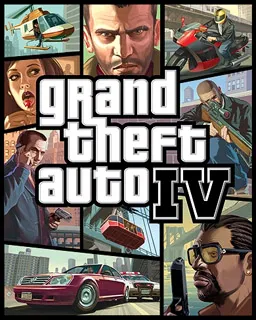
GTA 4 Multiplayer Common Issues
Before GTA Online became Rockstar's main multiplayer platform, Grand Theft Auto IV introduced players to online crime with competitive modes, races, and free roam multiplayer.
However, GTA 4 multiplayer can still have issues today because of its older infrastructure.
GTA 4 Online Cannot Connect to Multiplayer
Common problems:
- Cannot join multiplayer sessions
- Games fail to start
- Friends cannot connect
- Rockstar services unavailable
How to Fix GTA 4 Multiplayer Problems
Check Account Services
Make sure your Rockstar account and platform account are correctly connected.
Older GTA 4 versions may also require additional services depending on your platform version.
Check Network Settings
Because GTA 4 multiplayer relies heavily on peer-to-peer connections, connection problems can happen because of:
- Strict NAT
- Router restrictions
- Firewall blocking
Try:
- Restarting your router
- Enabling UPnP
- Checking firewall permissions
Use Community Solutions Carefully
Some older GTA 4 multiplayer problems are related to outdated services or compatibility issues.
Avoid unofficial tools that modify online files, as they may cause additional problems.
GTA: San Andreas Multiplayer (SA-MP) Common Issues
Although GTA: San Andreas does not have an official modern online mode like GTA Online, the community-created SA-MP (San Andreas Multiplayer) kept multiplayer alive for years.
Players commonly experience:
- Server connection failures
- Missing files
- Version mismatch
- Lag and high ping
- Game crashes
SA-MP Server Connection Problems
Possible causes:
- Incorrect game version
- Server unavailable
- Firewall blocking connection
- Missing multiplayer files
How to Fix SA-MP Issues
Try:
- Confirming the server IP and port
- Installing the correct SA-MP version
- Running the game as administrator
- Checking firewall settings
- Using a stable internet connection
Because SA-MP depends on community servers, some problems may come from the server itself rather than your game installation.



GTA 6 Online: Possible Future Issues
While Rockstar has not officially revealed detailed information about GTA 6 Online, players can expect the next-generation online experience to introduce new systems, larger worlds, and more connected features.
You can check the latest GTA 6 updates here.
Based on problems seen in GTA Online, some issues that players may encounter in the future include:
Server Connection Problems
A huge launch can put enormous pressure on servers.
When GTA 6 Online launches, players may experience:
- Login queues
- Connection failures
- Matchmaking problems
- Server instability
This is common for major online game launches.
Account and Platform Linking Issues
With multiple platforms and digital purchases becoming standard, account problems may continue to appear.
Possible issues:
- Incorrect account linking
- Missing preorder bonuses
- Progress transfer problems
Performance and Loading Problems
A larger open world means higher technical requirements.
Players may experience:
- Long loading times
- Performance drops
- Storage issues
- Update problems
Preparing your hardware and checking system requirements before launch can help avoid many problems.
Prepare for GTA 6 Online
If you are planning to jump into GTA 6 from day one, make sure you are ready.
Check:
- GTA 6 editions and prices
- Release information
- Hardware requirements
- Available digital versions
You can compare different versions in our GTA 6 Price Comparison.
LDShop will also provide Grand Theft Auto VI Playstation 5 (Pre-order).
FAQ
Why can't I connect to GTA Online?
The most common reasons are Rockstar server problems, unstable internet connections, NAT restrictions, or account issues.
Restarting your router and checking Rockstar service status are usually the first steps.
Why is GTA Online stuck on loading?
Infinite loading screens are usually caused by connection problems, corrupted cache files, or server synchronization issues.
Try restarting the game, clearing cache, or joining a new session.
Can GTA Online progress be recovered?
In many cases, yes.
First check your Rockstar account and linked platform accounts before assuming your progress is permanently lost.
Will GTA 6 Online have the same problems?
Some problems may return, especially server overload, connection issues, and account synchronization problems.
However, Rockstar will likely improve many systems with newer technology.
Conclusion
Online modes have become a major part of the GTA experience, but they also bring more technical challenges than traditional single-player games.
From GTA Online connection errors to older multiplayer issues in GTA 4 and San Andreas, most problems can be solved by checking accounts, networks, game files, and server status.
Many lessons from GTA Online will also be useful when GTA 6 Online arrives. While Rockstar's next multiplayer experience will introduce new features, players may still face common challenges such as downloads, connections, and account issues.
Stay prepared with LDShop's latest GTA guides, check our GTA 6 Guide Hub, compare editions before launch, and get ready for the next generation of Grand Theft Auto.






 TOP UP WITH DISCOUNT NOW
Kurila Experienced Game Editor
I'm a game editor who enjoys exploring RPGs, anime-inspired adventures, and story-driven games. I focus on breaking down gameplay systems, character builds, and progression mechanics into clear and practical guides. Whether you're just getting started or looking to improve your strategy, I aim to make every guide easy to follow and useful throughout your journey.
