


There are different types of open-world gacha games, and among those games, Neverness to Everness is one of those games that properly focuses on its anime-style, detailed visuals. In terms of graphics, it gives us a console-like experience across other devices like PC and mobile with its visually attractive urban setting, changing weather, vehicle systems, and combat system that looks real.
Having good graphics raises a question, that how does the quality of graphics look on PC if compared to Mobile? The gameplay and the Gameworld are the same for both platforms, but there are some differences in the graphics, performance, and overall experience for the two.
Let’s follow LDShop, as in this article, we will have a detailed comparison between PC and mobile graphics in the game. We will cover the visual quality, performance, optimization, hardware requirements, and some recommendations for players to get the best graphical experience.
Core Graphics Technology
The graphics technology used on both PC and mobile is almost similar; the only difference is the capability of the hardware devices. The game is based on Unreal Engine 5, with many advanced technologies like high-resolution textures, realistic lighting systems, and dense open-world environments, is enabled in the game.
To get an extremely realistic experience, features like ray Tracing, DLSS, and Path Tracing are supported on PC. These technologies contribute to immersion, and in games like NTE that rely on modern city aesthetics with neon lights, reflections, and weather effects, this improves the performance.
On mobile, the same visuals are adapted on a small screen using advanced technology like a frame rate conversion system to provide a smoother gameplay. The main difference that differentiates the visuals on PC and mobile versions is the hardware capability of both devices.
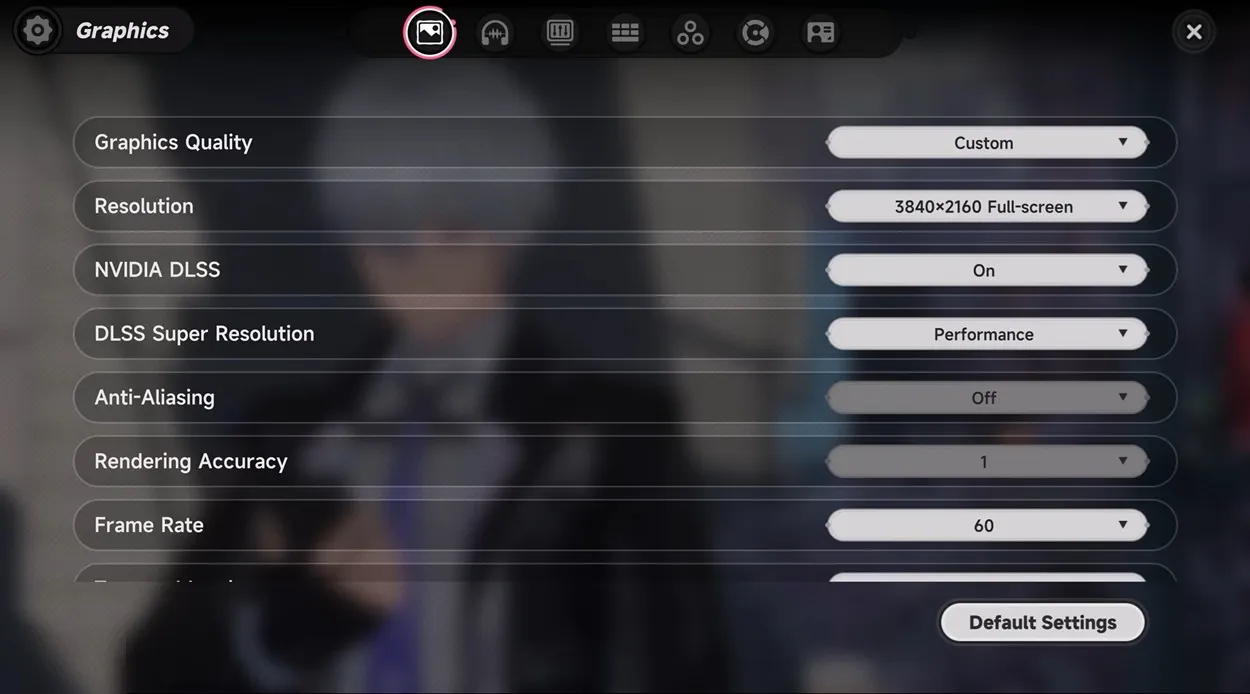
Graphics Quality on PC
The PC version of NTE gives us the highest possible graphics quality. We can utilize the good graphics if we pair them up with good CPUs and GPUs. In PC, the lighting is a big factor for good-quality graphics. We get advanced global illumination, more accurate shadows, and better reflections. We get a bigger aspect ratio and high frame rates, which make surfaces like wet roads, glass buildings, and environments with neon lighting look more real in comparison to the mobile version.
In PC, we can play the game on different resolutions and graphics quality, like balanced, high, or ultra. We get advanced features like NVIDIA DLSS, DLSS Super Resolution, Anti-Aliasing, and Rendering Accuracy. That increases the texture quality. The details on buildings, vehicles, and characters look sharper, and the world looks more alive and realistic. In the PC version, the objects placed at a distance remain detailed instead of fading into a low-quality image.
In Pc, we can change the frame rate to improve the gameplay even more. If we use a good device, we can play the game at more than 60 FPS with Ultra settings, which makes the game smooth even during fast gameplay. When we increase the graphics quality, the cost also increases, because we need a good device to play the game on high graphics/frame rate. If the PC is not good, the loading time will increase, performance will become unstable, and the game will feel stuck. Thus, we can say the PC version provides the best possible graphics, but it requires powerful hardware.
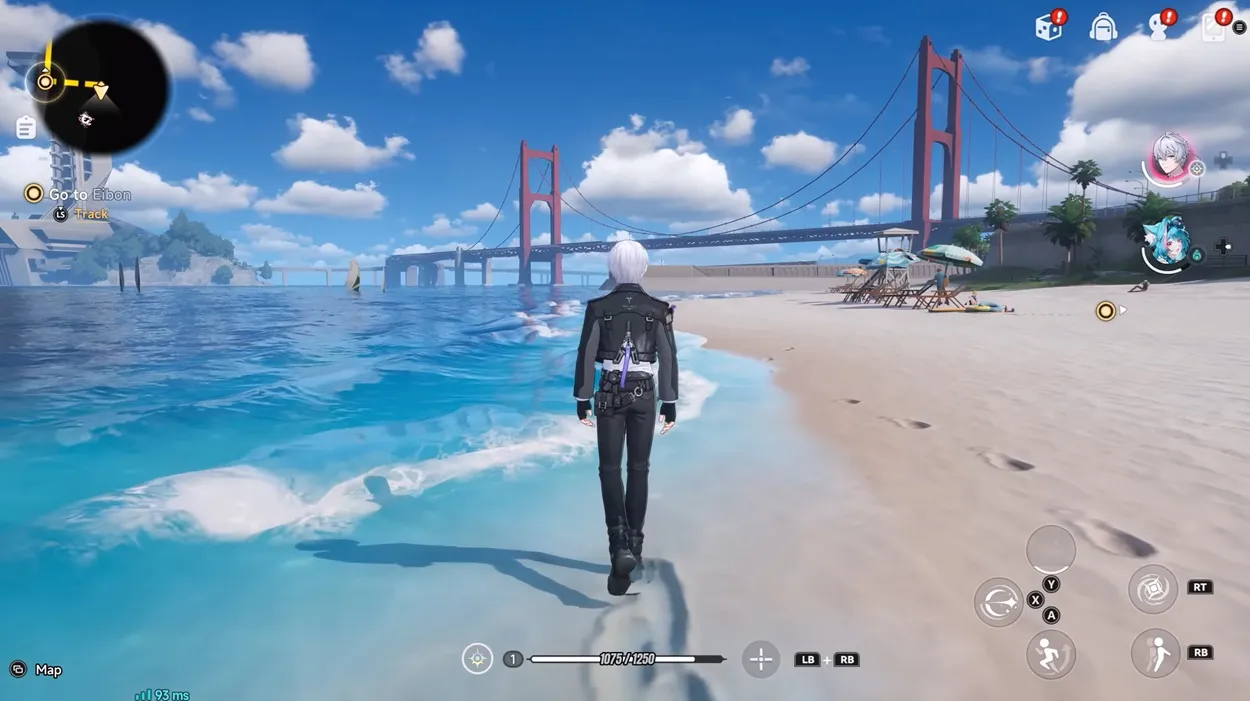
Graphics Quality on Mobile
The mobile version also gives us high-quality graphics, even after having the limitations of smartphones. It still manages to maintain the overall visuals, style of the game, and the main elements that we get in the Pc version, but with some limitations.
The first thing is that the texture is reduced. The characters and surroundings look good graphically, but small details are less sharp compared to the PC. We can notice this on buildings, objects at a distance, and other things in the environment. The next part, in which we see a difference, is Lightning. In the mobile version, we do not get advanced features like ray tracing, and to maintain the performance lightning is simplified, which may make the scenes a little flatter during nighttime.
The maximum frame rate is also 60 FPS in most of the mobile devices. And we have a certain limit to which we can run games on a mobile device, thus this limitation on frame rate makes the game less smooth. PCs have higher refresh rates than mobile devices, so the game runs more smoothly on a PC, on the other hand, the performance on mobile is limited because of frame rate. But with good chipsets, we can enjoy high-graphics gameplay even on mobile devices. To balance these limitations, additional optimization technologies are used in the mobile version to maintain good performance consistently.
Overall, the mobile version balances the visuals according to the hardware, but the PC version provides more graphical depth.
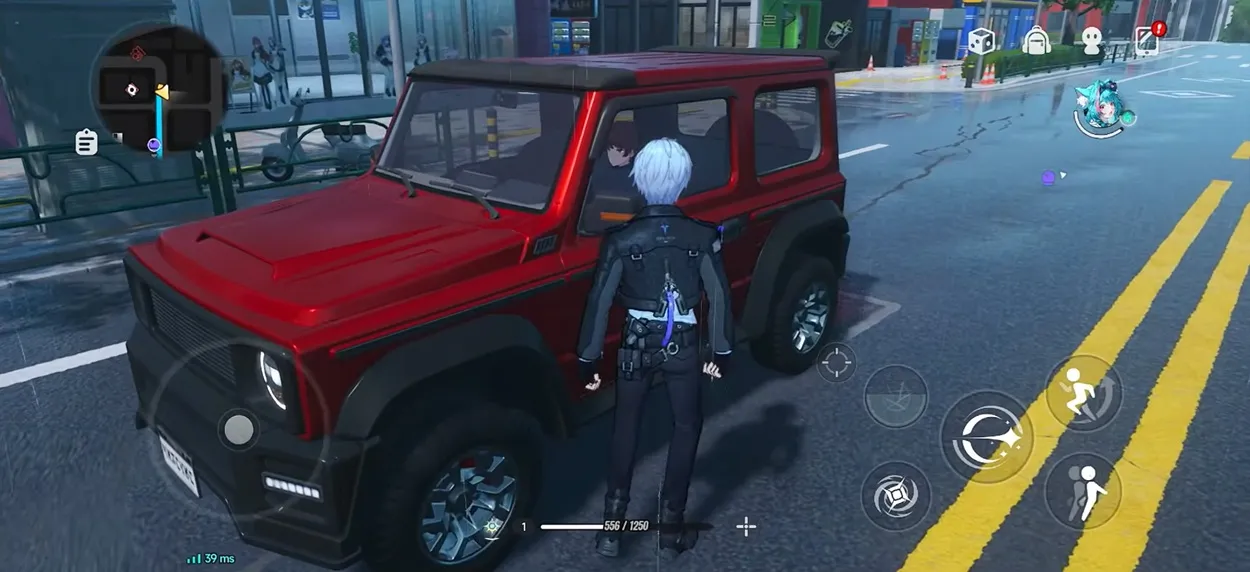
Performance Comparison
The graphics quality of both versions directly affects the performance of the game.
On PC, performance depends mainly on hardware. If we use a good device, it can run the game at ultra settings with a high frame rate, but in a mid-range PC, we can get good performance with some adjustments to the graphics quality. And on a low-end system, the game performance reduces, the graphics quality decreases, and the game feels slow and stuck.
On mobile, performance is more standard. The device which support the game tries to maintain a stable 30 to 60 FPS experience. This maintains consistent gameplay, but we get less flexibility in comparison to PC, and we can not increase the frame rate beyond the limit. On mobile, the performance is also affected due to the heating of the device. Playing on high graphical settings for a long time heats the device, which slows the performance. This problem can be solved on a PC with a proper cooling system.
In general, we get high performance on PC, and stable gameplay on mobile phones. You can make the most out of your gameplay on both mobile as well as PC by doing Neverness to Everness top up. The best platform to make the top-up is LDShop, it lets players top up for less and it is a great way to save money.
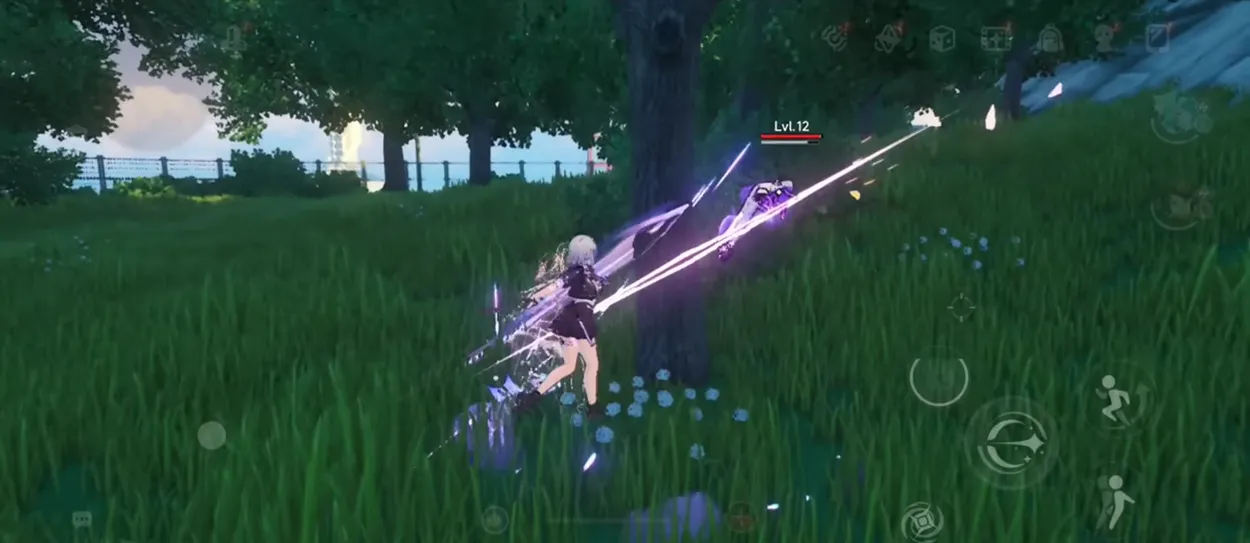
Recommendation
Which platform we choose to play on depends on our own priorities. It is recommended that players who can get access to a good pc should play NTE on PC to get the best experience. If we value graphics and performance, we should get the PC version. PC is recommended for those players who want to experience the ultra-settings, advanced lighting, high frame rate, and smooth gameplay of NTE.
Players who do not have a powerful PC can still use mobile phones to get a similar experience. Players who want convenience and portability should use the mobile version. It provides decent visuals and stable performance economically.
There is a hybrid way for many players, who can use a PC for the main gameplay and a mobile device for casual play or grinding. This combines the benefits of both devices.
Conclusion
Graphics are a very important part of any game; similarly, in Neverness to Everness, graphics are one big factor that influences the gameplay. We get high-quality graphics for both mobile and PC versions, but there is a difference in the graphics quality and performance. Both versions meet the expectations and satisfy all the players according to their needs, and it continues to attract more players from around the world.






 TOP UP WITH DISCOUNT NOW
Edmund G. Kolis Experienced Game Editor
I'm a game guide writer with over 20 years of experience playing all types of games, especially anime-style RPGs, gacha and sports games. I love finding smart ways to beat tough levels without spending too much money. By studying game mechanics and character systems, I create easy tips to help players save time and resources. When I'm not gaming, I watch anime to get inspiration for strategies. My goal? To help you enjoy games more and stress less – even when facing "impossible" bosses! Let’s make gaming fun and affordable together!
![[New User Discount] Monthly Card | NTE Top Up (Global)](https://shop.ldrescdn.com/rms/ld-space/process/img/9c38037758ea47e9becd0dcc135d7d441789629790.webp?x-oss-process=image/resize,m_fill,h_160,w_160)