Buy Robux Cheap – Safe Game Pass Delivery
Robux Prices
| Pack | LDShop price | Roblox official price |
|---|---|---|
| Buy 5,000 Robux | $26.12 | $49.99 |
| Buy 10,000 Robux | $52.23 | $99.99 |
| Buy 20,000 Robux | $107.90 | $199.98 |

 Register now to enjoy 15% off new member gift!Go to register >

Roblox (Gamepass Method)
 Instant Delivery
Please carefully review the product description before placing an order.Order acceptance may be delayed – watch for support messages.
More Games You Might Like
Description
| Pack | LDShop price | Roblox official price |
|---|---|---|
| Buy 5,000 Robux | $26.12 | $49.99 |
| Buy 10,000 Robux | $52.23 | $99.99 |
| Buy 20,000 Robux | $107.90 | $199.98 |
Top-up Procedures
By placing an order, you acknowledge and accept these conditions.
Step 1: Select Your Pack
Choose your Robux pack and complete the payment on LDShop.
Step 2: Create a Game Pass
Create a Game Pass in your Roblox account. Set the price according to your order instructions and disable Regional Pricing.
Step 3: Submit Your Game Pass Link
Copy your Game Pass URL and send it to our customer support team through chat.
Step 4: Receive Your Robux
Once LDShop purchases your Game Pass, the Robux will appear as Pending Robux. They will become available after Roblox's holding period.
To receive Robux through a Game Pass, you need to create a Pass, put it on sale, and share its link with LDShop. Follow the steps below.
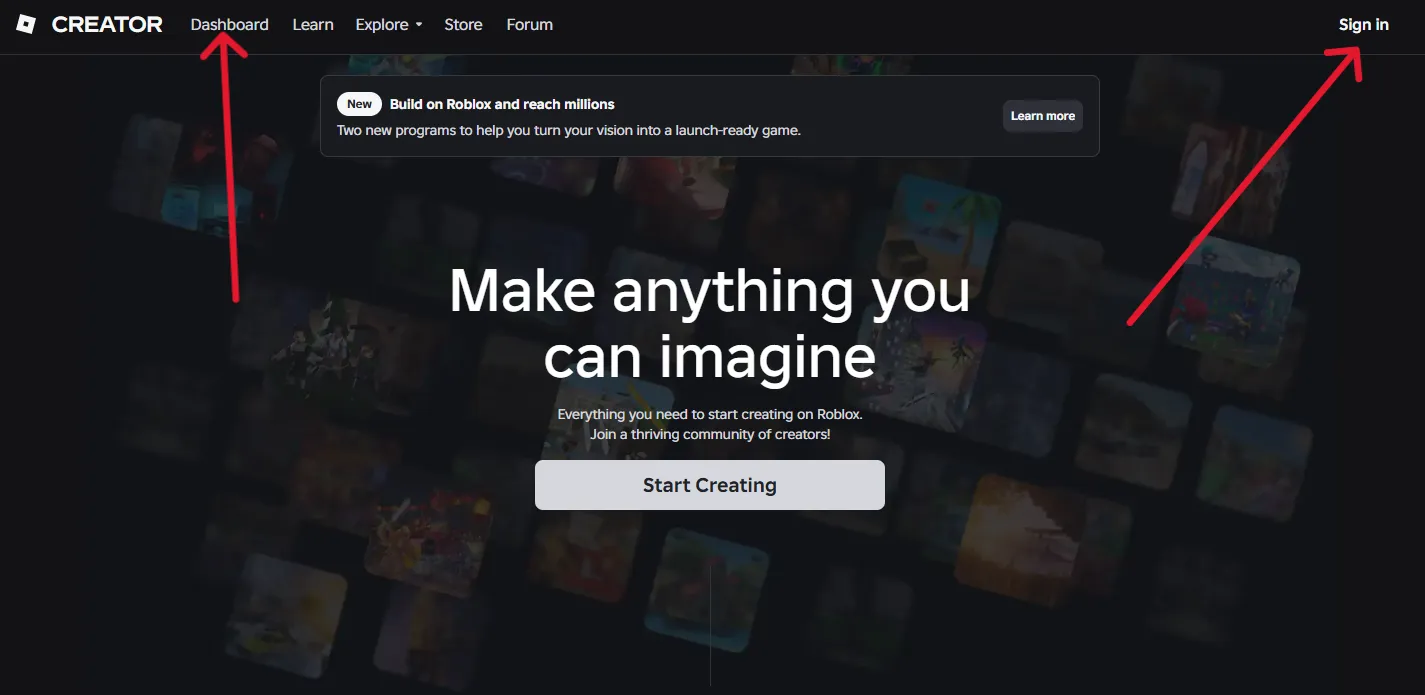
Step 1. Open Roblox Creator Hub
Visit the official Roblox Creator Hub and log in to your Roblox account. Open the Creator Dashboard.
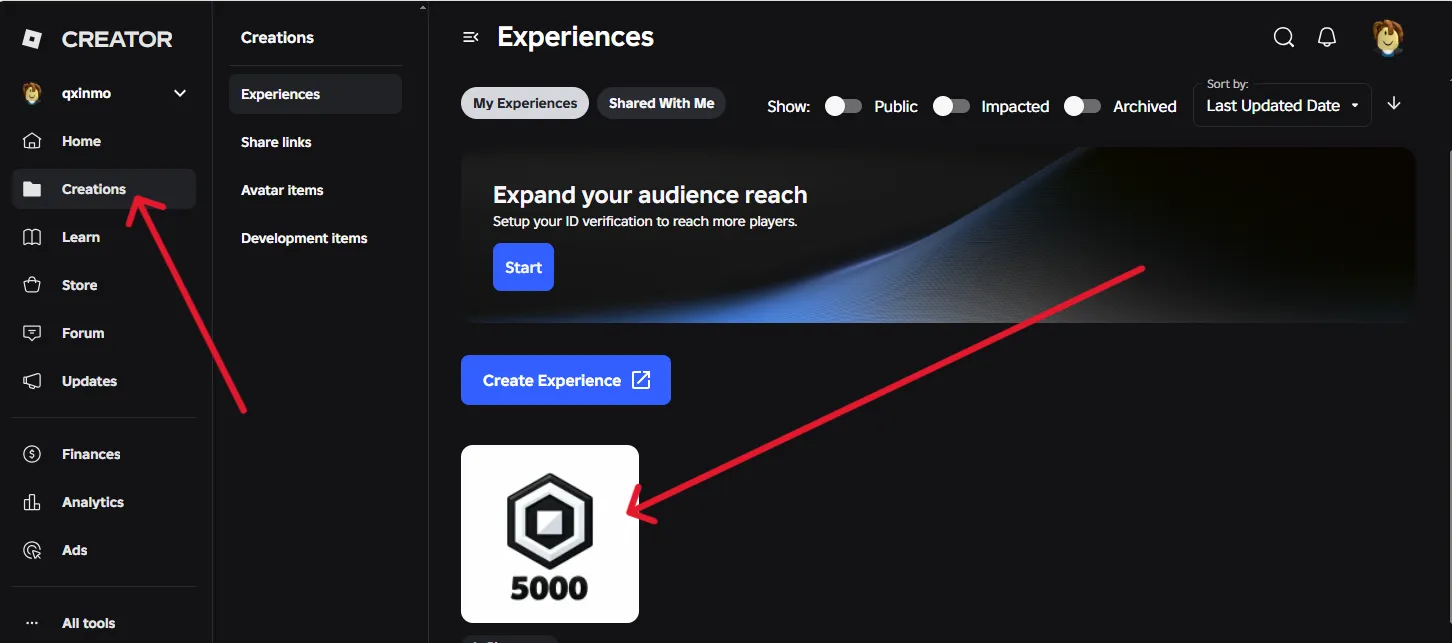
Step 2. Choose Your Experience
Select Creations from the left menu, then choose a published experience that you own or have permission to manage.
Step 3. Check Access Settings
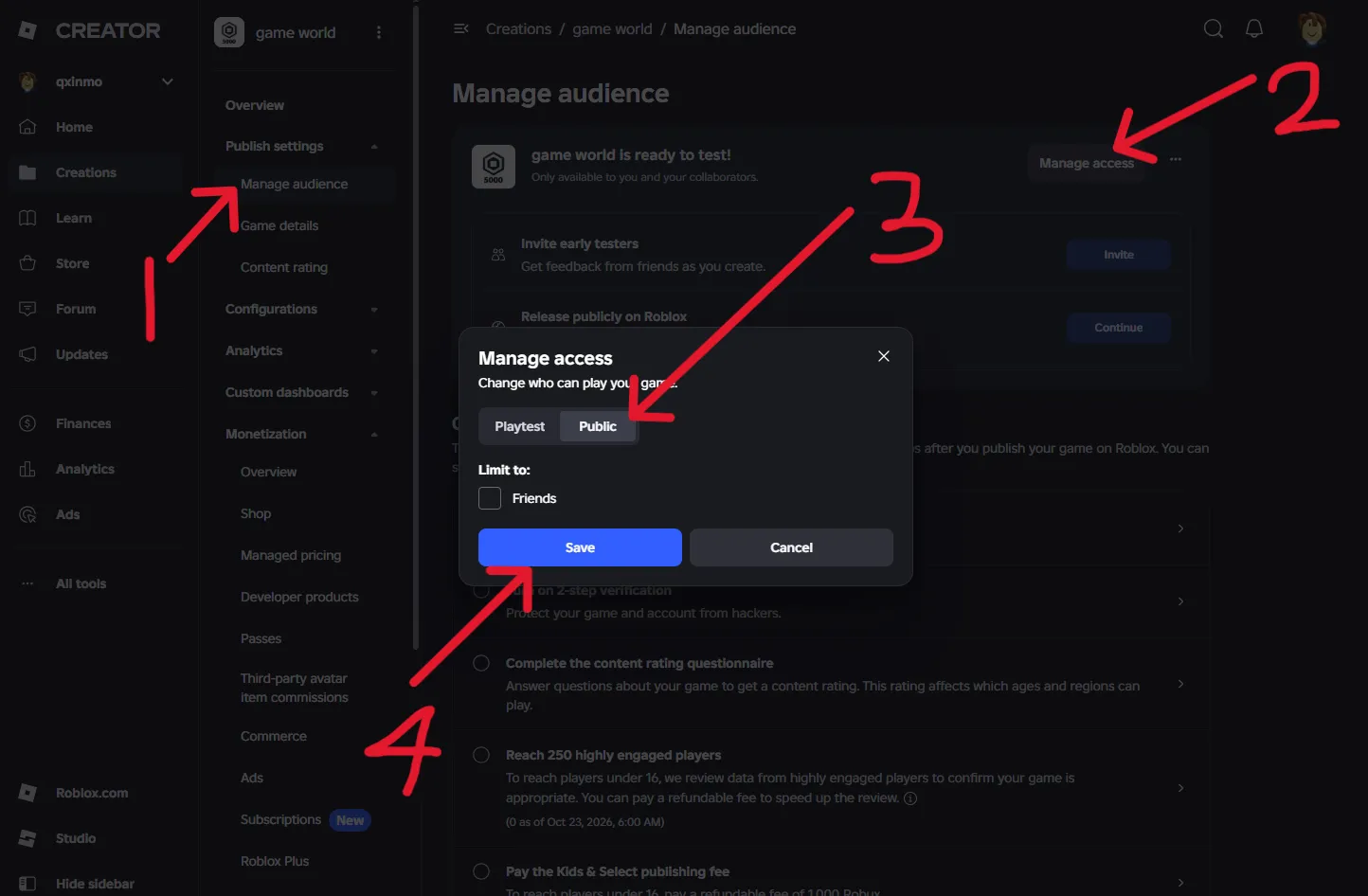
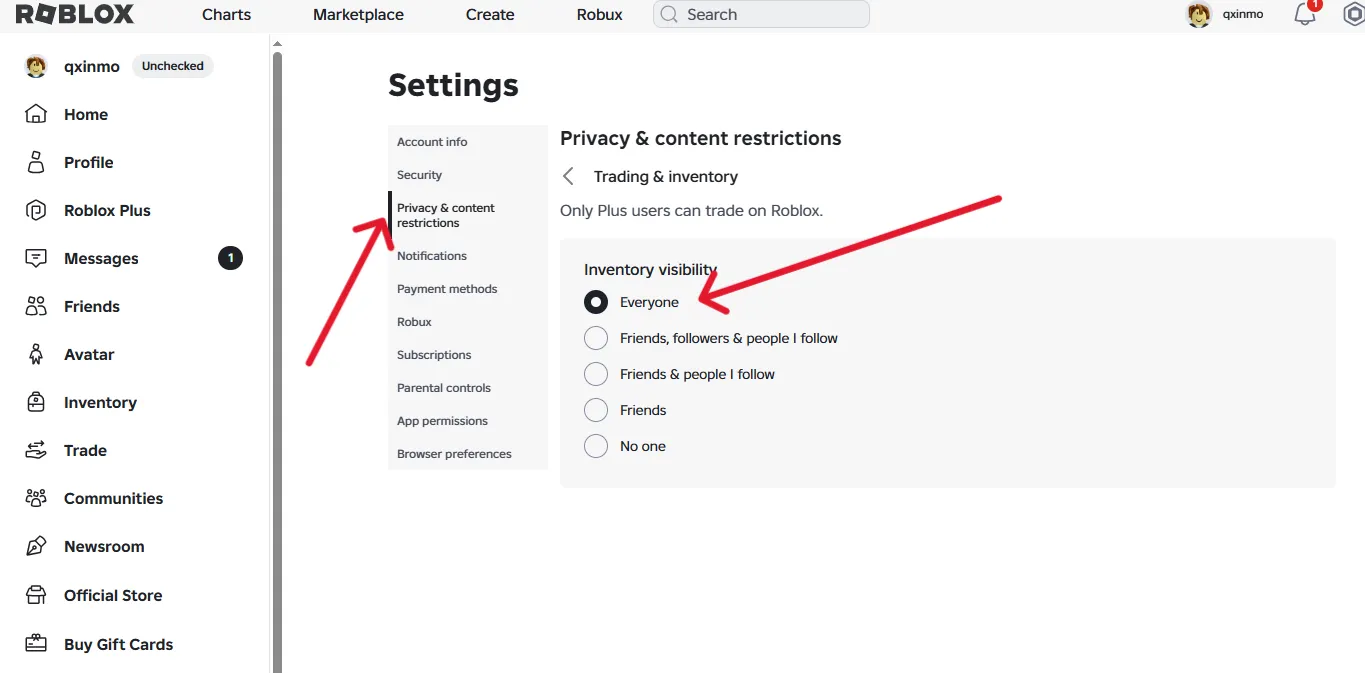
Make sure your experience is Public. Go to Manage Audience > Manage Access to check its visibility. If required by your order instructions, also review Settings > Privacy & Content Restrictions and set trading and inventory visibility to Everyone.
Step 4. Create a Game Pass
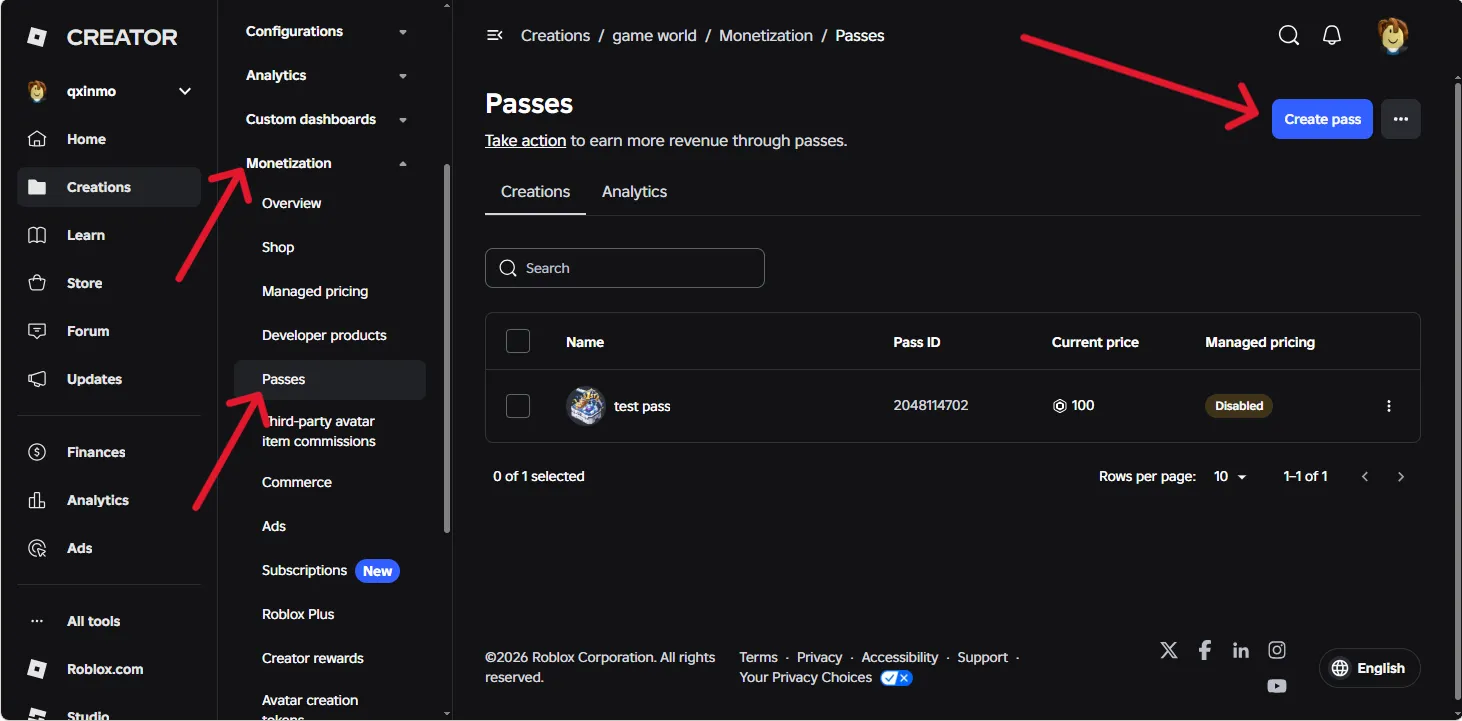
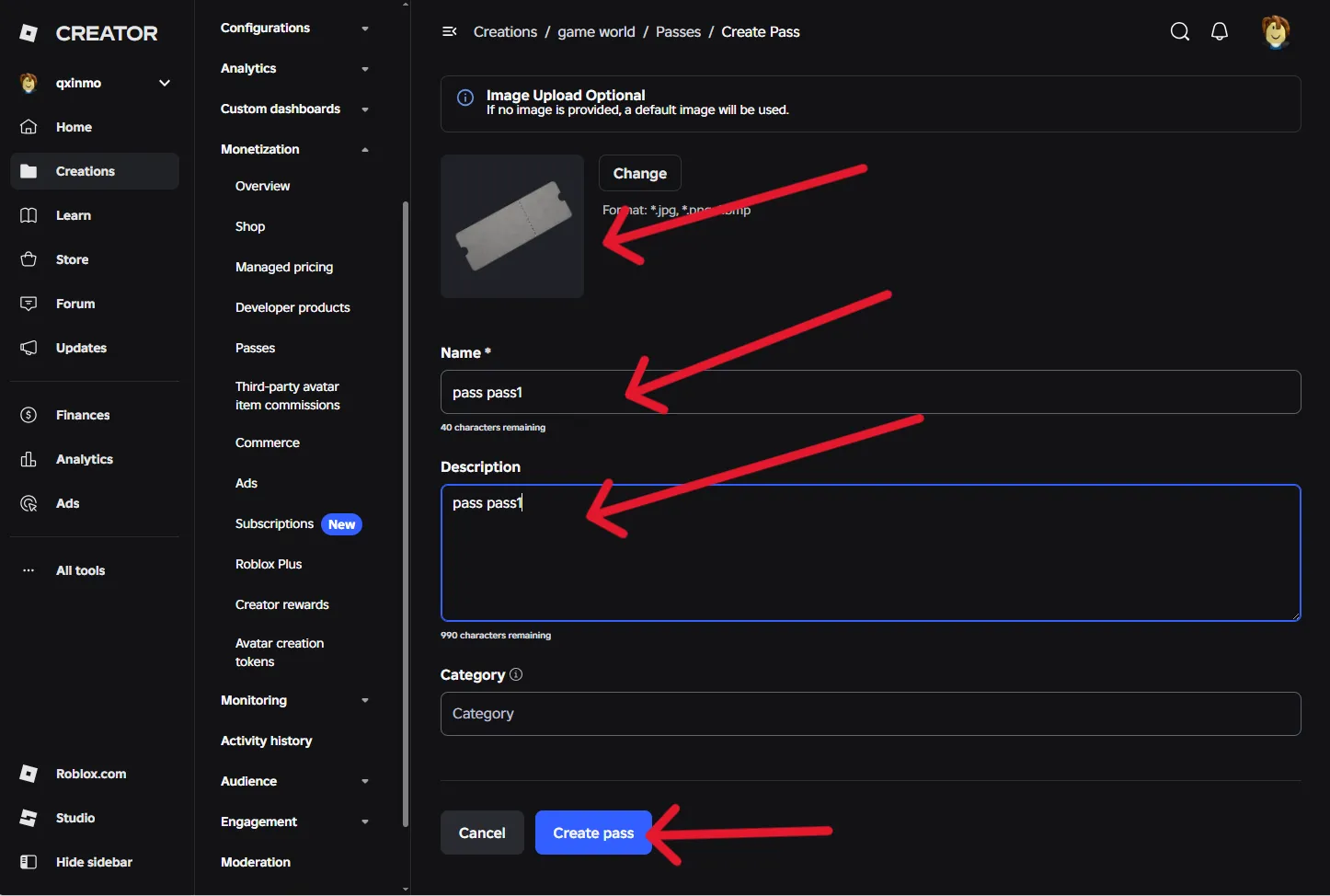
Go to Monetization > Passes and select Create Pass. Fill in the required details, then click Create Pass to finish.
Step 5. Open Your Pass Settings
Find the Game Pass you just created and click it to open its settings.
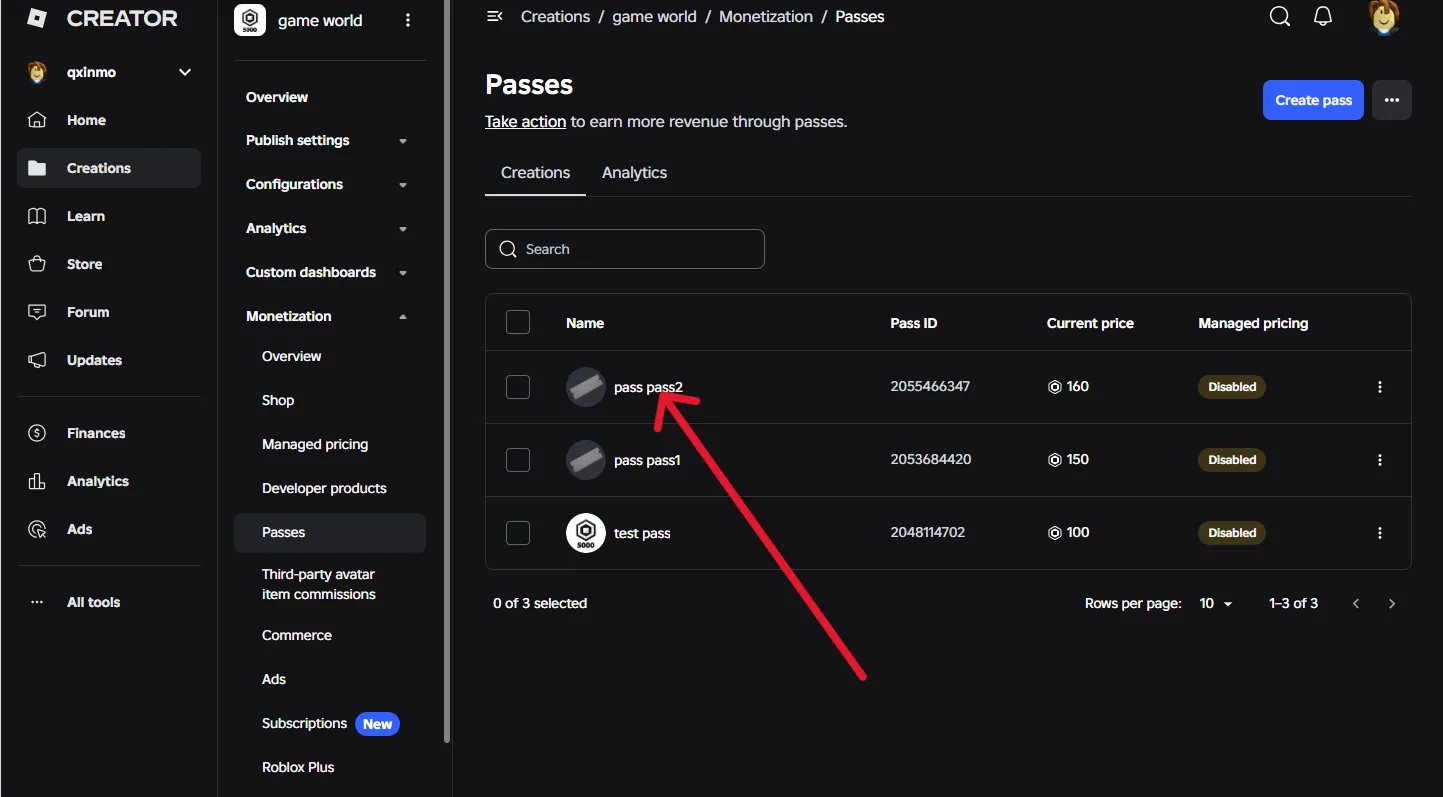
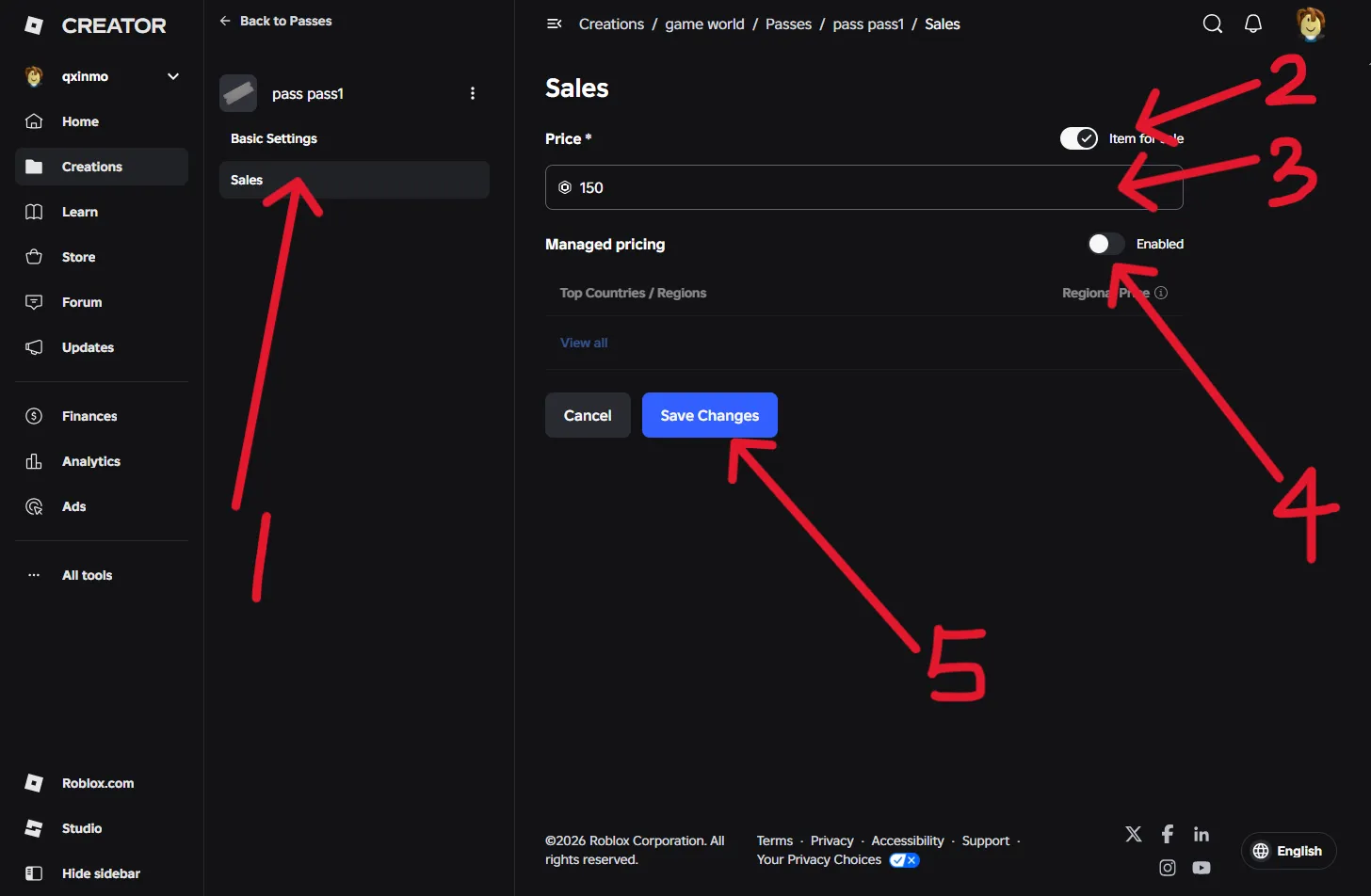
Step 6. Enable Sales and Set the Price
Under Sales, turn on Item for Sale and enter the price specified in your LDShop order instructions. Turn off Managed Pricing, then click Save Changes.
Important: Disable Regional Pricing as required by the product instructions. Remember that Roblox deducts a 30% fee from Game Pass sales.
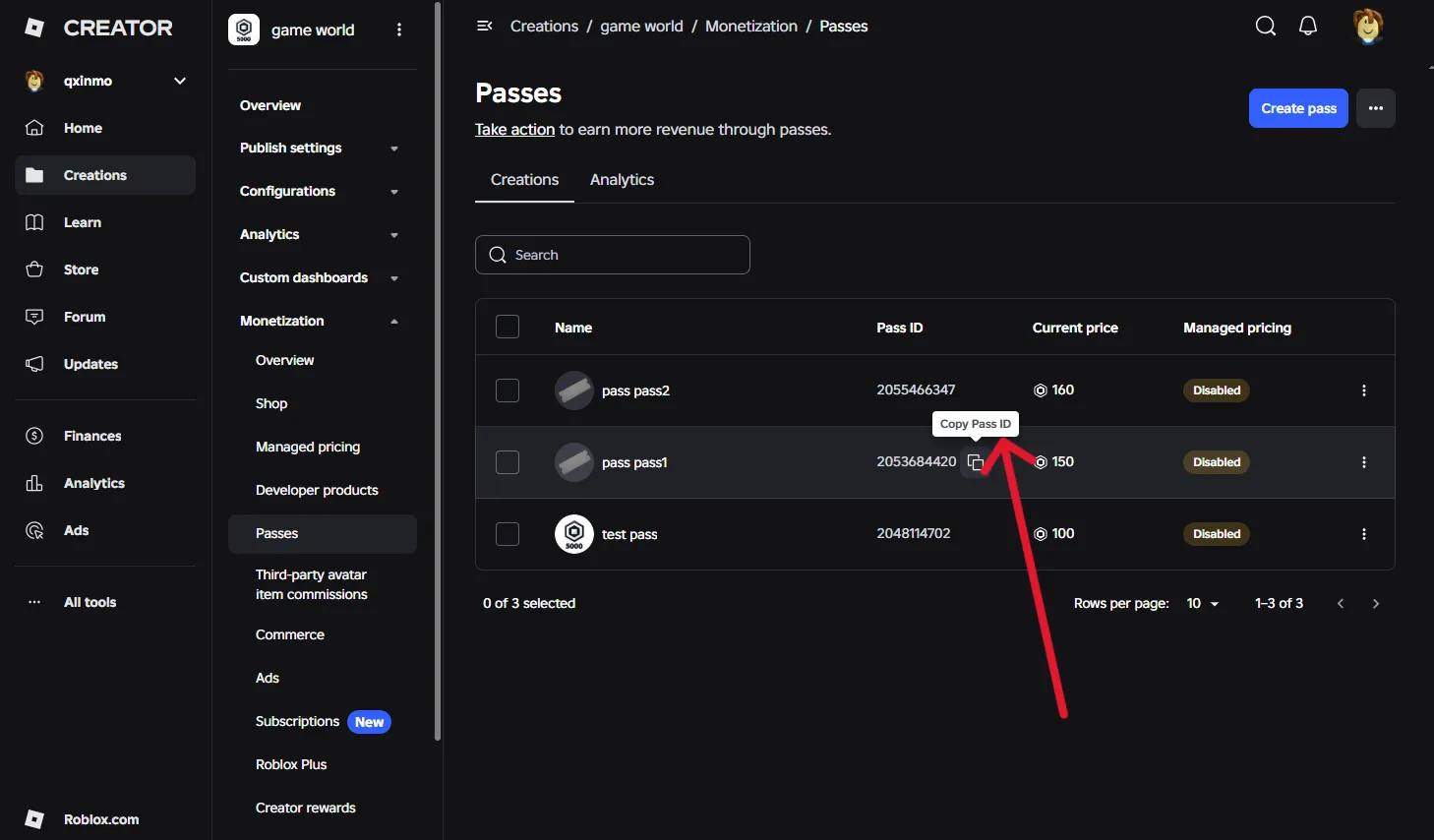
Step 7. Copy and Submit Your Game Pass Link
Find your Pass ID and add it to the end of the URL below:
https://www.roblox.com/game-pass/YOUR_PASS_ID
For example: https://www.roblox.com/game-pass/2053684420
Open the completed link in a new browser tab to confirm that your Pass is accessible. Then send the link to LDShop customer support through chat to complete your order.
Robux is Roblox’s in-game currency. You can use it to customize your avatar with clothing and accessories, buy Game Passes that unlock special abilities in your favorite games, access paid experiences, and set up private servers to play with friends only. Robux does not expire, so it stays in your balance until you spend it.
Using your own Game Pass link means you do not need to share your password or login details, and payments are processed at checkout. However, third-party Robux transactions may violate Roblox's Terms of Use and carry account risks.
No. We only need your Game Pass link.
After the Game Pass purchase, your Robux shows as Pending until Roblox’s holding period ends. It typically takes 5–7 days to become available in your account.
Compare the price per 1,000 Robux, check how the Robux is delivered, and avoid any seller that asks for your password. At LDShop, packs are priced below Roblox’s official rates and delivered through a Game Pass link only.
Robux from Game Pass sales is held by Roblox for a period before becoming available. This is a Roblox rule that applies to these sales.
Please check that the Game Pass is published and the link opens correctly. If no link is provided, or the link is invalid, broken, or returns an error, you are eligible for a refund.
No. Robux has no expiration date and stays in your balance until you spend it.
Buying Robux here uses the Game Pass method and needs no account login. If you prefer our account top-up service, see our Roblox top-up service. For gift card codes, see Roblox gift card.